The Best Home Security Systems in 2026: Recommended by Experts
SimpliSafe's effective burglar deterrent measures, quick response times, and low prices earns it the number one spot.
 &
&
 Last Updated on Apr 15, 2026

- Over 150 years of experience makes ADT one of the most trusted names in home security
- Industry-best 6-month money-back guarantee lets you try the system risk-free
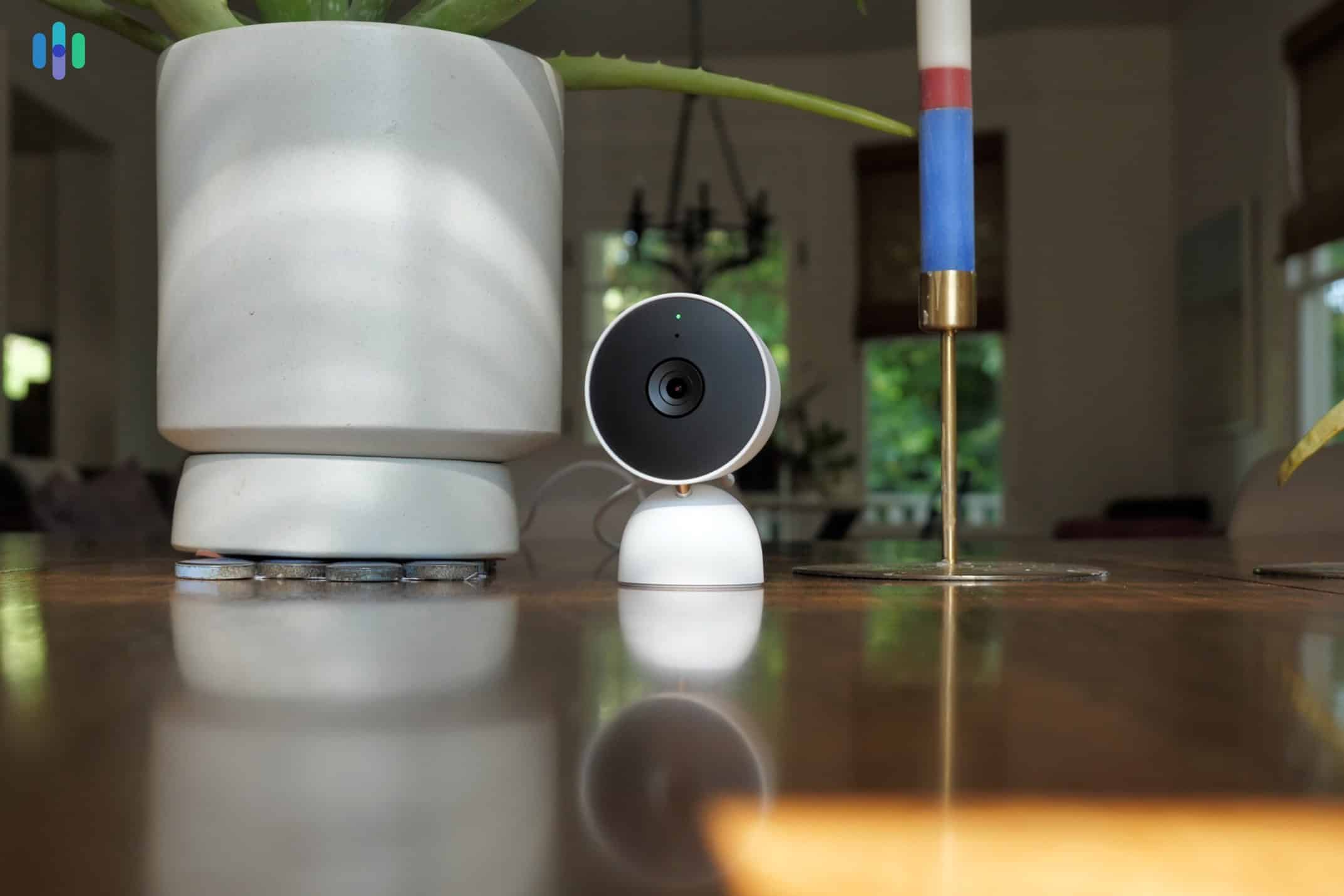
- Google Nest cameras use AI to recognize familiar faces and automate access to your home

- Over 150 years of experience makes ADT one of the most trusted names in home security
- Industry-best 6-month money-back guarantee lets you try the system risk-free
- Google Nest cameras use AI to recognize familiar faces and automate access to your home

- Vivint Smart Home Pros handle every aspect of installation, so you never have to pick up a tool
- Security cameras with two-way audio and bright spotlights that actively warn off would-be intruders
- Durable, weatherproof equipment designed to look good inside and outside your home
Choosing the best home security system for your needs can be confusing when there are so many high-quality brands out there. You’ll find everything from budget-friendly DIY setups to state-of-the-art smart systems. The only way to choose the right one is to rely on experts who have hands-on experience with these systems.
Our dedicated team of home security experts tested over 60 systems and hand-picked the best options. They spent six months ranking and rating these setups based on features, pricing, and reliability. Below, you’ll find honest recommendations for eight highly rated security systems. Let’s find out which one is right for you.
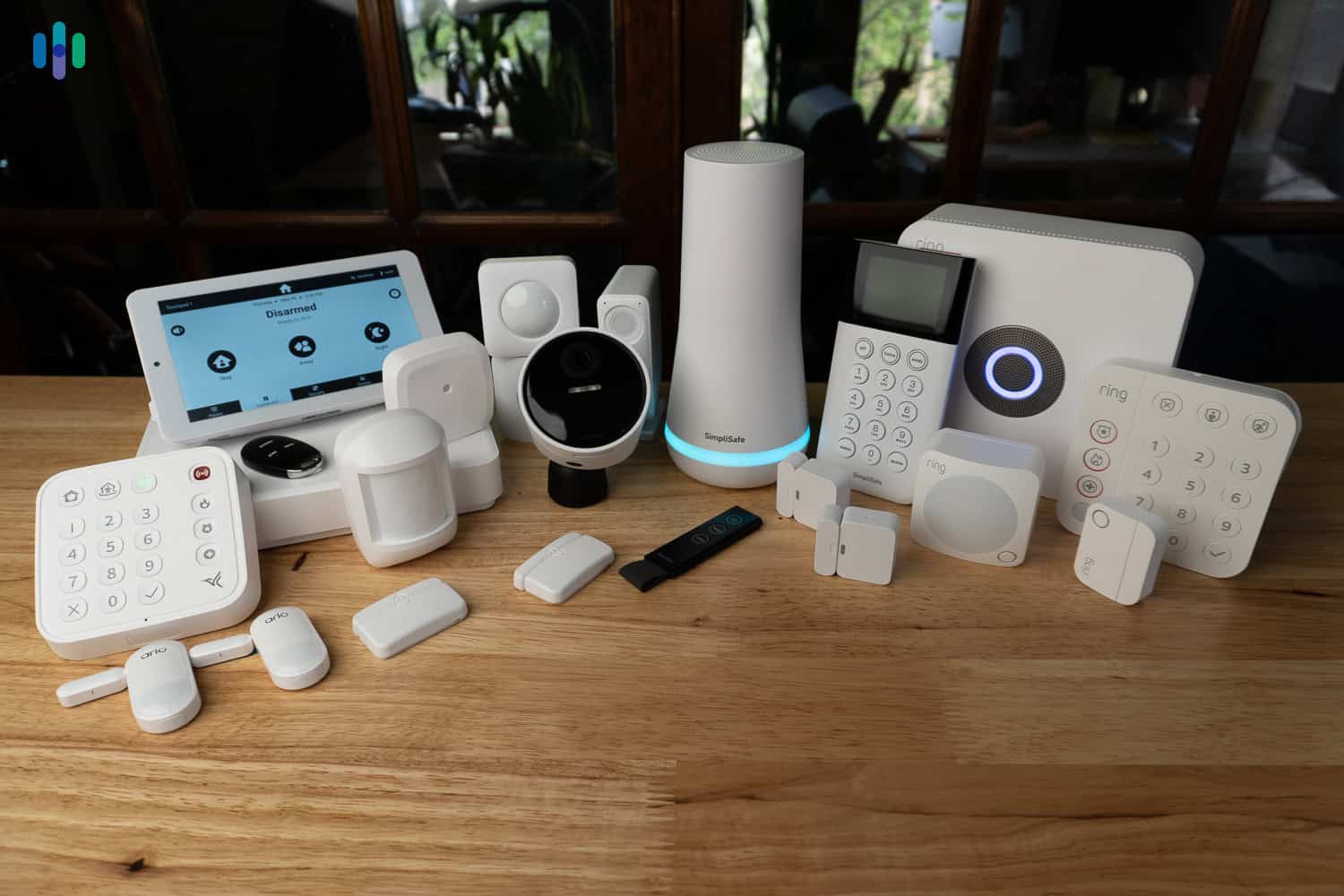
The Best Home Security Systems of 2026
- SimpliSafe - Best for Deterring Intruders
- ADT - Best Professional Monitoring and Installation
- Vivint - Best Home Automation
- Cove - Most Affordable DIY System
- Frontpoint - Best Customer Service and Support
- Brinks Home Security - Best Smart Home Integrations
- abode - Best No-Contract Monitoring
- Ring Alarm - Best Security Cameras and Video Doorbells
Overview of the Best Home Security Systems
| System |
SimpliSafe
|
ADT
|
Vivint
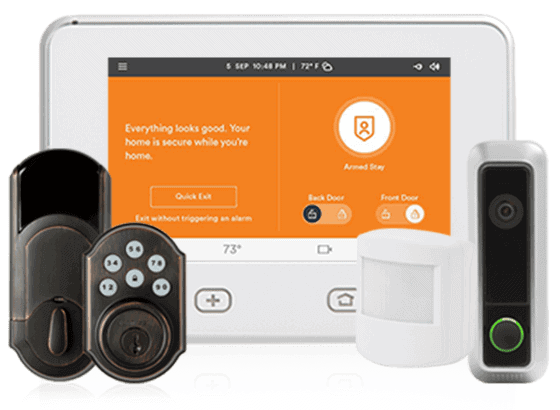
|
Cove

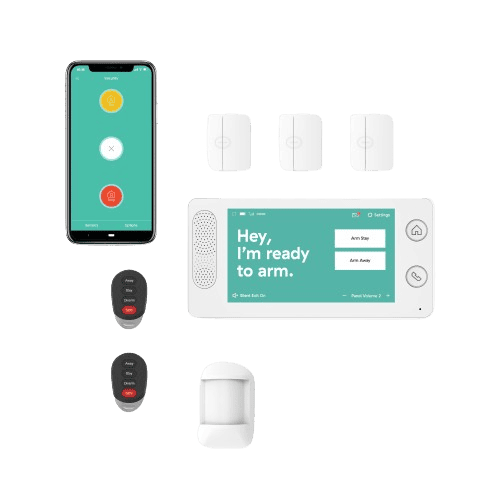
|
Frontpoint

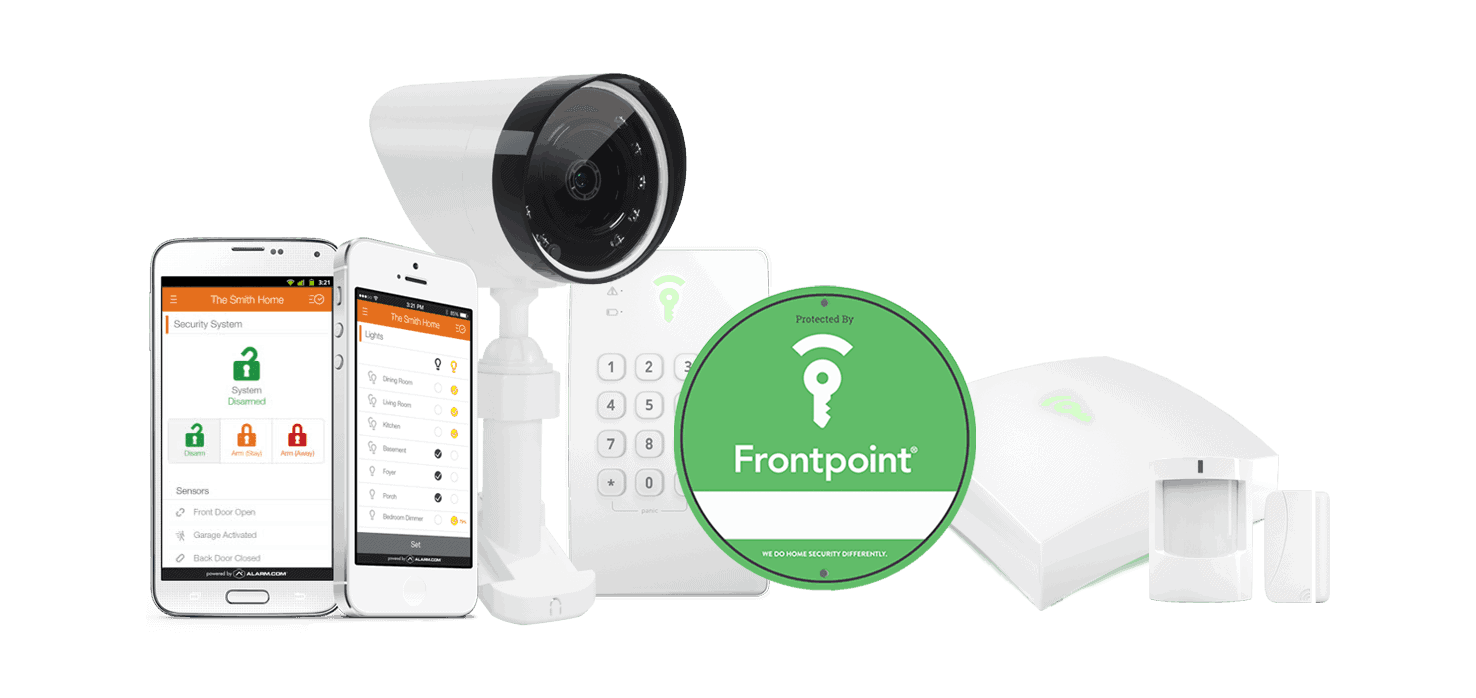
|
Brinks Home Security

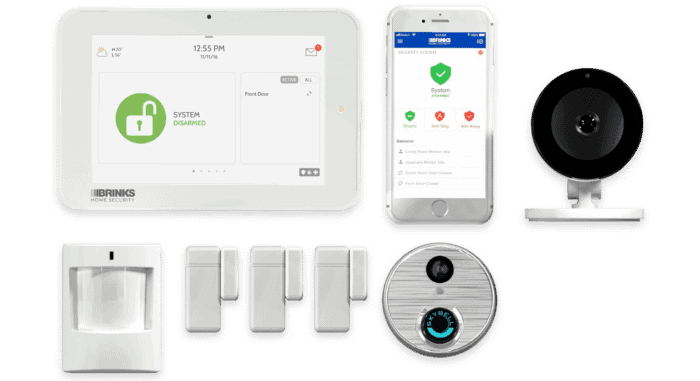
|
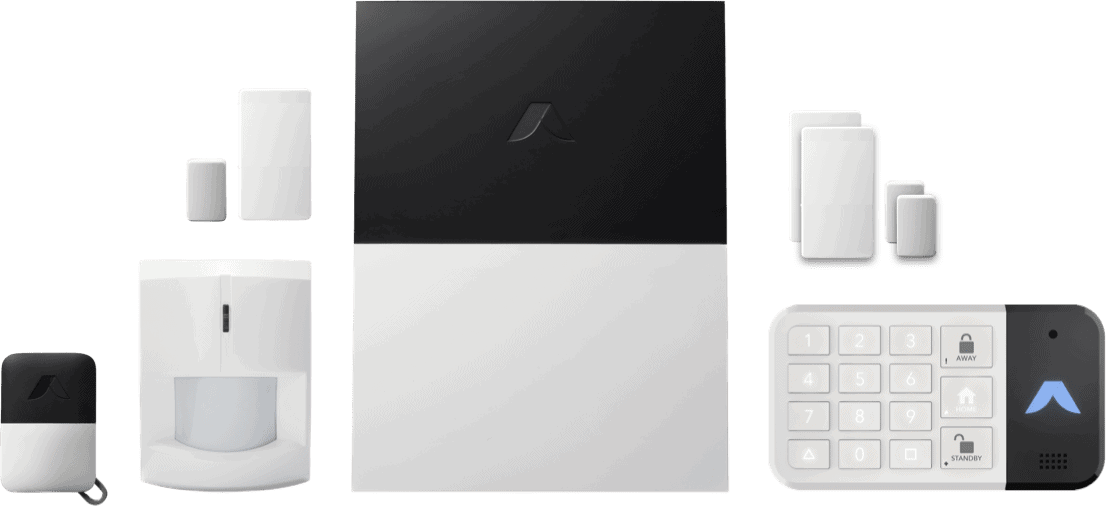
abode

|
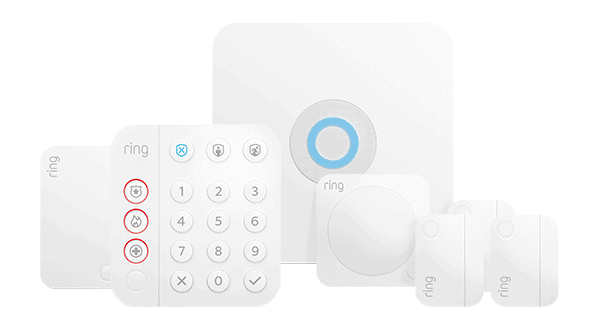
Ring Alarm

|
|---|---|---|---|---|---|---|---|---|
| Ranking | 1st | 2nd | 3rd | 4th | 5th | 6th | 7th | 8th |
| Ratings | 9.8/10 | 9.8/10 | 9.4/10 | 8.7/10 | 8.9/10 | 8.6/10 | 8.0/10 | 7.7/10 |
| Installation type | DIY or professional | DIY or professional | Professional | DIY or professional | DIY or professional | Professional | DIY or professional | DIY or professional |
| Monitoring type | Professional or self-monitoring | Professional or self-monitoring | Professional | Professional | Professional or self-monitoring | Professional | Professional or self-monitoring | Professional or self-monitoring |
| Average response time | 28 seconds | 31 seconds | 33 seconds | 41 seconds | 44 seconds | 43 seconds | 52 seconds | 38 seconds |
| Requires professional monitoring | No | For professionally installed systems only | Yes | No | Yes | Yes | No | No |
| Requires contract | No | For professionally installed systems only | Yes | No | No | Yes | No | No |
| Read Review | SimpliSafe Review | ADT Review | Vivint Review | Cove Review | Frontpoint Review | Brinks Home Security Review | abode Review | Ring Alarm Review |
Which Home Security System Is Best for You?
-
1. SimpliSafe - Best Intruder-Deterring Security System

Product Specs
Equipment Costs Packages starting at $250.96 Monitoring Options Professional and DIY Monthly Monitoring Costs Starts at $22.99 Contract Lengths Month-to-month Installation Options DIY or professional Smart Platform Integration Alexa and Google Home Why We Recommend SimpliSafe

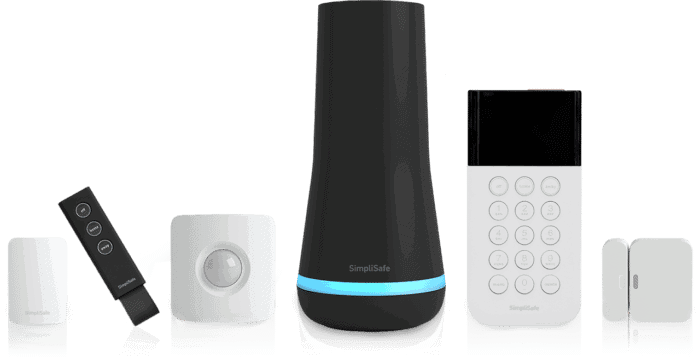
We’ve tested a wide range of SimpliSafe’s devices, including cameras, sensors, and the keypad controller SimpliSafe’s DIY security system may look simple, but it has one of the most sophisticated professional monitoring features we’ve seen. SimpliSafe offers two intruder-deterrent features: Intruder Intervention and Active Guard Outdoor Protection. Intruder Intervention works through the Wireless Indoor Camera and is available on the Core plan and higher. Active Guard Outdoor Protection covers the Wireless Outdoor Camera and Video Doorbell Pro and requires the Pro plan or higher.
During our testing, both features stopped our simulated break-ins before they could progress. When we triggered an alarm, monitoring center agents pulled up live camera feeds and spoke directly through the two-way speaker to confront the intruder. It was jarring even knowing it was a test.
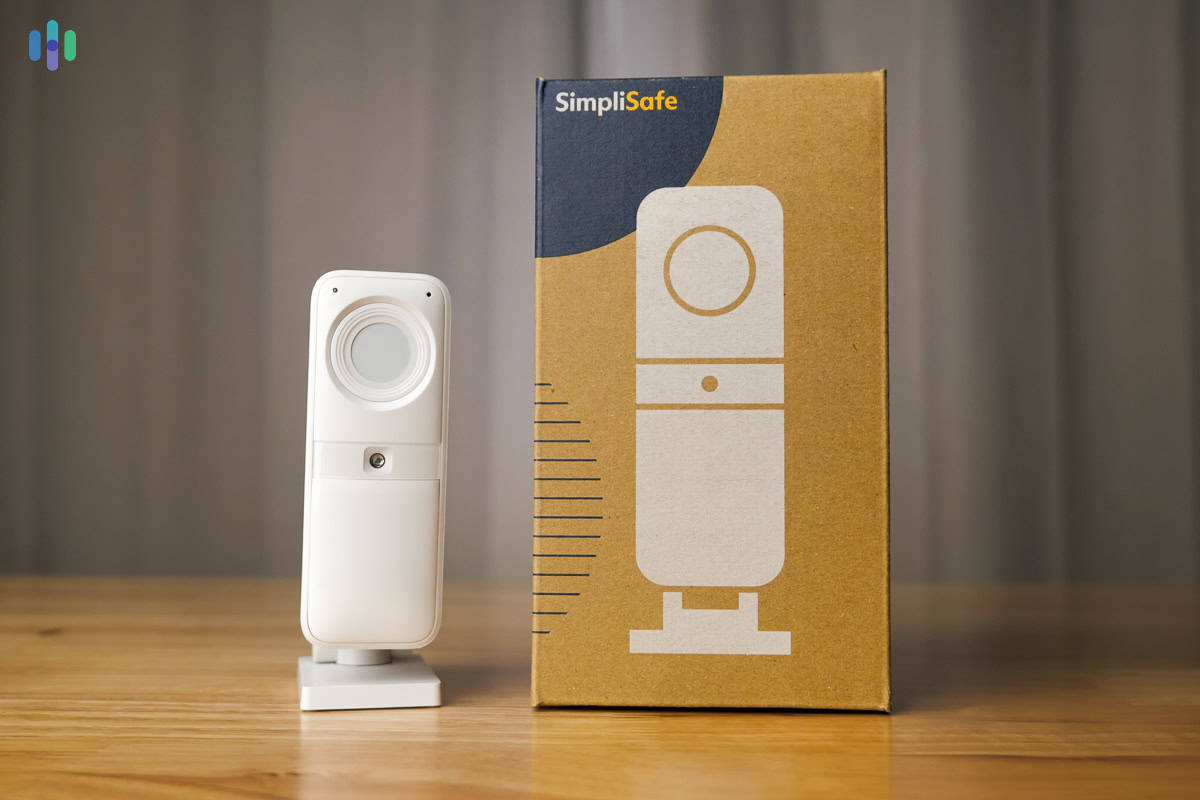
Heads Up: Unlike any other system we tested, SimpliSafe’s Wireless Indoor Camera has a built-in privacy shutter that stays physically closed until an alarm is triggered. That means no one (not even SimpliSafe) is watching your home’s interior during normal hours. It’s a privacy feature we haven’t seen from ADT, Vivint, or any other system on this list
What We Like
- No long-term contracts — cancel or change your plan anytime
- Easiest DIY installation we tested, with most setups done in under 30 minutes
- Monitoring starts at $22.99 per month, with intruder-deterrent features available from $32.99
- Stays protected during power and internet outages thanks to cellular and battery backup
What We Don’t Like
- Limited home automation capabilities compared to systems like Vivint
- Optional professional installation starts at $125, which adds up on top of equipment costs
- Fewer camera options than most competitors on this list
- Only integrates with one third-party smart home product, which is Alexa
SimpliSafe Equipment
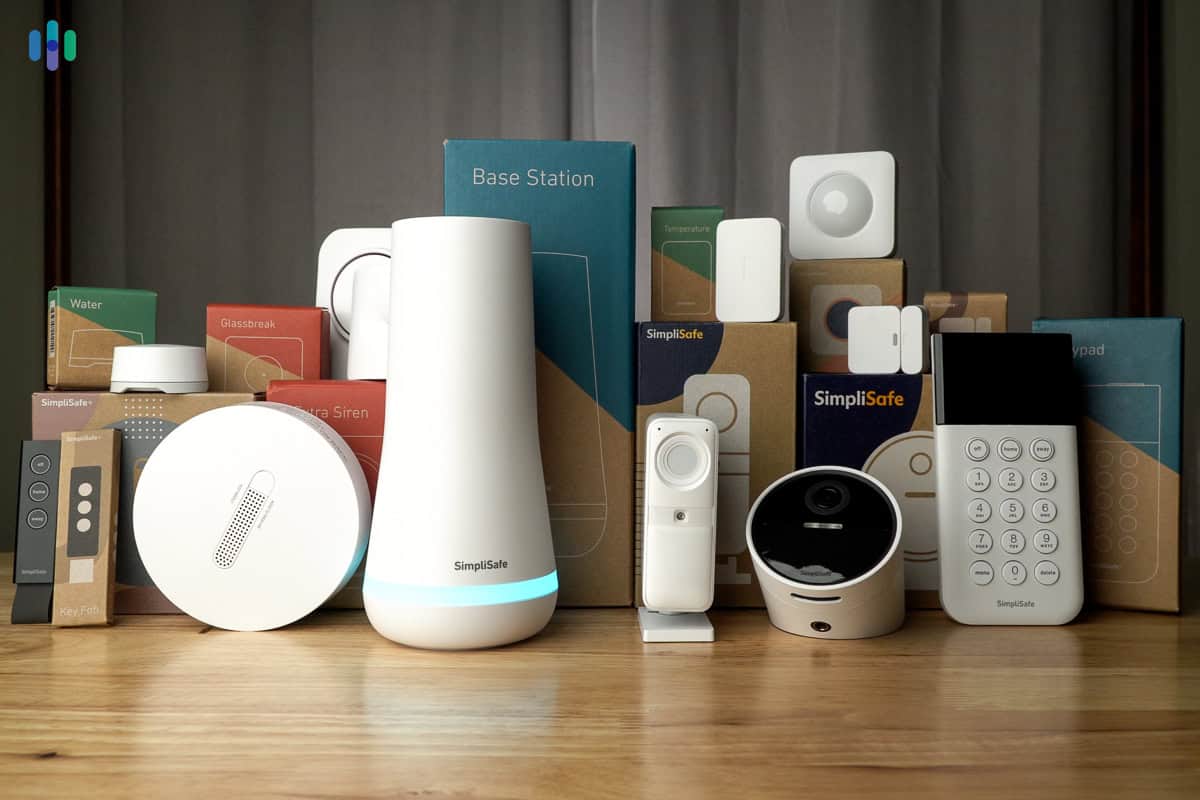
SimpliSafe makes it easy to build a custom package, but you can also choose from pre-built packages from $250.96 to over $700. They all include a base station and keypad combo, plus sensors and sometimes security cameras. From there, you can customize the package with additional equipment.
If you want to take advantage of Intruder Intervention and Active Guard Outdoor Protection, you’ll need to add cameras. When we tested SimpliSafe’s latest equipment in April 2026, monitoring agents were on the line within 20 seconds of a triggered alarm, and the two-way audio was clear enough to make our tester genuinely uncomfortable. The intruder-deterrent features made a noticeable difference in how secure the home felt.
SimpliSafe covers all the essentials, but its smart home capabilities are limited. Smart locks are available, and the system connects to Alexa and Google Assistant, but that’s about as far as it goes. If deep smart home integration is a priority, Vivint or Brinks may be a better fit.
Expert Insight: In simple terms, burglary is the act of trespassing combined with the intent to commit a crime.1 This means that securing your home starts outside, so we recommend getting outdoor cameras and video doorbells to cover entry points and pathways to your home.
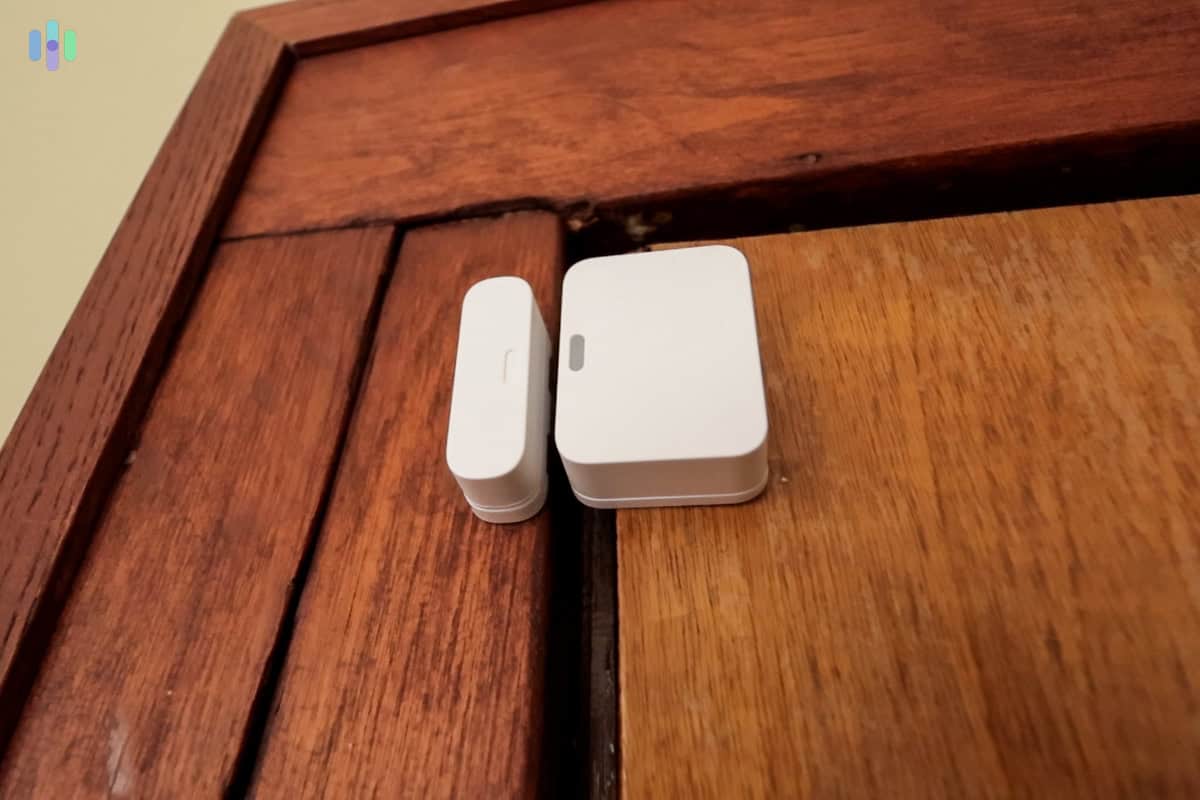
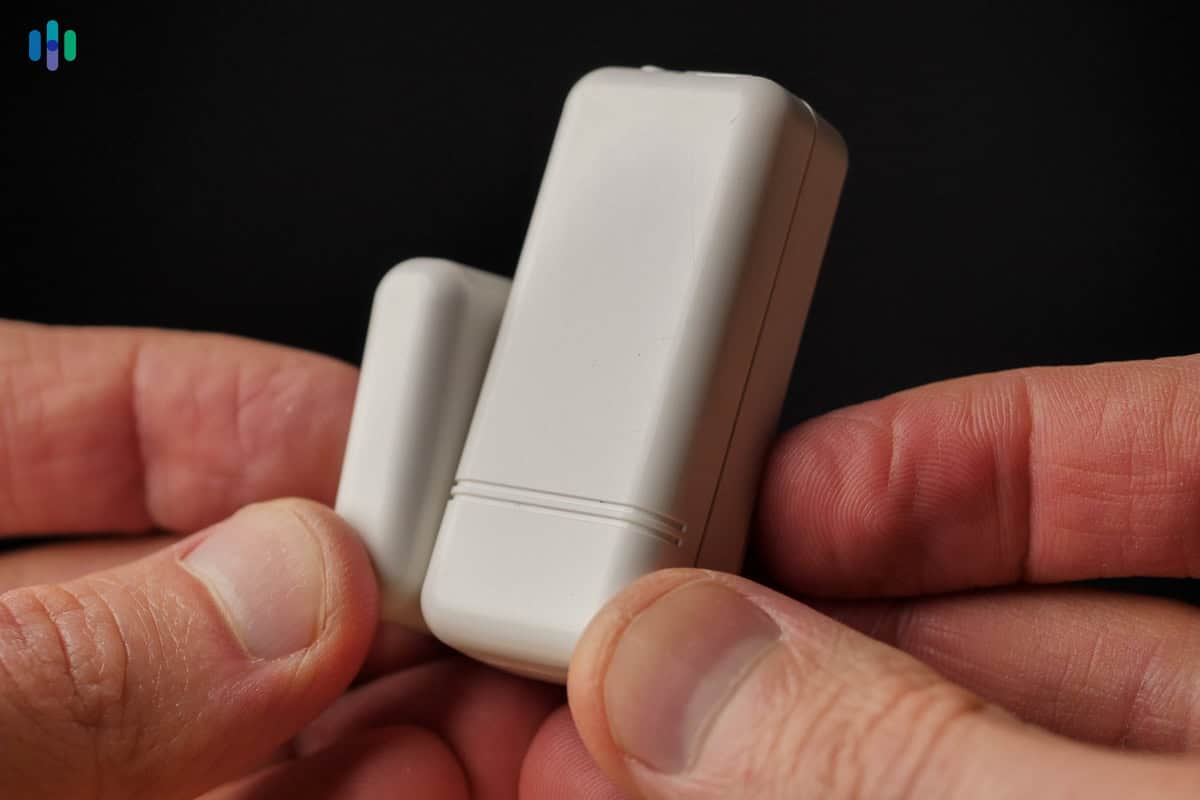
The SimpliSafe Entry Sensor looked pretty conspicuous on our wooden door frame. SimpliSafe Monitoring
You can self-monitor SimpliSafe, but we still recommend going for professional monitoring to access the intruder-deterrent features (Intruder Intervention and Active Guard). SimpliSafe doesn’t require contracts like companies such as Vivint and Brinks do. That means you can cancel SimpliSafe anytime. Here’s a quick overview of your options:
SimpliSafe Monitoring Plan Standard Core Pro & Pro Plus 24/7 Professional Monitoring Yes Yes Yes Cloud Storage for Cameras No Yes Yes Indoor Intruder Intervention No Yes Yes Active Guard Outdoor Protection No No Overnight for Pro, 24/7 for Pro Plus Monthly Rate $22.99 $32.99 Starts at $49.99 For most homeowners, we recommend the Core plan, which includes Intruder Intervention for the indoor camera. If you need outdoor protection, too, we think the Pro plan works well for nighttime outdoor camera monitoring.
During testing, SimpliSafe’s response time averaged 31 seconds across 20 break-in simulations. That’s only about three seconds slower than ADT’s 28-second average (fastest on this list), but that only tells part of the story. On our Core plan, SimpliSafe also responded through the indoor camera. Across 10 additional simulations, Intruder Intervention kicked in within an average of 12 seconds. Within that time, the indoor camera’s privacy shutter opened and a monitoring agent spoke through the indoor camera’s speakers.
FYI: During testing, we deliberately cut the Wi-Fi to see how SimpliSafe held up. As a cellular home security system, it kept communicating with the monitoring center over a mobile network. Note that Intruder Intervention and Active Guard stopped working without Wi-Fi, but all other alerts still got through.
SimpliSafe Pricing
SimpliSafe’s equipment pricing is competitive for a DIY system. We got our 14-piece package for only $279 thanks to a 50-percent-off deal. It’s worth checking SimpliSafe’s current deals before you buy, as discounts run frequently.
As for monitoring, SimpliSafe offers good value. Basic monitoring with the Standard Plan costs $22.99 per month. At $32.99 per month, the Core plan adds camera support and Intruder Intervention. Those are good prices, considering ADT and Vivint charge at least $29.99 for basic monitoring that goes up to $49.99 for video features.
FYI: Comparable real-time outdoor monitoring from other providers costs significantly more. Ring’s equivalent plan runs $99 per month and Deep Sentinel starts at $100 per month, making SimpliSafe’s Pro and Pro Plus plans a notable value.
SimpliSafe User Experience
Installing our SimpliSafe system took about an hour, which is fast considering we also installed the hardwired Video Doorbell Pro. The doorbell required some drilling and basic wiring work, but the process was manageable with a screwdriver and a few minutes of patience. We also routed the power cable for the Outdoor Camera Series 2 to activate Active Guard Outdoor Protection. It was straightforward work that didn’t require any special tools. The wireless sensors were the easiest part. They required no tools, just peel-and-stick mounting and a quick pairing process in the app.

Our Wireless Indoor Camera with its privacy cover shut close. After installation, we activated our Pro monitoring plan. The system ran in Practice Mode for the first three days. That’s worth noting. It gave us enough time to get comfortable living with monitoring without the risk of false alarms, but real emergencies wouldn’t have been reported either. It’s a useful feature, but new users should know about this.
Overall, SimpliSafe was easy to use day-to-day. The keypad is functional but basic — no touch screen like Vivint’s — so arming and disarming felt slightly less intuitive at first. In practice, we barely used it. The SimpliSafe app handled most of what we needed, and it was one of the more straightforward security apps we tested.
-
2. ADT - Best Professional Monitoring and Installation

Product Specs
Equipment Costs Packages starting at $404 Monitoring Options Professional and DIY Monthly Monitoring Costs Starting at $24.99 Contract Lengths Month-to-month or 36 months and up Installation Options Professional and DIY Smart Platform Integration Alexa and Google Home Why We Recommend ADT
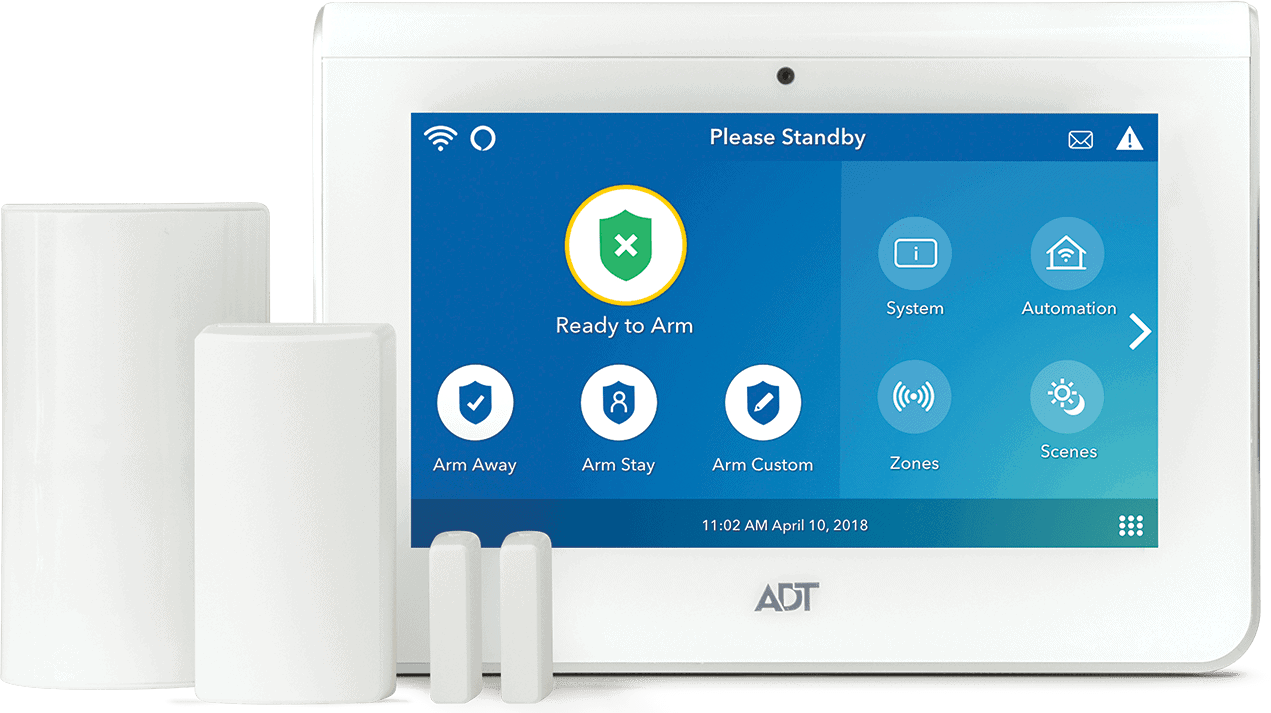
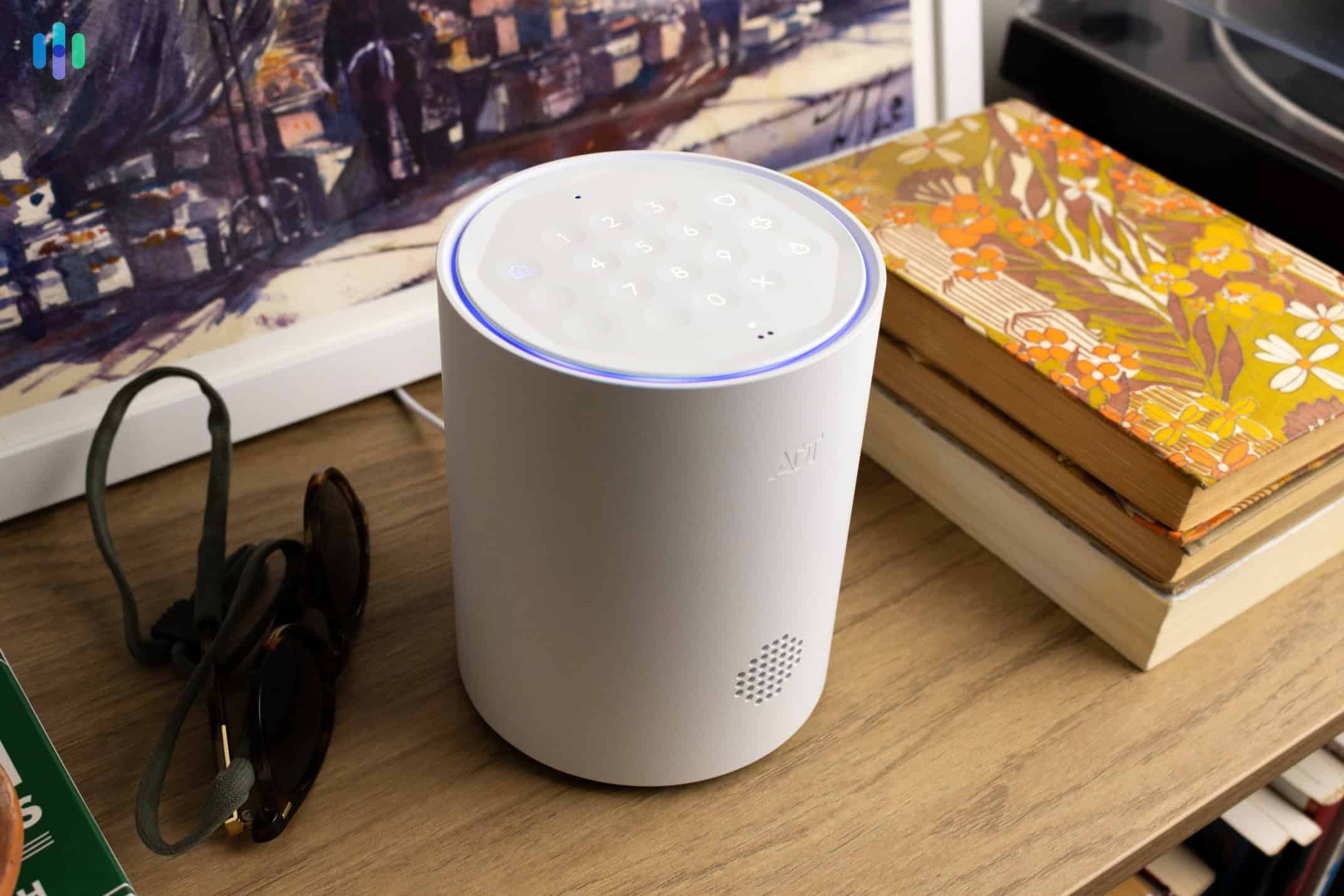
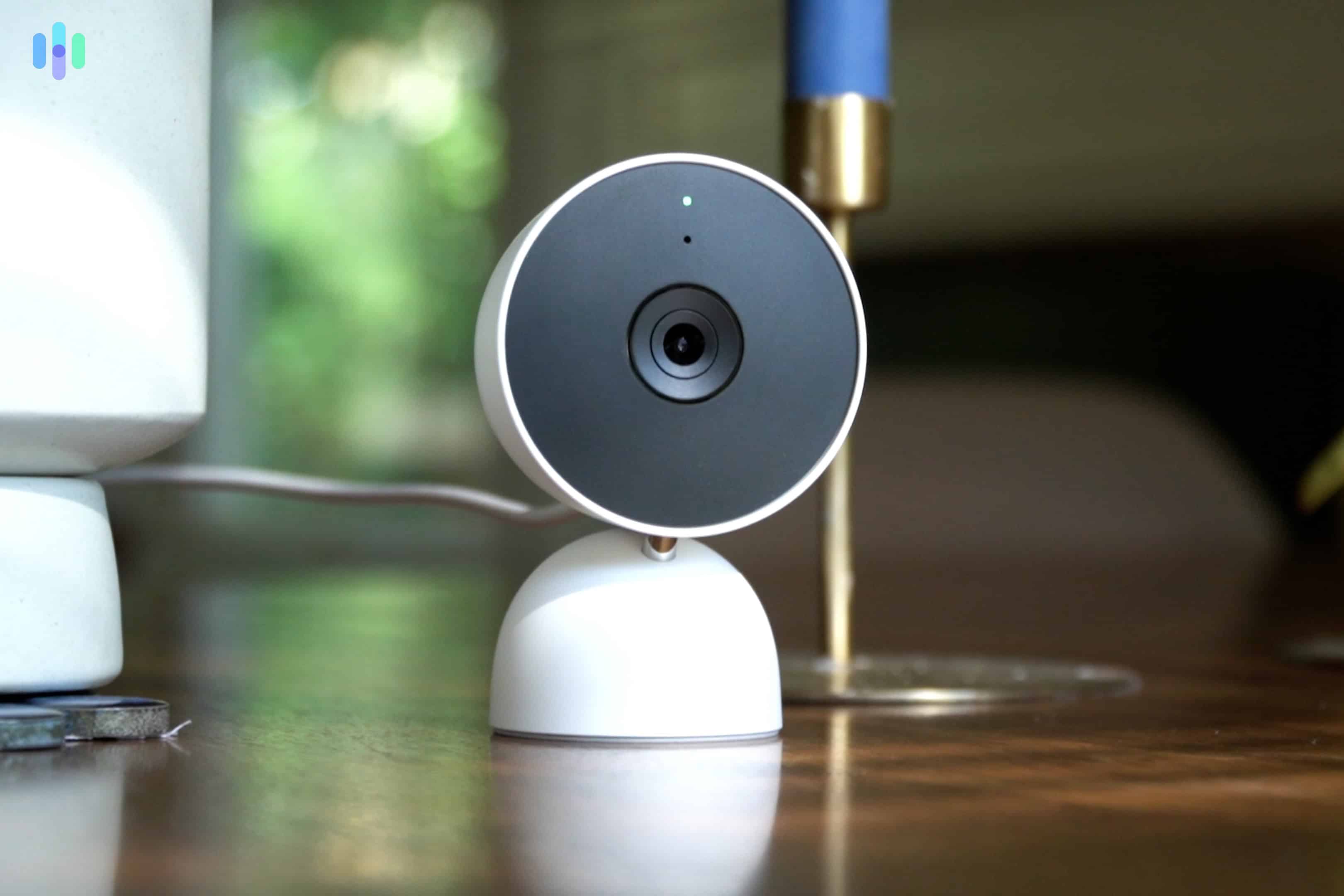
ADT has replaced its touchscreen control panel with a base with a keypad for arming and disarming your system. ADT has built a strong network of monitoring facilities across North America. They have 12 facilities in total, six of which serve ADT home security system users. If one facility goes offline, another picks up the slack — and in practice, we experienced reliable uptime and an average response time of just 28 seconds across 20 break-in simulations. We also put ADT through our testing process for professionally installed security systems. From the ADT security cameras we reviewed to peripheral components like smoke alarms, the technician walked us through every device before we began testing.
>> Related: Google Nest Cam (Battery) Review
What We Like
- Professional installation handled by experienced technicians who test every device before leaving
- Google Nest cameras and smart home devices available as add-ons
- Over 150 years in the industry, with one of the most established monitoring networks in North America
- Redundant monitoring across six dedicated facilities means reliable uptime and fast response times
What We Don’t Like
- Financing your equipment or opting for professional installation may lock you into a contract
- Customer service quality varied noticeably across our interactions
- Professional monitoring with camera support starts at $39.99 per month
- Camera and doorbell options feel limited for a system at this price point
ADT Equipment

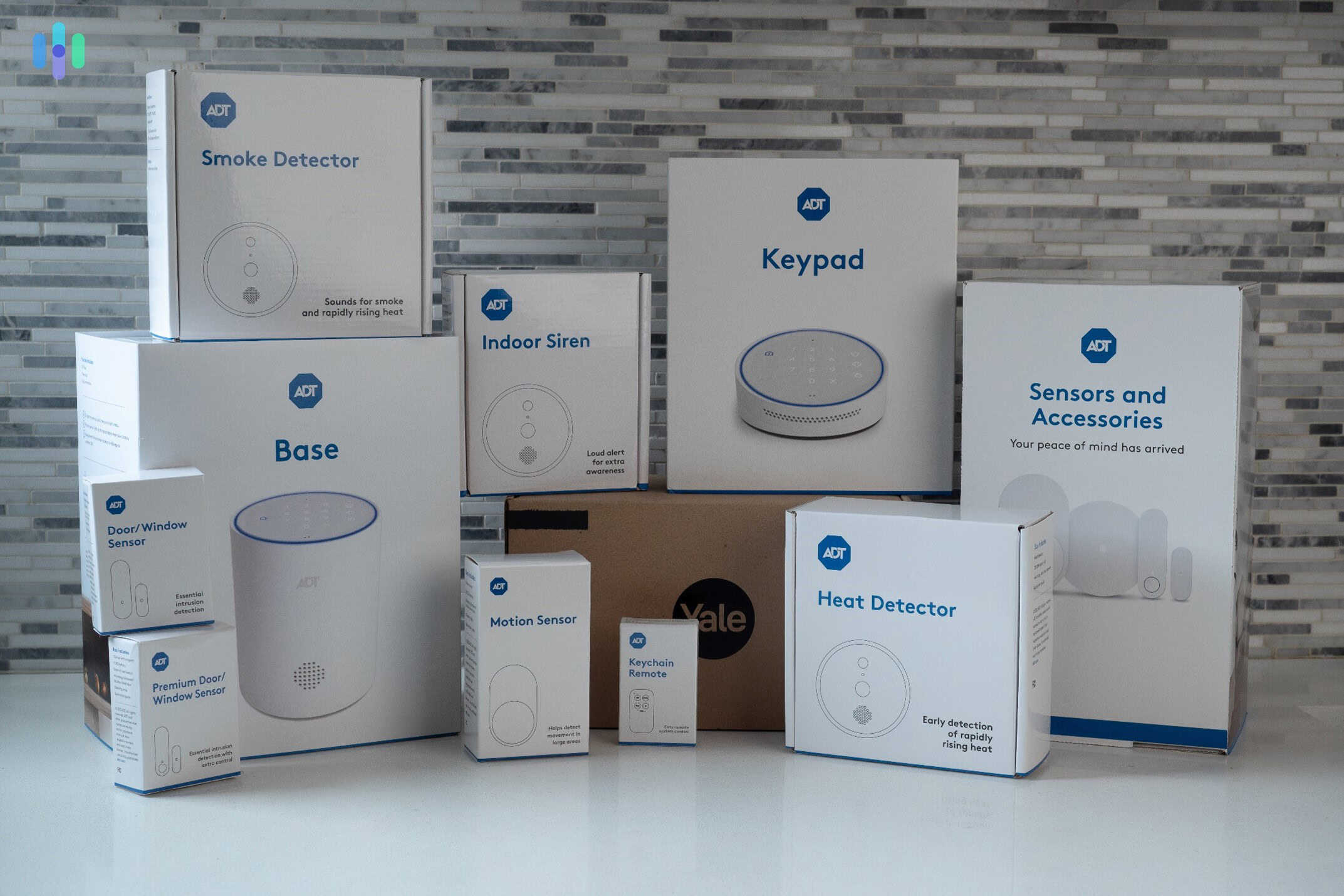
Our ADT security system was mostly wireless, but key components such as the hub and a couple of cameras were wired. ADT’s starter kit serves as a solid foundation. The bundle includes a base station, entry sensor, and a set of yard signs and window stickers. You can add more devices like security cameras and motion detectors, or browse other pre-built packages designed for different purposes, like outdoor protection and front-door security.
One addition to ADT’s lineup that caught our attention during our most recent round of testing is the garage door controller. Unlike a basic garage sensor that simply detects whether the door is open or closed, the controller adds remote access and sends alerts when the door has been left open. You can even operate it through the Google Nest Hub Max. It’s one of the reasons we recommend ADT as a security system for homes with a garage.
Expert Insight: We recommend taking advantage of ADT’s professional installation service, but you can set up the system yourself. Check out our ADT Self Setup review and our guide on DIY vs professional installation to see if it’s worth your while.
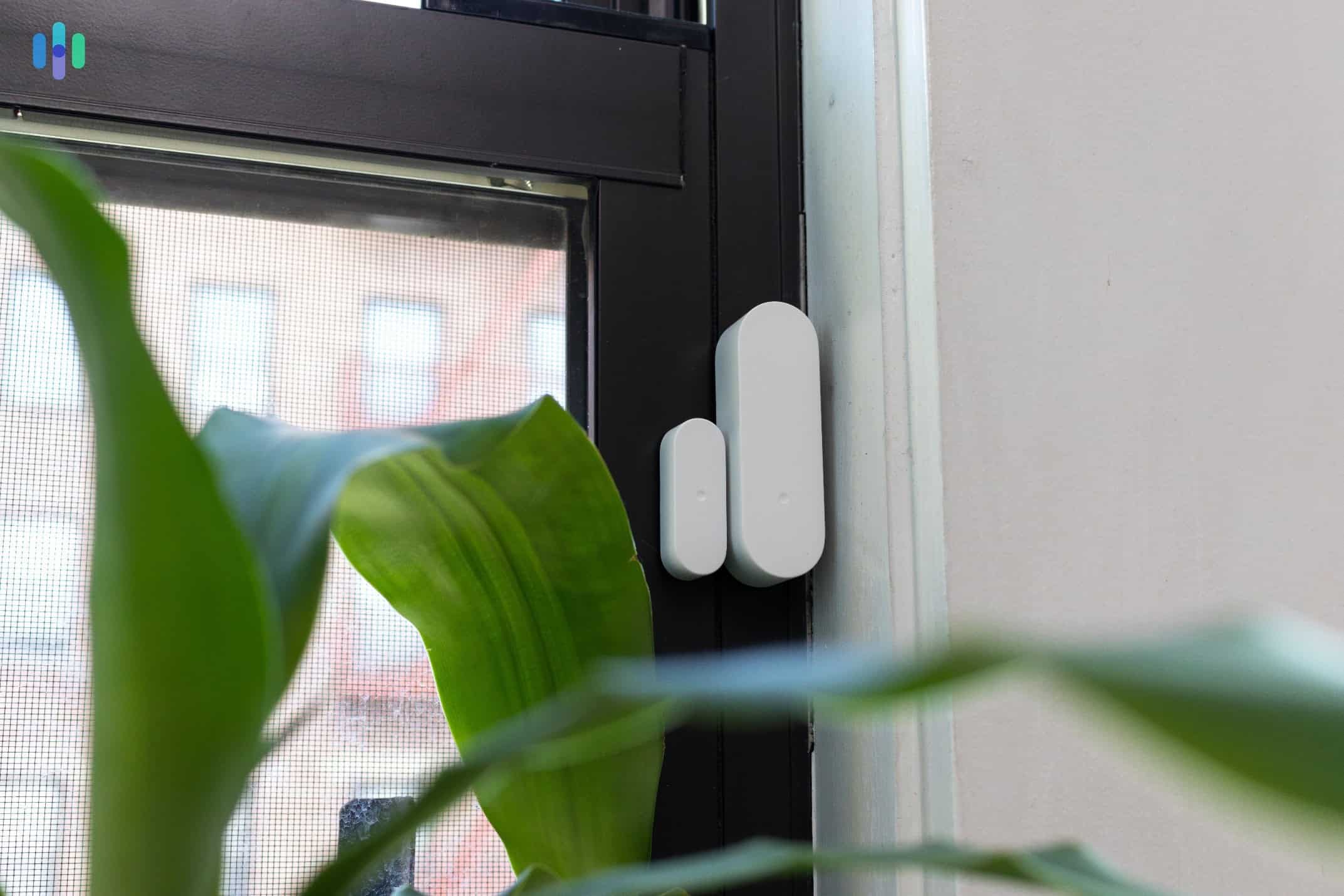
We also like the simple minimalist design of ADT’s new sensors, like that entry sensor we had installed on our window frame. ADT Monitoring
ADT’s response times were among the fastest we recorded. Across 20 break-in simulations, ADT averaged 28 seconds — about five seconds faster than Vivint’s 33-second average in our Vivint vs. ADT comparison. On top of that, ADT’s SMART Monitoring feature — which sends text-based alerts the moment a sensor is tripped — gave us an extra layer of control. From the alert, we could confirm the situation, request help, notify family members, or cancel the alarm without waiting on hold.
ADT doesn’t monitor live camera footage, but their Trusted Neighbor feature puts AI to work in a way we found genuinely useful. When our Nest Doorbell Wired 3rd Gen detected someone on our authorized list, ADT automatically disarmed the system and unlocked the front door to let them in. The Nest Doorbell Wired 3rd Gen was released in late 2025, so this level of AI-driven automation reflects how current ADT’s ecosystem is.
Security Expert Reviewed: Our in-house Certified Protection Professional, Gene Petrino, considers 25 to 30 seconds an ideal response time. Any faster than 25 seconds and you’ll rarely have enough time to assess the situation and cancel false alarms. That can result in the police at your door ready to give you a false alarm fine.
ADT Pricing
ADT equipment prices are similar to other brands. We spent about $800 in total, but we didn’t pay for it upfront. ADT offers financing that lets you spread the payments over 60 months maximum. If you’re on a budget, we suggest going with a pre-packaged system. ADT packages start at $404, but ADT frequently runs deals that can cut equipment prices down. Right now, that basic package costs $199.

We picked up a Nest Cam (indoor, wired) for our ADT system, but we also had to increase our professional monitoring coverage. ADT’s monitoring plans are less flexible than SimpliSafe’s. They do not offer a dedicated self-monitoring plan and all professionally installed systems require an active subscription for at least three years. Here’s a quick overview of your options:
ADT Monitoring Plans Secure Monitoring Smart Monitoring Complete Monitoring 24/7 Professional Monitoring Yes Yes Yes Smart Home Integrations No Yes Yes Camera Support No No Yes Monthly Rate Starts at $24.99 Starts at $34.99 Starts at $39.99 While those prices mostly beat Vivint’s monitoring rates, ADT’s plans cost $10 per month more if you had your system professionally installed. That brings them up to Vivint’s rates.
Since we opted for a system with the new 2K Nest Cam Outdoor that launched in late 2025, we needed the Complete Monitoring plan. In our opinion, it offered solid value, especially considering it includes a Google Home Premium subscription that unlocked all of the advanced features in our Nest Cams including facial recognition.
Something to Consider: The average value of property stolen during residential burglaries in the United States is $5,944.2 Using ADT for one year, even with the top-tier monitoring plan, costs only $600.
ADT User Experience
ADT offers both professional and DIY installation. We went with professional installation, and the technician had everything set up and tested within a few hours. We didn’t have to provide any tools or troubleshoot anything afterwards. Even better, the tech walked us through each device, giving us confidence that the system was ready to go from day one (in contrast with SimpliSafe’s three-day Practice Mode).
From there, day-to-day management shifted entirely to the ADT+ app, which quickly became our control center for everything. It’s where we checked live camera feeds, reviewed motion alerts, and set automation rules, like having the system arm itself at night. The layout is clean and navigation is intuitive, though it took us a sitting or two to find everything. We used the app more than the hub, as the ADT hub handles only basic functions like arming, disarming, and contacting emergency services. Fortunately, with such an easy-to-use app, you don’t need much of anything.
Pro Tip: You can buy extra keypads to place in convenient places so you can easily arm and disarm your ADT system. Additional keypads are puck-shaped and are about the size of a baseball. They can either go on top of flat surfaces or be mounted on walls.
-
3. Vivint - Best Home Automation

Product Specs
Equipment costs Starting at $199 Monitoring options Professional Monthly monitoring costs Starting from $29.99 Contract lengths Starting at 42 months Installation options Professional Smart platform integration Alexa and Google Home Why We Recommend Vivint

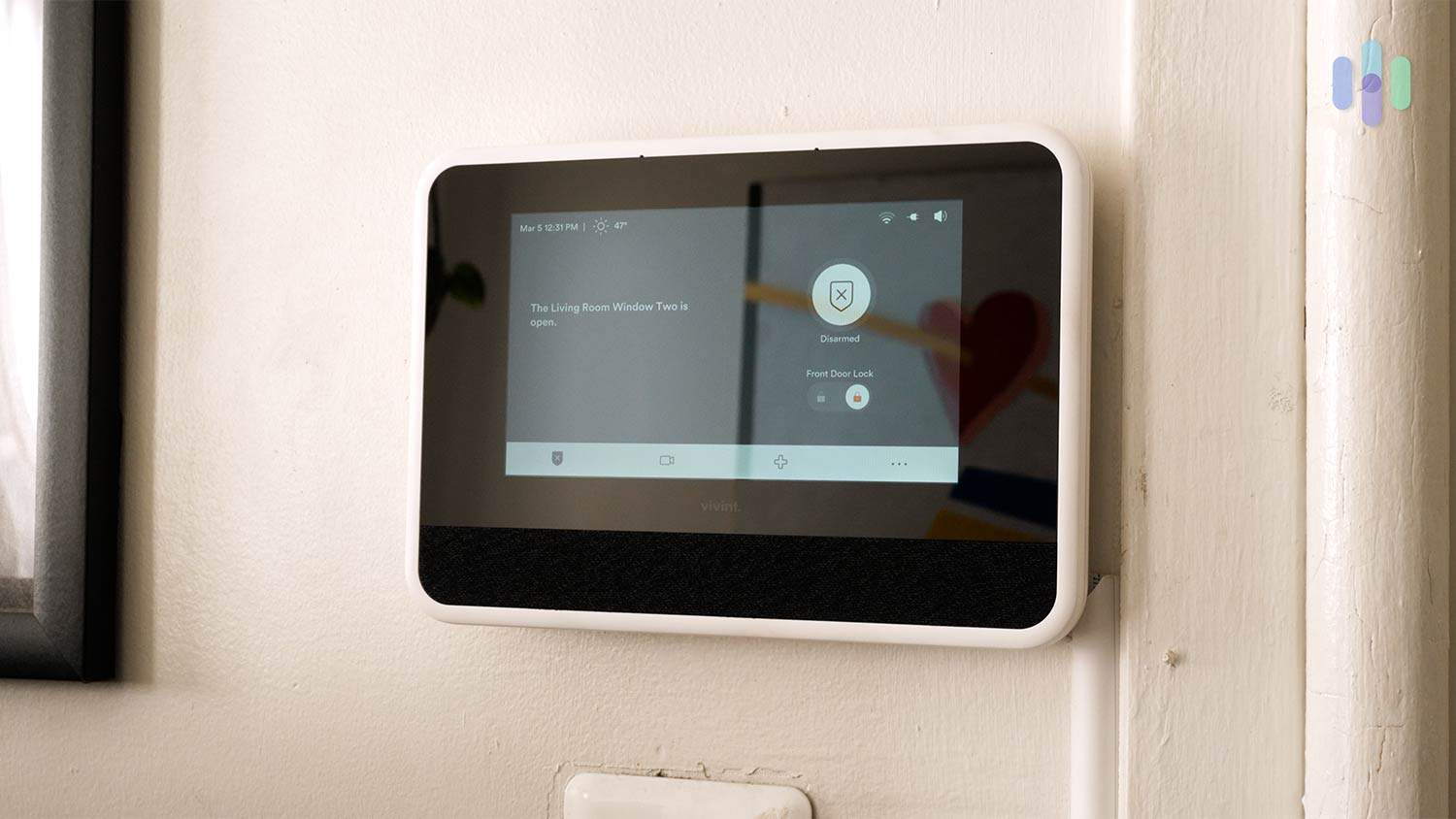
Like the rest of the equipment from Vivint, the Smart Hub touchscreen is a premium device Vivint’s home automation features set it apart from most smart home security systems we tested. We set up automations and controlled everything through the control panel, finding it straightforward to create schedules and fold third-party devices into our automated routines. The touch screen panel in particular made managing the system feel more intuitive than the app-dependent experiences we had with ADT and SimpliSafe. Vivint’s not perfect, though. When we compared Vivint to SimpliSafe, the long-term contracts and higher equipment costs were hard to overlook.
What We Like
- Integrates with a wide range of smart home brands and products, more than any other system we tested
- Modern, well-designed equipment including a touch screen control panel that simplifies day-to-day use
- Lifetime equipment warranty, so you’re covered if anything breaks down
- Professional installation handled thoroughly, with technicians configuring automations during the visit
What We Don’t Like
- Security cameras are among the priciest we encountered across all systems we tested
- Contracts can run up to five years, which is a significant commitment compared to contract-free options like SimpliSafe
- Moving with a Vivint system is more complicated than packing up a DIY setup
- Pricing isn’t published online, so you’ll need to call for a quote before you can budget accurately
Vivint Equipment
Like ADT and SimpliSafe, Vivint offers all the essential security devices. You can also add smart home equipment like thermostats and smart locks. We think the security cameras are the standouts. These devices offer some advanced features, but they come at a price.
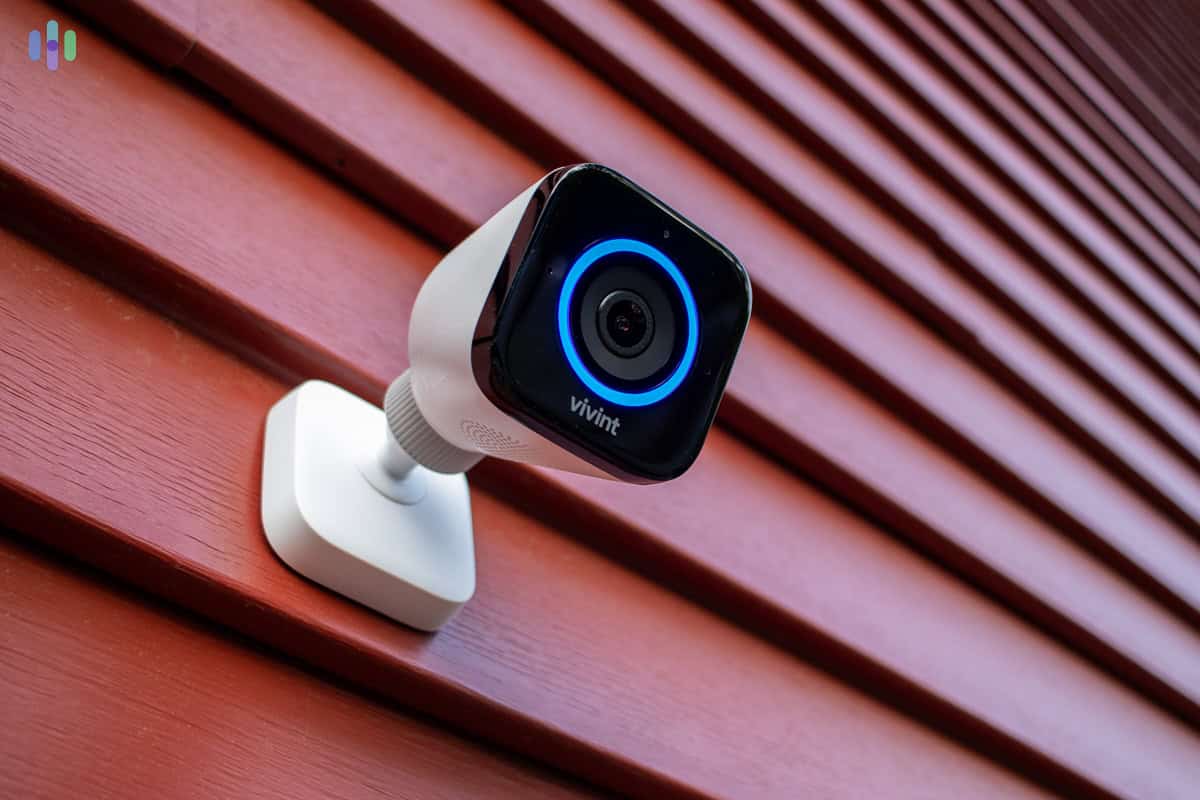
The Vivint Outdoor Camera Pro (Gen 2) provides high-quality video and AI-powered detection capabilities Our favorite feature, Smart Deter, is available in all Vivint cameras, including the Outdoor Camera Pro 3 we tested (launched February 2026). Smart Deter uses AI and automated rules to detect suspicious activity using computer vision AI and its radar-based motion detection. If it detects a lurker loitering in our yard, the spotlight activates and the siren blares to alert the neighborhood.
>> Also See: Vivint Doorbell Camera Review
Vivint Monitoring
Professional monitoring is essentially compulsory with Vivint, unlike with ADT Self Setup and SimpliSafe. The equipment won’t shut down if you cancel your service, but you’ll lose 90 percent of its functionality. So, only go with Vivint if you’re sure you want year-round professional monitoring.
We still think Vivint’s monitoring service is worthwhile, even if the response times are not as fast as ADT. In our testing, Vivint called us in 33 seconds on average, after an alert was triggered. The text alerts always arrived within 10 seconds, so we could cancel false alarms or request immediate help faster, if needed.
>> Learn More: Vivint FAQ
Pro Tip: Vivint structures its monitoring plans differently from other companies. The total cost depends on how much equipment you have and the features you want, like home automation and cloud storage for security cameras.
Vivint Pricing
Vivint is capable of going toe-to-toe with ADT, but its price is what keeps it at number three on this list. The outdoor camera alone costs $399 — more than double the price of ADT’s Nest Cam (battery). The indoor camera runs $199, which is roughly twice the average cost of security cameras across the industry. Those figures stood out to us during testing, particularly as we were watching our equipment totals climb. All in all, our 10-piece Vivint system came to just over $1,000 before monitoring, which is the highest equipment spend of any system on this list.
As for Vivint’s monitoring rates, they’re within industry norms. According to our latest pulse-check in April of 2026, you can expect to pay between $29.99 and $49.99 per month, which is in the same ballpark as ADT. Your exact price depends on your home automation and security camera cloud storage needs.
Watch Out: Vivint professional installation can cost up to $200 if you’re having security cameras installed, although Vivint deals sometimes waive this fee.
Vivint User Experience

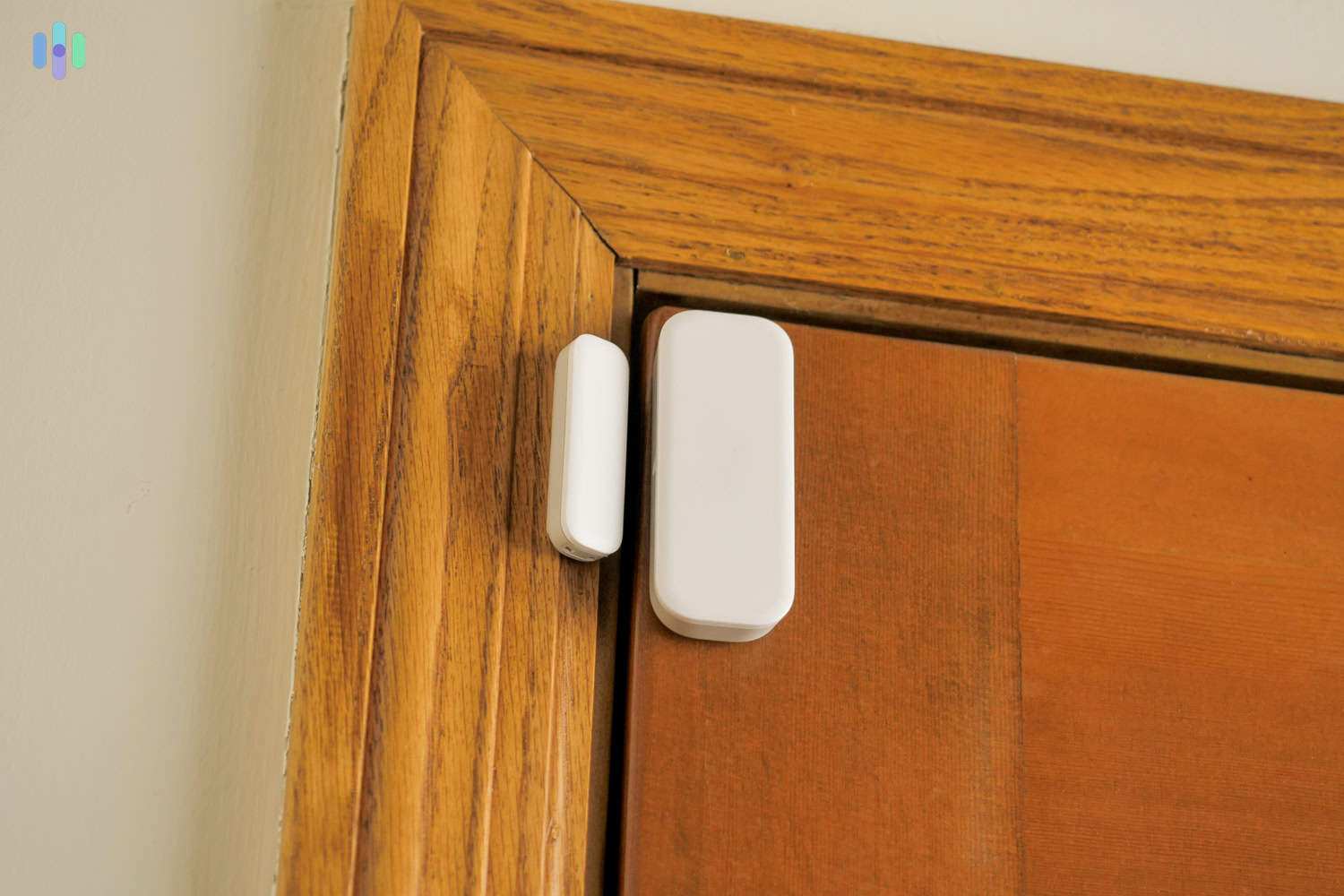
The Vivint Door Sensor has a modern look, but its white color stood out on our wood door frame Despite being one of the most advanced systems on this list, Vivint is surprisingly easy to operate. The touch screen control panel is large, responsive, and organized well enough that pulling up a live camera feed or adjusting automation settings feels natural rather than technical. The Vivint app mirrors most of the panel’s functionality, and we found it just as intuitive for managing things remotely.
The technician who installed our system walked us through creating automations before leaving, which helped us hit the ground running. We programmed the system to arm itself every night at 11 p.m. and set up lights to turn on automatically when our front door sensor is triggered — both took only a few minutes to configure in the app. Vivint’s automation capabilities can look intimidating on paper, but in practice they’re exactly what makes the system so easy to live with day to day.
-
4. Cove - Most Affordable DIY System
 See Pricing Links to Covesmart.com
Product Specs
Equipment Costs Systems start at $109.5 Monitoring Options Professional only Monthly Monitoring Costs Starting at $22.99 Contract Lengths Month-to-month Installation Options Professional or DIY Smart Platform Integration Alexa and Google Home
Why We Recommend Cove
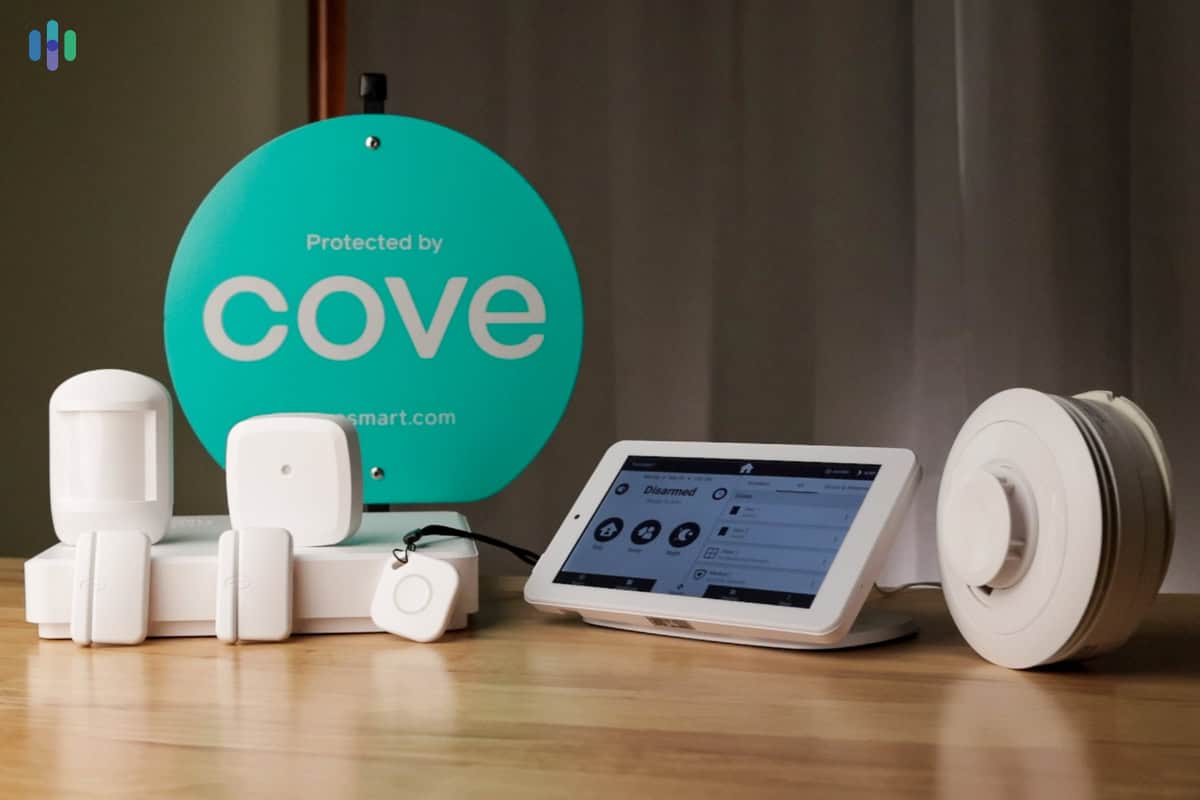
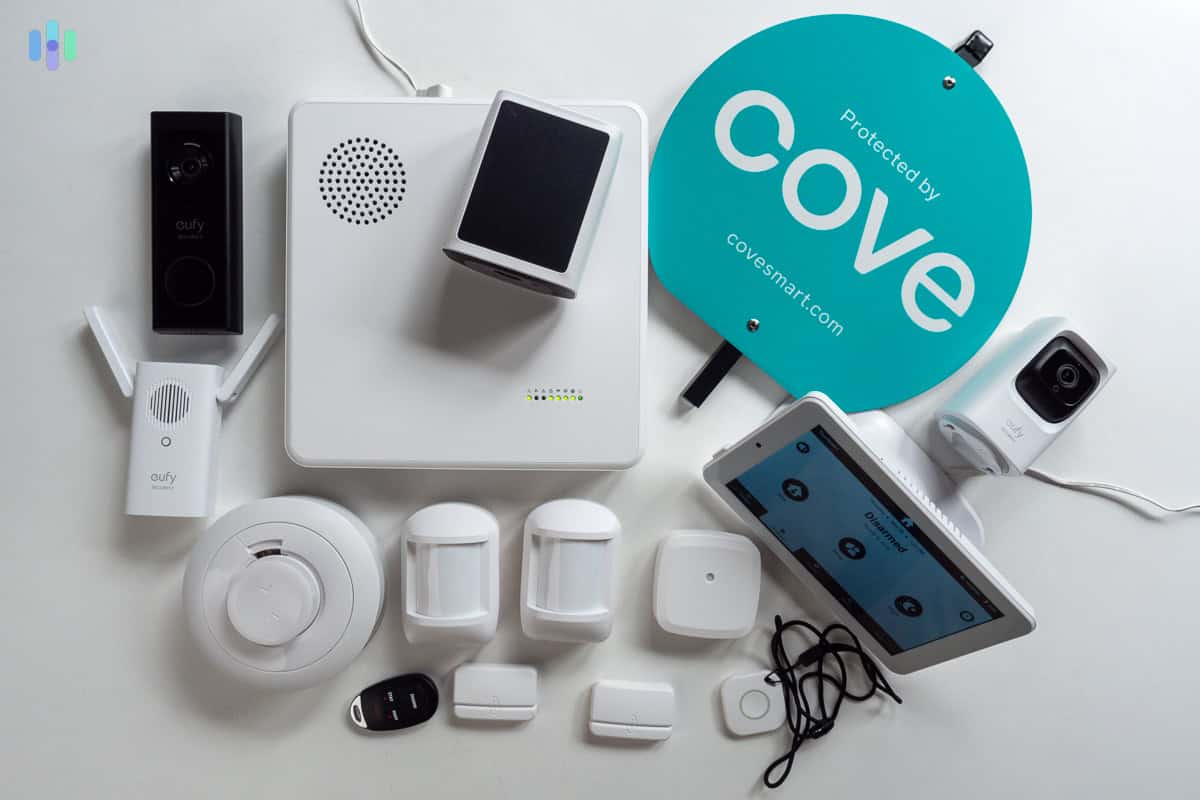
Our Cove system came with sensors, cameras, and a touchscreen panel Our eight-piece Cove system came in at around $300 — a stark contrast to the $1,000+ we spent on Vivint and noticeably less than what we paid for ADT and SimpliSafe as well. Monitoring is equally affordable, starting at $22.99 per month following a price increase in February 2026. The equipment isn’t as sleek as Vivint’s and the feature set is more modest, but Cove delivers reliable protection at a price point that makes it a strong option for renters and apartment dwellers who don’t need all the bells and whistles.
>> Other Options: Affordable Home Security Systems
What We Like
- Frequent deals and discounts (up to 70 percent off at times)
- Easy DIY setup
- Simple touch screen control panel
- Industry-lowest monitoring rates
What We Don’t Like
- Limited equipment options
- Professional monitoring is required (but no contract)
- No home automation equipment available
- New app; still has bugs to iron out
Equipment
Cove Security System and Cameras Cove has upgraded its equipment steadily over the last few years, most recently with a new camera lineup. The new outdoor cam includes a built-in solar panel, and the indoor cam offers 360-degree panning with AI-powered object tracking — a feature that follows movement automatically without requiring manual camera adjustment. After testing both cameras in March 2026, we consider them a step up from the Eufy security cameras Cove used to offer.
The devices feel lightweight and plastic-y in hand, but installation was refreshingly simple. The sensors use peel-and-stick mounting, the cameras paired to the app within seconds, and the whole system was up and running in under 45 minutes without any tools. The standout piece of hardware is the touchscreen keypad, which is light enough to carry from room to room — a small but genuinely useful detail. It also makes Cove a compelling alternative to ADT, which no longer offers a touchscreen keypad of its own, and at a significantly lower price point.
>> Learn More: How Much Does a Security System Cost?
Cove Monitoring
Cove keeps its professional monitoring plans simple by only offering two options. They both include live monitoring, cellular backup and environmental monitoring. The premium plan adds video support, a $5 per month voucher for equipment, and a lifetime rate-lock guarantee. Here’s how much each Cove monitoring plan costs:
Cove Monitoring Plan Price Per Month Cove Basic $22.99 Cove Plus $32.99 Monitoring is powered by RapidSOS technology, which shares real-time details with emergency dispatchers during an active alarm — including which sensor was triggered and where. In practice, that means faster, more informed emergency response. During our testing, Cove’s average response time came in at 41 seconds, slower than ADT and SimpliSafe but still within an acceptable range. On one occasion, we were too slow canceling an alarm and an officer showed up at the door — a reminder that the monitoring center takes every alert seriously.
Cove Pricing
Cove’s biggest selling point is the low cost of its equipment and monitoring. For monitoring, Cove is on-par with SimpliSafe, which we also commend for their affordable monthly rates.
We had to pay for the equipment upfront, but we got it at a massive discount. Cove always seems to be running sales and we got a $500 system for only $200. As of April 2026, you can get 70 percent off and a free HD camera with any system. We recommend checking Cove’s website regularly for new deals.
Cove User Experience
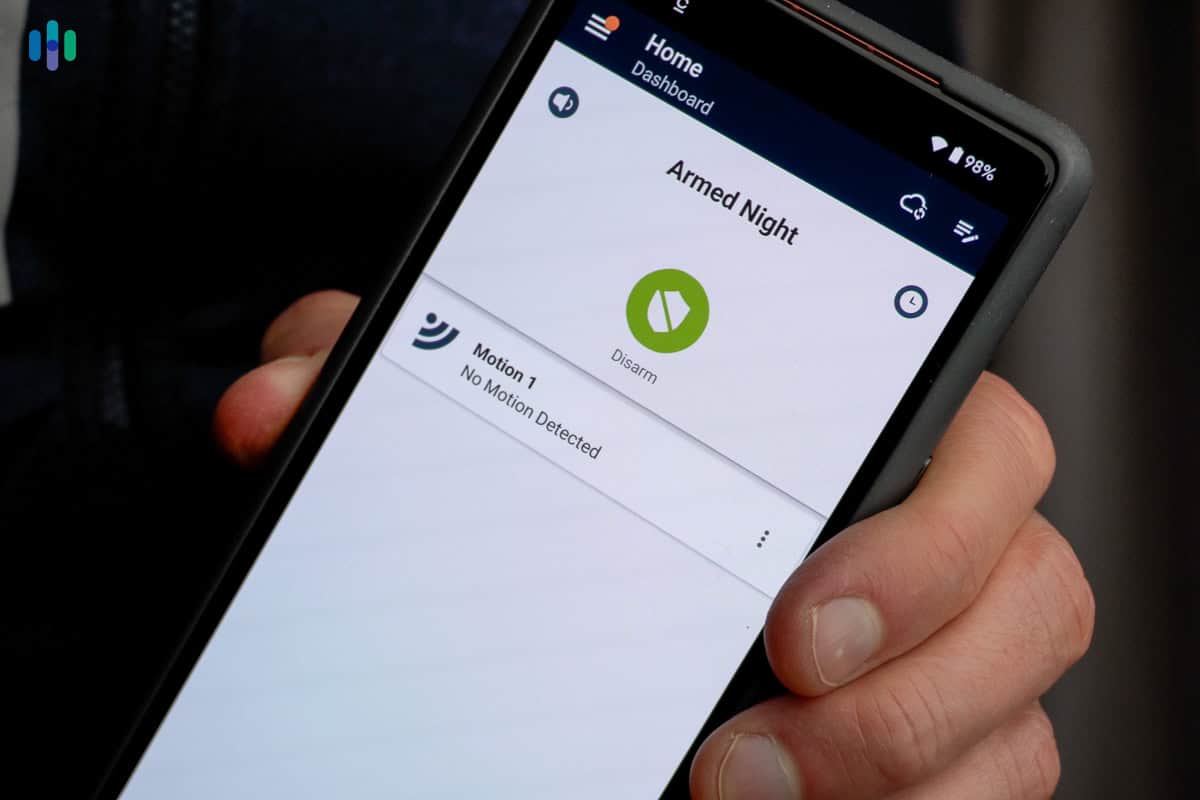
System armed on the Cove mobile app Cove’s user experience is one of the cleaner ones we encountered among DIY systems. The app is straightforward to navigate, and installation moved faster than most of the other DIY systems we tested — sensors were mounted and paired within minutes, and we had the full system running in under 45 minutes without referencing the manual once. The way Cove handles alerts through RapidSOS is another reason it earned a spot on this list, giving dispatchers real-time context that most DIY systems simply don’t provide.
That said, there were downsides worth noting. During testing, the touch screen panel’s battery backup ran for four hours at most. The hub, which handles all outside communication, can last up to 24 hours — but once the panel dies in an extended power outage, the app becomes your only way to arm and disarm the system. Make sure your phone is charged if a storm rolls in.
-
5. Frontpoint - Best Customer Service and Support

Product Specs
Equipment Costs Starting at $69 Monitoring Options Professional only Monthly Monitoring Costs Starting at Contract Lengths 1-36 months Installation Options DIY Smart Platform Integration Alexa and Google Home Why We Recommend Frontpoint

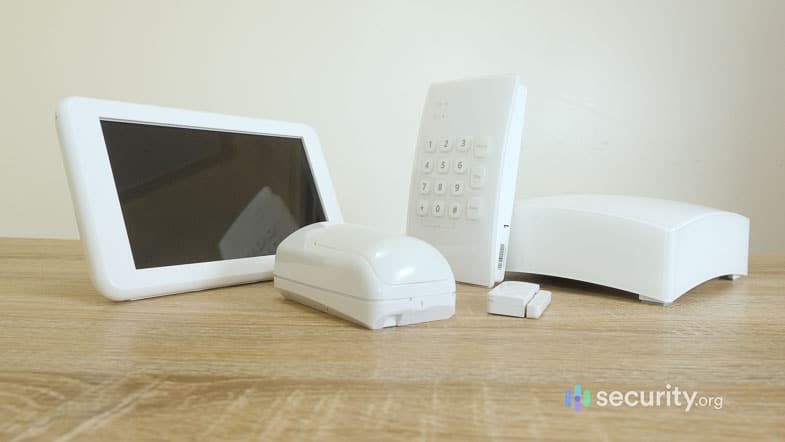
This basic Frontpoint system came with two sensors, a base station, a keypad, and a touchscreen Frontpoint and Cove are similar in a lot of ways, like offering DIY installation and affordable equipment. The main difference is that Frontpoint costs more for monitoring, but the equipment is sturdier. They also offer great customer service with extended support over the phone and via live chat. That comes in handy if you’re installing your system after a long day at the office and need some guidance.
What We Like
- Full home security and automation features
- Easy DIY installation
- High-quality equipment
- Accessible customer support
What We Don’t Like
- Requires a three-year contract
- Can be prone to false alarms
- Requires a credit check for financing
- Universal monitoring plan and pricing for all customers
Frontpoint Equipment
The Frontpoint outdoor camera is supplied by Alarm.com Frontpoint sources equipment from reputable suppliers like Alarm.com, GE, Honeywell, Yale, and Kwikset. They used to offer the SkyBell Video Doorbell we reviewed, but have since switched to Alarm.com for all camera-based products. This creates more cohesion, as they also use the Alarm.com platform for their app.
The standout component from our Frontpoint testing was the upgraded Display Hub+. It’s compact, roughly the size of a thick paperback book, but packed with features. It includes a 24-hour battery backup, a built-in cellular chip, and wireless modules for both Zigbee and Z-Wave — two of the most common communication protocols used by smart home devices. Think of them as universal languages that allow the hub to talk to third-party smart home products like lights, locks, and thermostats, even if those devices didn’t come from Frontpoint. That kind of open compatibility is something we don’t see on every system, and it gives Frontpoint a meaningful edge for anyone building out a broader smart home setup.
FYI: We love that you can add third-party smart-home equipment to a Frontpoint system, but not all features may be available in the app. Frontpoint’s hub and app have preset controls for different devices, like temperature adjustment for smart thermostats.
Frontpoint Monitoring
On its website, Frontpoint gives you a hard sell on its Ultimate Monitoring Plan. This one-size-fits-all option includes monitoring, smartphone access, home automation, and cloud video storage. This plan is great if you have the full range of devices from Frontpoint. However, it’s overkill if you have a basic system. In that case, you’ll need to call Frontpoint and request one of their other three plans. Here’s an overview of each Frontpoint monitoring plan:
Frontpoint Monitoring Plan Video-Only Interactive Monitoring Ultimate Monitoring 24/7 Professional Monitoring No Yes Yes Camera Support Yes No No Home Automation No No Yes Monthly Rate $14.99 $44.99 $49.99 The Video-Only plan is a self-monitoring plan with video storage and the Interactive Monitoring plan includes professional hazard monitoring, but excludes video features. Frontpoint also started offering an In-App Safety Button plan at the end of 2025 that costs $4.99 per month. It’s a simple button in the app that sends emergency responders to your location, even when you’re away from home.
>> Compare: ADT vs. Frontpoint
Frontpoint Pricing
Frontpoint’s pricing is quite competitive. We started with a basic system for $69, though it’s worth noting that the package we got was on sale, which is usually the case for Frontpoint’s equipment. The MSRP for the same package is $414.93. That included a hub, a keypad, and two door sensors. Then, we took advantage of Frontpoint’s seemingly always running 40 percent off sale on additional equipment. We bought a few different sensors ($20 to $60) and two cameras ($66 to $210) for a total of about $600. A comparable system from ADT and Vivint would cost over $1,000.
Frontpoint User Experience

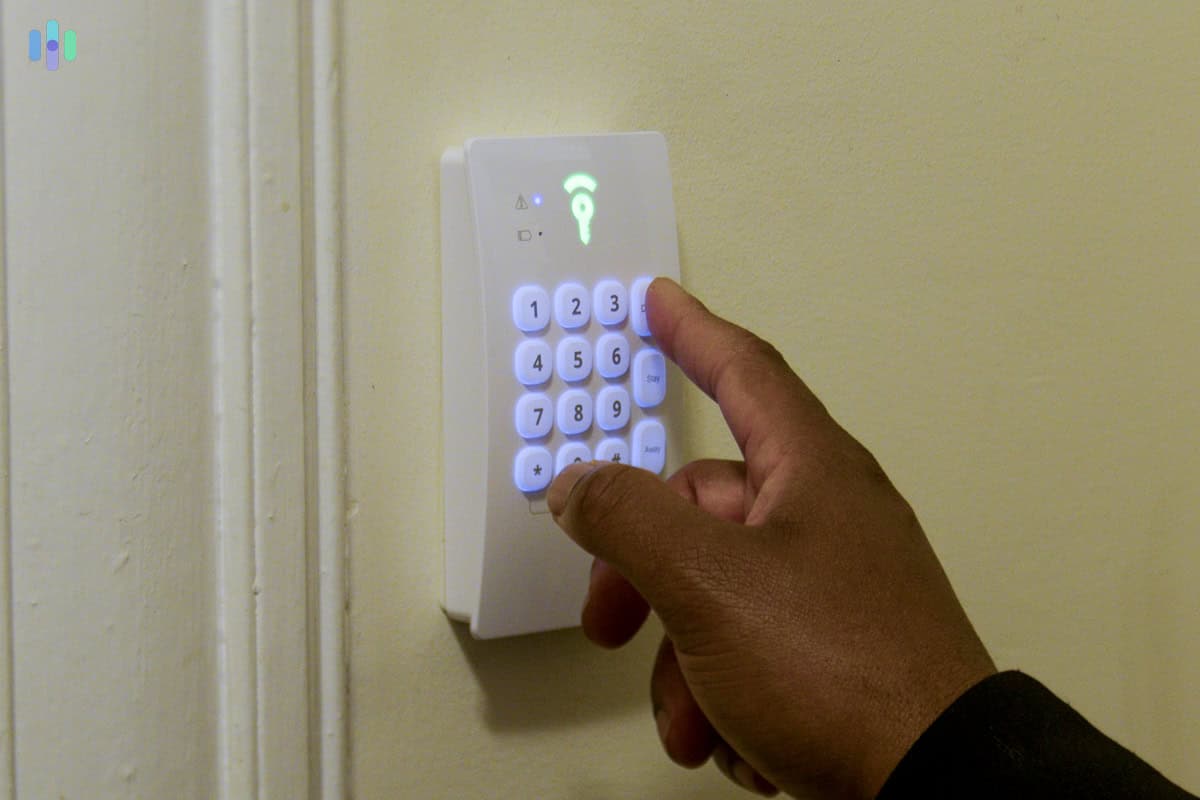
Frontpoint Keypad lights up with a soft, comforting glow There are two sides to our Frontpoint user experience. On one hand, it was easy to arm and disarm the system using either the app or the keypad. On the other hand, the keypad’s lack of a screen means it can’t do much else besides that. That’s why we had to rely heavily on the Frontpoint app.
Fortunately, the app is intuitive. We found it easy to navigate, and all the common control actions are in the homepage. It also displays security camera footage, even though the cameras are from third-party manufacturers. Our favorite feature, though? Geofencing. The app knows where you are based on your phone’s location data, and can automatically arm and disarm the system. Not even our top smart home security pick, Vivint, offers that feature.
-
6. Brinks Home Security - Best Smart Home Integrations
 Get Free Quote Links to Brinkshomeoffer.com
Product Specs
Equipment costs Starting at $360 Monitoring options Professional Monthly monitoring costs Starting at $39.99 per month Contract lengths 36 months Installation options DIY or professional Smart platform integration Alexa and Google Home
Why We Recommend Brinks
The Brinks cameras and doorbell are supplied by Alarm.com Brinks was a big name in home security back in the 1990s, and after a couple decades of silence, it has been making a resurgence lately. Now, it offers wireless security systems with a strong focus on smart home integrations.
We’re big fans of Alexa and Google Assistant. You can see as much if you read our Nest Hub review. With the security system we got from Brinks, we were able to control and monitor our home security using both smart displays. That, plus Brinks’ integration with third-party smart home brands like Kwikset (smart locks), myQ (garage door controller), and Alarm.com, makes it the best option for smart home enthusiasts.
What We Like
- Integrations with Alexa, Google, and other smart home brands
- Simple wireless system
- Built-in glass break sensor in hub
- Affordable monitoring rates
What We Don’t Like
- Requires professional setup
- Lack of pricing transparency
- Must sign a contract (three years)
- History of poor customer service
Brinks Equipment
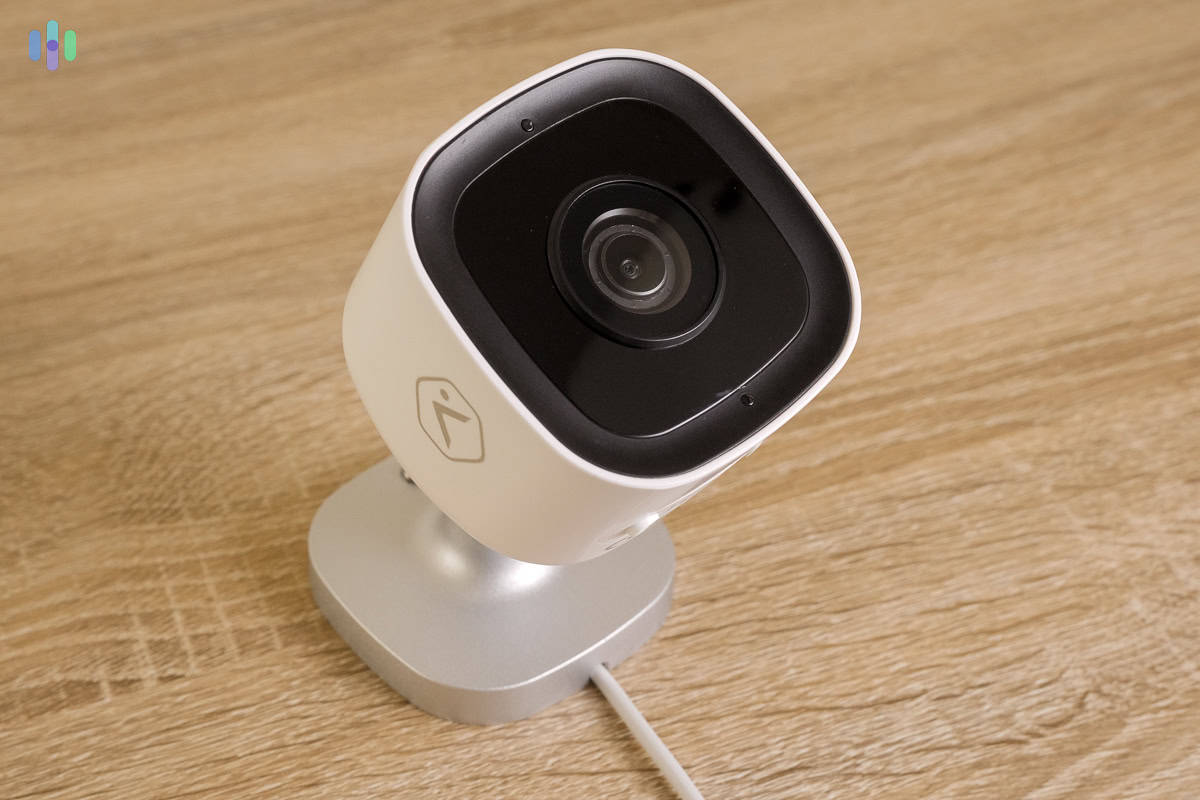
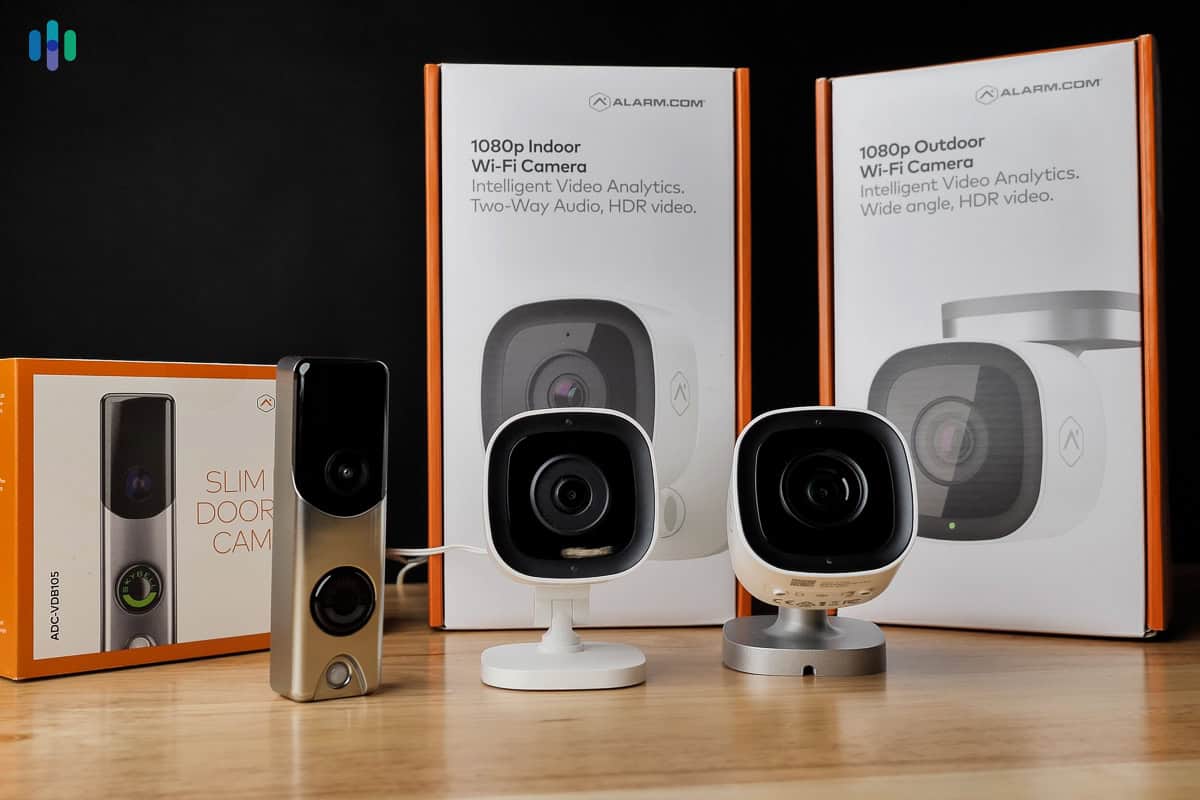
Brinks’ Alarm.com cameras and doorbell Brinks offers the whole shebang in terms of equipment — from sensors to smart home products. It actually provides more smart home automation options than any other system we tested, given that it has smart garage door controllers in its lineup.
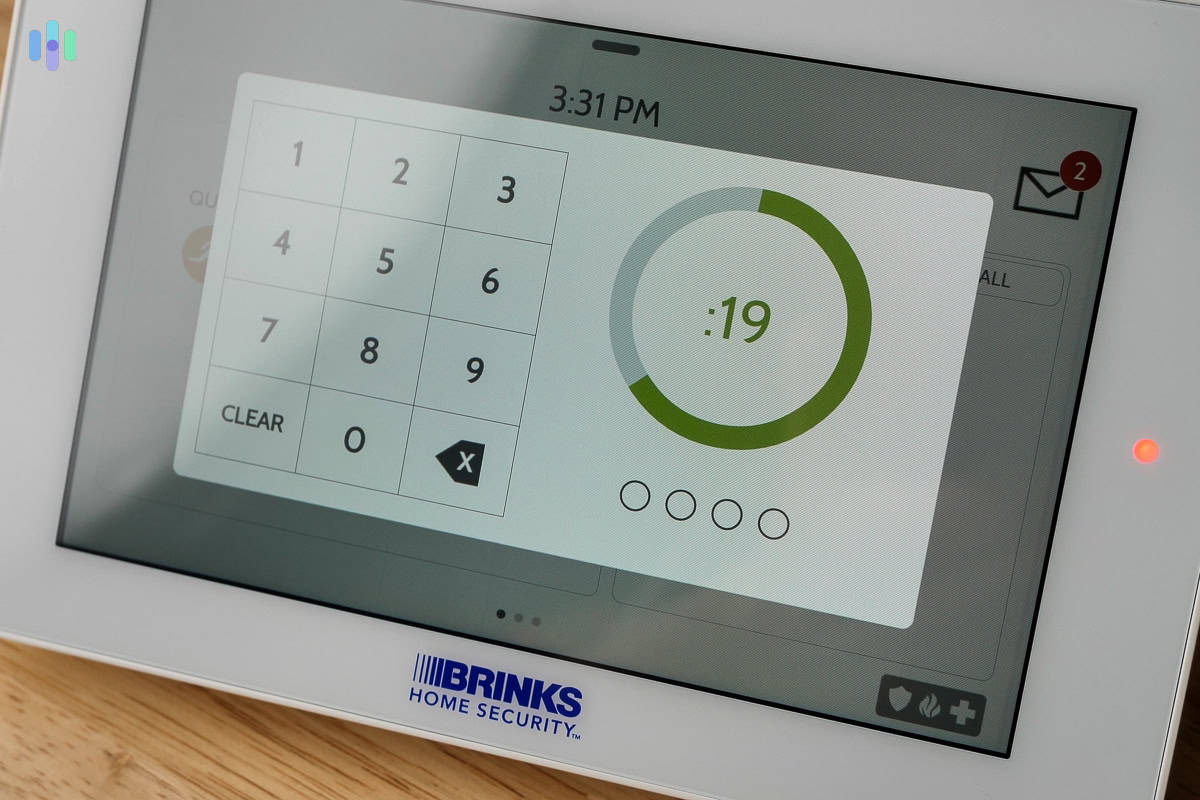
At the center of our Brinks system was the touch screen control panel, which functioned as a hub and then some. For example, it doubled as a glass break sensor, alerting our phones when we accidentally dropped and broke a salad bowl. It also had a built-in camera designed to capture snapshots whenever someone enters the wrong disarm PIN. If someone’s secretly trying to guess your PIN, you’d know. It’s those little thoughtful features that made Brinks a sensible choice.
Brinks Monitoring
Thankfully, unlike Frontpoint, Brinks offers multiple levels of monitoring subscriptions. The cheapest option provides just smartphone access and professional monitoring. The mid-level option provides the same, plus smart home features (e.g., the ability to control Brinks using Alexa). The most expensive one, which is what we went for, adds access to cameras and video recording.
Brink’s monitoring was decently quick. It beat the 30-second industry average one time, but we clocked an average response time of 43 seconds. That’s right around the response time of Frontpoint and Cove, but not quite up to par with ADT or Vivint.
>> Compare: Brinks vs. ADT
Brinks Pricing
Brinks’ pricing isn’t available on its website, and that lack of transparency might give some a pause, but in our experience, Brinks is an affordable option. We’d say its equipment costs about the same as Frontpoint’s, give or take $5 to $10. For example, Brinks quoted us $40 for a door sensor, which costs $35 from Frontpoint. The Brinks glass break sensor costs $80; it’s $100 from Frontpoint.
As for the monitoring rates, Brinks offers three levels. Based on the quote we got in the beginning of 2026, the cheapest one is $39.99 per month, followed by $45.99, and $49.99 for the complete package.
Brinks User Experience

The Brinks entryway sensor is sleek and compact We wouldn’t call it the most user-friendly security system, but Brinks is up there with the best of them in terms of usability. It has an easy-to-use touchscreen control panel that reminds us of a smaller version of Cove’s control panel. It’s a low-profile, seven-inch touchscreen tablet. Brinks also offers its own app now, which it didn’t when we previously tested it. It used to offer the Alarm.com app. Now with the Brinks Home app, users can customize their systems, create basic automations using compatible smart home products, and customize the arming modes (i.e. set which sensors are active in home and away modes).
-
7. abode - Best No-Contract Monitoring


Product Specs
Equipment Costs Packages starting at $65 Monitoring Options Professional and DIY Monitoring Costs Starting at $26.99 Contract Lengths Month-to-month or Yearly Installation Options DIY or professional Smart Platform Integration Alexa, Google Home, and Apple HomeKit
Why We Recommend abode

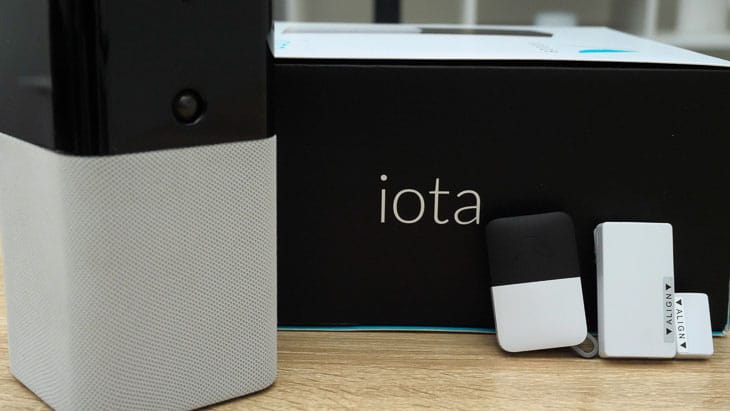
The abode Iota security system includes a sensor and a keyfob abode is SimpliSafe’s closest competition on this list. It’s a DIY system with professional and self-monitoring monitoring options, but unlike our No. 2 pick, abode offers multiple systems focused heavily on home automation.
Besides the diversity of abode’s offerings, we liked that it has flexible monitoring plans. Basic self-monitoring is always free, but there’s also a premium self-monitoring option and an affordable professional monitoring plan. Best of all, those subscriptions are contract-free. We’ve been able to switch between professional and self-monitoring as needed without any penalties or hidden fees.
>> Compare: SimpliSafe vs. abode
What We Like
- Smart home-friendly hubs
- Easy DIY installation (less than 45 minutes)
- Flexible subscriptions starting at $6.67 per month
- Affordable security cameras
What We Don’t Like
- Limited security camera options
- Premium features can be intimidating for those new in home automation
- Basic self-monitoring doesn’t offer many features
- Different hubs can be confusing
abode Equipment

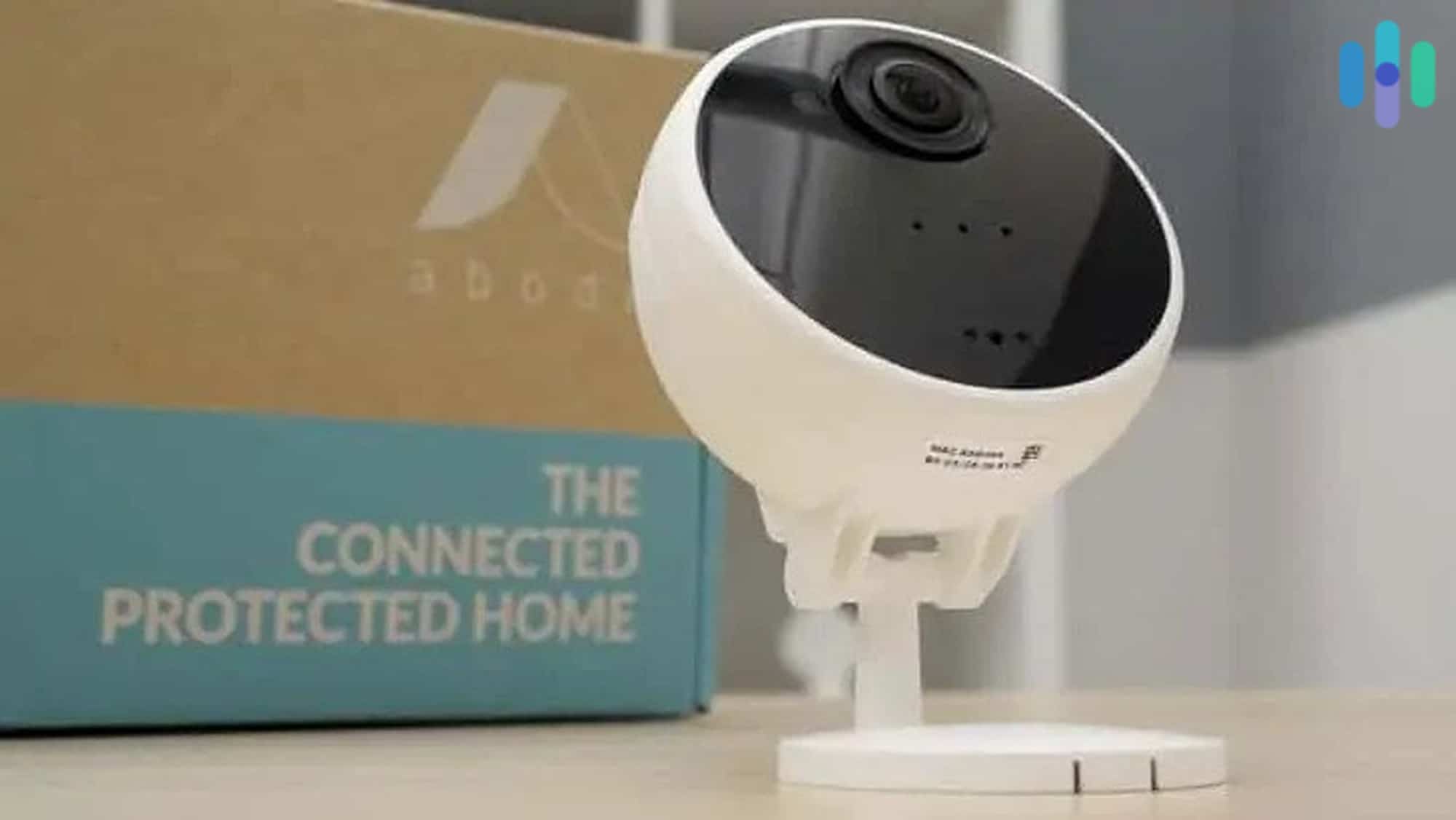
abode hasn’t expanded beyond offering a single camera option For any abode system, choosing a hub is always the first step. This part confused us at first, but we went with the most practical (but also most expensive) one: the Iota All-in-One hub. We call it practical because for just a few bucks more than the other hubs, we got one with a built-in camera and motion sensor. That’s good use of money and space.
After that, we built a system of sensors and cameras. Take note that abode offers only one choice for security cameras and another one for video doorbells. The camera works inside and outside the house, but we still think abode should have a dedicated outdoor camera.
>> Other Options: The Best Outdoor Security Cameras
abode Monitoring
Once we set up our DIY abode system, we were given three options: self-monitor for free, upgrade to a paid self-monitoring plan, or subscribe to professional monitoring. Since abode is contract-free, we were able to work through all three — something very few systems on this list allow.
We started with free self-monitoring. Switching to it took only a few taps in the app, but it quickly became clear it wasn’t enough. Free self-monitoring locks out home automation entirely, which is one of abode’s main selling points, so we upgraded to the paid self-monitoring plan within a few days. That upgrade was just as seamless. We selected the plan in the app, entered our payment details, and were up and running in under two minutes. The paid plan gave us video recording for our cameras and access to automation through abode’s CUE feature, which lets you create if-then rules for your devices. It worked well until our Wi-Fi cut out and left our home unprotected for hours, which pushed us to make one final upgrade.
Moving to professional monitoring was again straightforward through the app. That plan added cellular backup, 24/7 live monitoring, and priority customer support. The cellular backup performed reliably during our Wi-Fi outage tests, but the live monitoring left something to be desired. Across 20 break-in simulations, abode averaged a response time of 52 seconds, the slowest of any system we tested with professional monitoring.
>> Check It Out: The Best Security Systems Without Monthly Fees
abode Pricing
abode’s price is another strong selling point for the brand. The system is designed for scalability, since the hubs can handle up to 160 individual devices (60 more than the SimpliSafe base station). The compatible devices range from simple sensors to smart devices like smart lights. You can also pair your existing smart home equipment if it’s compatible with Zigbee or Z-Wave.
To encourage users to build out their systems, abode kept its pricing low — as low as $24.99 during sales for the weatherproof Abode Cam 2 security camera. That’s less than the Wyze Cam v3 we reviewed, one of the most affordable security cameras there is.
However, in January of 2026, abode raised their monitoring prices. Now, their premium self-monitoring plan costs $6.67 per month, billed for a year upfront at $79.99. The professional monitoring plan also increased in price and now costs $26.99 monthly, billed yearly at $245.99.
abode User Experience
Abode doesn’t have a touchscreen panel, which may frustrate homeowners who prefer a physical control point over an app. That said, the abode app is one of the better ones we tested. The standout feature is CUE, abode’s built-in automation engine, which lets you create custom if-then rules for your devices — things like turning on lights when a sensor is triggered or locking your door when the system arms.
What impressed us most is how many devices CUE can control. The abode Iota hub supports both Z-Wave and Zigbee, two wireless communication standards that allow smart home devices from different brands to talk to each other. In plain terms, that means you can connect a wide range of third-party smart home products — lights, locks, thermostats, and more — directly to abode without needing additional hardware. Vivint, by comparison, only supports Z-Wave natively. Adding Zigbee devices to Vivint requires a separate bridge, and even then, compatibility is limited to smart lights only. For homeowners who already own or plan to buy a variety of smart home devices, abode’s broader compatibility gives it a real advantage.
-
8. Ring Alarm - Best Security Cameras and Video Doorbells
 View on Amazon Links to Amazon.com
Product Specs
Equipment Costs Packages starting at $199.99 Monitoring Options Professional and DIY Monthly Monitoring Costs Starting at $19.99 per month Contract Lengths 1-12 months Installation Options DIY or professional Smart Platform Integration Alexa and Google Home
Why We Recommend Ring Alarm

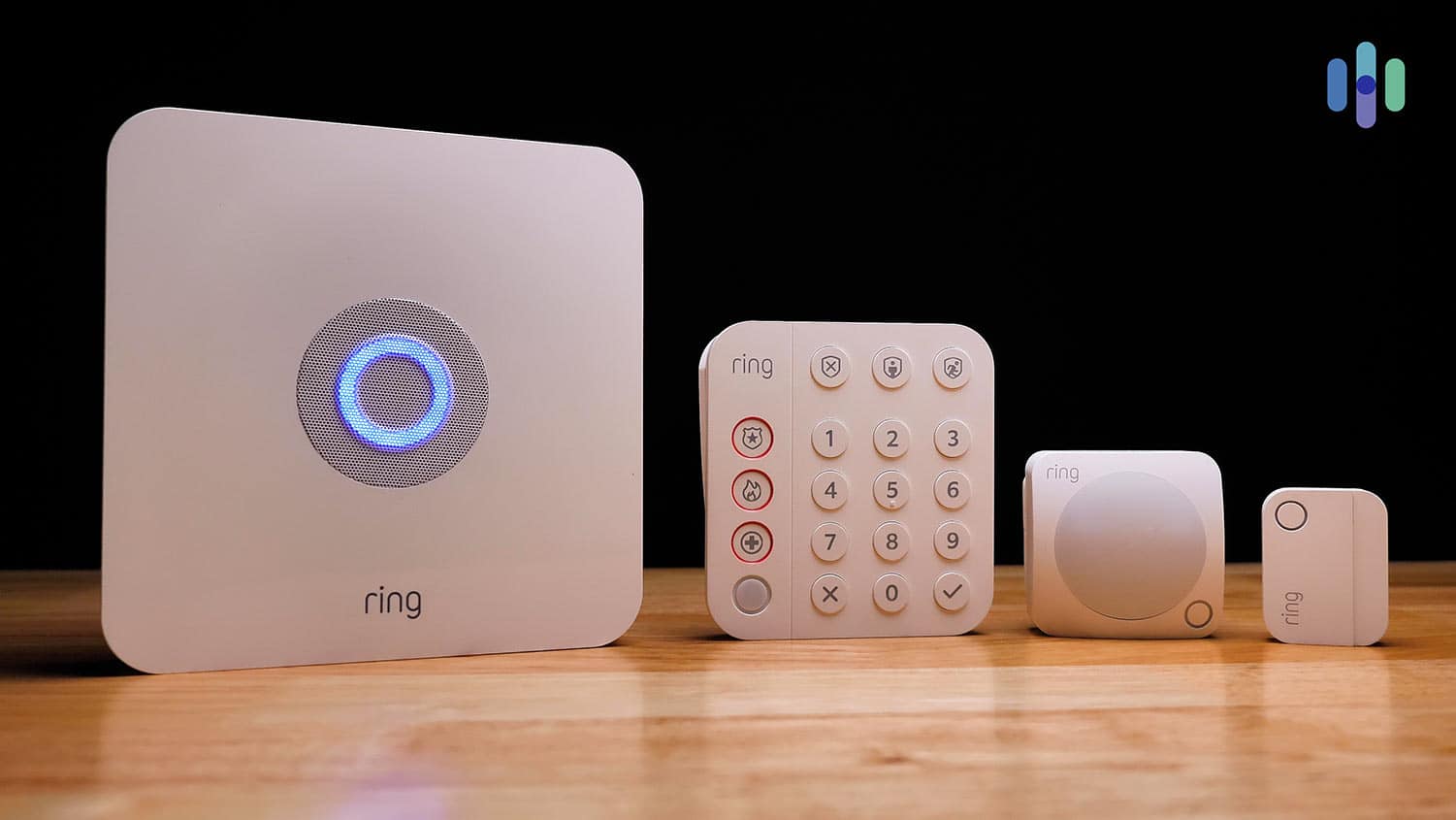
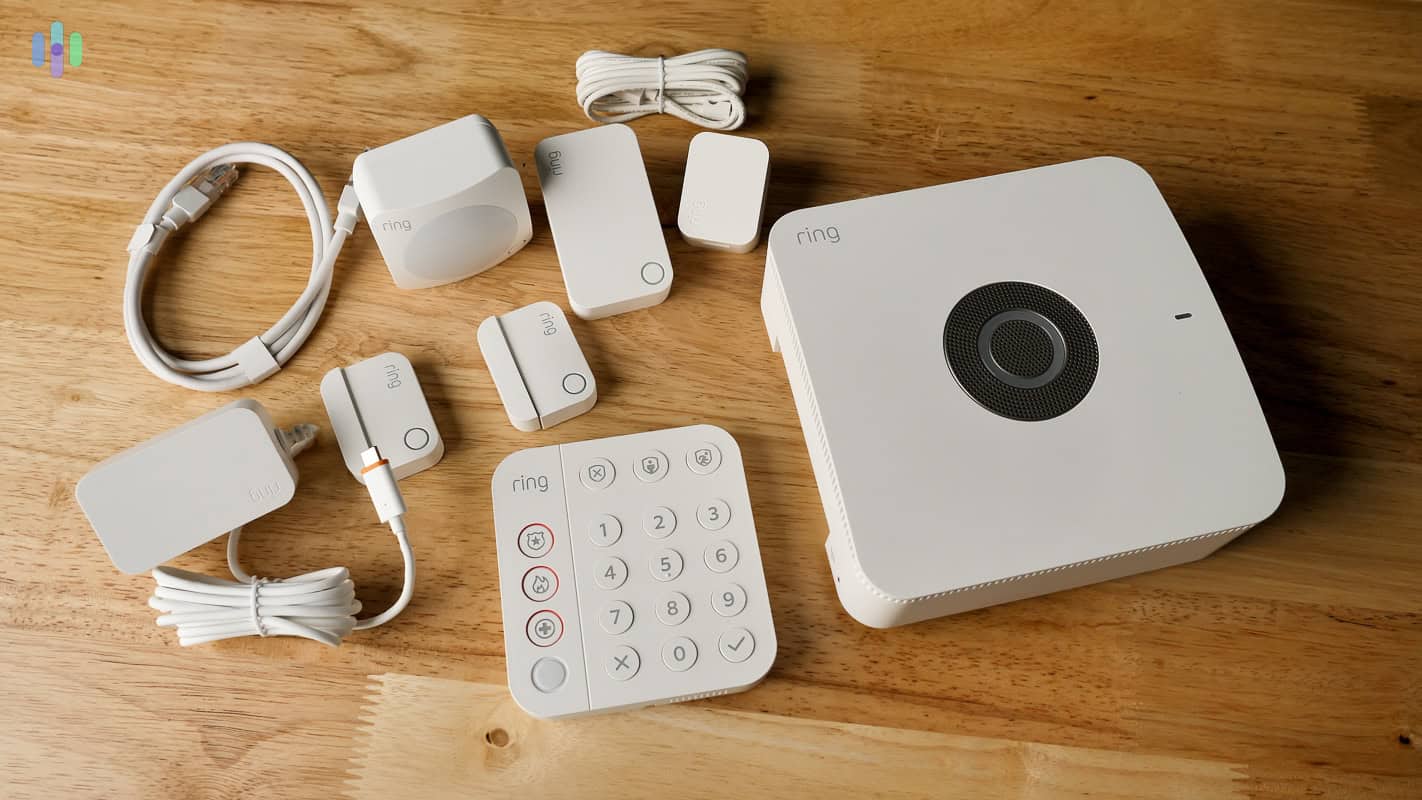
The basic Ring Alarm system comes with a base station, keypad, motions sensor, and entry sensor Our last entry on this list is Ring Alarm, and the reason it’s here isn’t just the security system itself, but the Ring brand as a whole. Ring is best known for its video doorbells and security cameras. We tested four cameras ourselves, including the Ring Spotlight Cam Battery and the Ring Video Doorbell Pro. We can say that Ring’s security cameras are some of the best in the market.
Now, here’s where Ring Alarm comes in. In addition to working with the Ring cameras and video doorbells via the same app, the Ring Alarm covers areas the cameras don’t. More specifically, it focuses its protection indoors, while the cameras focus outdoors. They complement each other, which is why they are the best choice if you want extensive video security with a conventional home security system.
What We Like
- Offers a wide selection of security cameras and doorbells
- Affordable monitoring and cloud recording plans
- User-friendly and refined smartphone app
- Easy DIY installation
What We Don’t Like
- Requires upfront equipment purchase
- Screenless hub and keypad
- No smart home devices
- Works as a local alarm if self-monitored
Ring Alarm Equipment

Everything included with the Ring Alarm Pro Ring Alarm equipment is pretty standard. There are security sensors and smoke alarms, but no smart home devices at all. Ring makes up for that with a bunch of security cameras and video doorbells, though.
For security cameras, Ring offers an indoor camera, a semi-outdoor camera called the Stick Up Cam (weather-resistant but not weatherproof), a spotlight-equipped camera, and a floodlight-equipped camera. For the outdoor models, including Stick Up Cam, you can choose from different power options (battery, plug-in, solar, or wired). You can access our review of the complete Ring lineup for all the details.
For video doorbells, Ring offers eight models, from simple and affordable, like the Ring Video Doorbell Wired, to smart but slightly more expensive, like the Ring Video Doorbell Pro 2. There’s a selection of wired and battery-powered options, all of which we covered in our Ring Video Doorbell review.
Ring Alarm Monitoring
For professional monitoring, you’ll need the AI Pro plan at $19.99 per month. That’s good value considering it also includes access to Ring’s full suite of AI camera features, including Familiar Faces — a feature currently in beta that uses AI to recognize the faces of people you designate as trusted, like family members or a regular dog walker, and distinguishes them from strangers in motion alerts. In practice, it means fewer unnecessary notifications and smarter alerts when someone unfamiliar approaches your home.
Professional monitoring, however, only covers Ring Alarm devices. There’s no video verification like ADT’s, where monitoring agents can view live footage before dispatching help. That said, response times were solid, averaging 38 seconds across our 20 break-in simulations.
Ring Alarm Pricing
We went with the AI Pro plan for $19.99 per month. If you pay for a year upfront, that price goes down to $16.67 per month. Either way, that’s a good deal, considering a monitoring plan with cloud storage from SimpliSafe costs $32.99.
As for the equipment, however, prepare to spend at least a few hundred bucks. The smallest kit costs $200, which is good for small homes or apartments only. It includes only one motion sensor and one door sensor, plus the hub, keypad, and a wireless range extender.
If you want to save, we suggest getting bundles. The bundles typically include a Ring Alarm starter kit (five to 14 pieces), a security camera, and a video doorbell. The price range is from $300 to $700.
>> Learn More: Ring’s Pricing, Monitoring Plans, and Packages
Ring Alarm User Experience

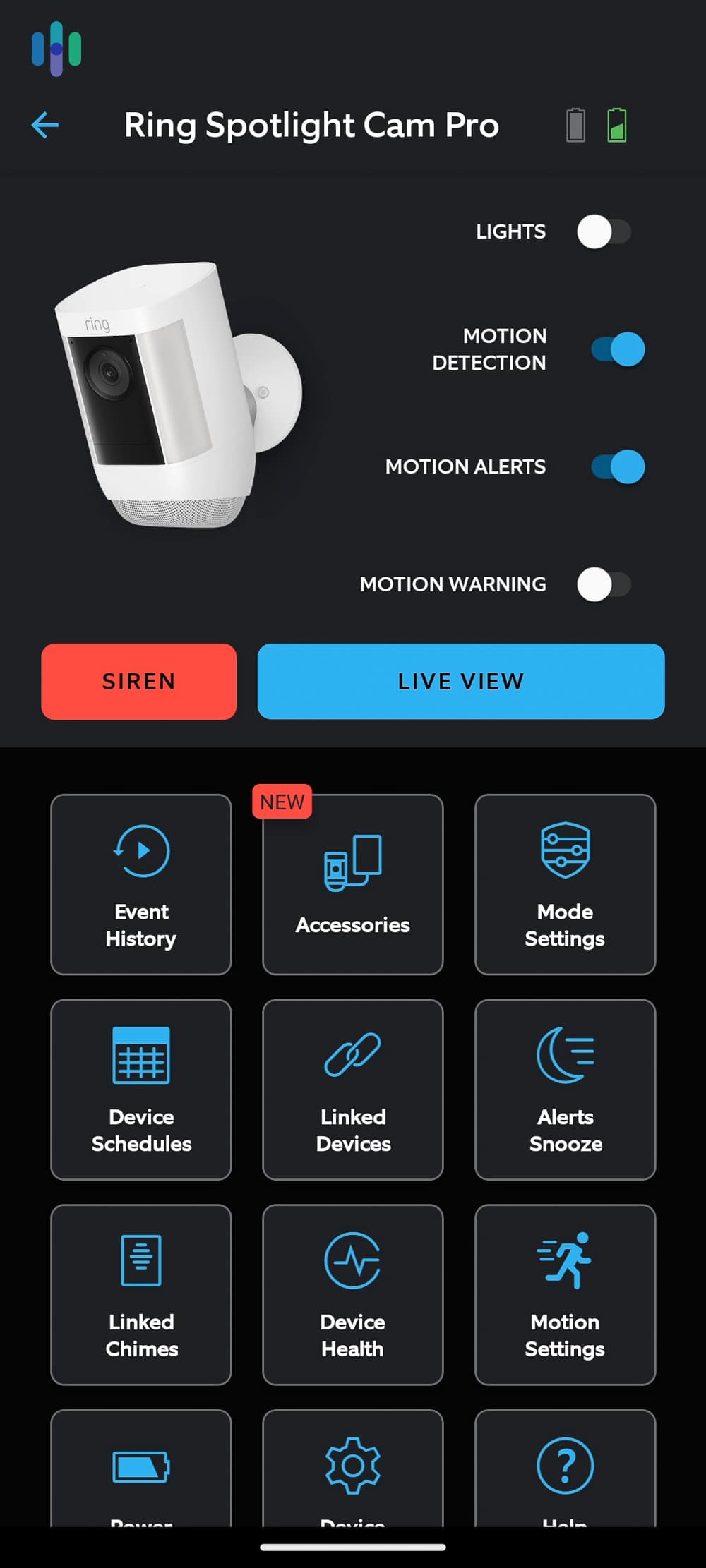
This is the Ring Spotlight Cam Pro main screen on the Ring app The Ring – Always Home App — one of the best home security apps we’ve tested — puts camera feeds front and center, making it easy to visually monitor your surroundings. Ring made sure not to push aside the Ring Alarm, though. You can choose an arming mode (Disarm, Home, Away) at the top part of the app’s interface. Better yet, you can make the Ring cameras arm the same time you arm your Ring Alarm. That ties them all together as one comprehensive system rather than just individual devices from the same brand.
Security Expert Reviewed: Given Ring’s past security breaches, we had our cybersecurity specialist, Brett Cruz, review the Ring – Always Home App for security vulnerabilities. In this review, he validated that Ring’s updated security policies would have prevented those past security breaches from occurring. That’s why we have no problem recommending Ring despite their past issues.
Our Methodology: How We Test Home Security Systems
To ensure the objectivity, authenticity, and reliability of our recommendations, we made it a point to test every home security system we recommend. That means to build this list, we had to test over three dozen security systems firsthand. With that kind of experience, we were able to accurately compare each security system based on factors we deemed most important when choosing security systems. Those factors are:
- Equipment: We looked at the availability of standard home security equipment such as motion sensors and door sensors. We also checked the quality of security cameras and their performance. And, of course, we ran break-in simulations to determine if they are effective in catching criminals.
- Cost and Value: After testing the equipment, we assessed if they are worth their prices. We also looked at factors such as warranties, refund policies, installation requirements, and so on.
- Installation: Next, we reviewed the installation process and rated it based on how easy the installation was in the case of DIY systems or how well the installation was executed in the case of professionally installed systems.
- Features: We then did tailored tests to ensure the promised features are working as advertised. This part of the process heavily involved living with each system for at least a week.
- Monitoring: During that same period, we assessed the quality of professional monitoring. Since all the systems we recommend offer the service, we compared them based on the efficiency and speed of their response during break-in simulations.
By looking at those key factors, and with the help of our combined decades worth of experience in the industry, we were able to rate each system objectively and come up with a Security Score for each of them. That is what we used to rank them and recommend the best home security systems in 2026.
How to Choose the Best Home Security System in 2026
We know choosing a home security system is a big decision. To make it a little easier, we’ve put together this jargon-free video guide to help you narrow down your options.
The Best Security Systems for Your Living Situation
Our team is composed of both homeowners and renters, so we know firsthand that someone’s living situation has a strong impact on their decision-making. After all, someone renting an apartment might have different security needs than someone who lives in a home they own.
This page is a general guide to choosing a security system. We also have guides for specific living situations, preferences, and property type. Check them out:
Setting a Budget for Your Ideal Security System
Before you start shopping for a home security system, we recommend setting a budget. To help you get started, we’ve broken down the key costs to consider.
Equipment Cost
All security systems require equipment, and it’s not free. It can range from a few hundred dollars to over $1,000, depending on the size, type of equipment, and brand.
The cheapest comprehensive security system we got was from Cove, which cost us about $260 after discounts. One thing we’ve learned over the years is that when alarm companies offer discounts, it’s almost always for the equipment. Take advantage of that. Time your purchase. For example, there are home security Black Friday deals in November and Prime Day deals for SimpliSafe and other DIY brands that offer products on Amazon in July and October.
You also don’t have to buy the equipment up front. Most companies offer flexible financing options managed in-house or by a third party. If shelling out hundreds of dollars right away isn’t ideal for you, you can use financing to pay the equipment fee monthly over a period of up to five years.
Installation Cost
Once you’ve chosen your equipment, you need to decide how you’ll install it. You can do it yourself, which means you won’t pay anything. If you want to use the company’s professional installation service, expect to pay a minimum of $100. The total cost depends on the size of the system and types of equipment.
We’ve seen some companies offer free professional installation as part of a sale. For example, Vivint waived its fee if you met the minimum equipment spending requirement.
Monitoring Cost
We always recommend professional monitoring, but this service comes at a cost. Prices range from $20 to $100 or more. We recommend budgeting between $30 and $60 per month for a service that includes the essentials plus features like smart home automations and cloud storage for video recordings.
Watch out for contracts. Some companies require a commitment of up to five years, and include termination fees if you try to get out of it early. While contracts have some advantages, if they’re not for you, consider a no-contract option from SimpliSafe, Cove, Abode, or Ring Alarm.
Additional Fees and Discounts
Most systems today don’t have hidden fees, unlike before where most required activation fees. That said, your local city or state might require you to get an alarm permit, such as in the City of Los Angeles.3 The permit can cost you between $25 and $100, and is usually required for monitored systems with police dispatch.
On the other side of the fence, you might also be able to save money just by having a security system. Insurance companies often offer discounts on homeowners insurance to homeowners with a monitored security system. Talk to your insurance advisor and ask if they have such offers and, if they do, which specific security systems would make you eligible.
>> Learn More: Are Security Systems Tax Deductible?
FYI: You might notice that your final monthly bill is slightly higher than the advertised professional monitoring fee. Usually this is because of local taxes, but it could also be an extended warranty plan for your equipment. ADT, for example, offers Quality Service Plans starting from $7 per month.
Final Verdict
Choosing a security system is a very personal decision, but that doesn’t mean you can’t seek the help of experts. Our goal is to help you find the best security system for you, so we conduct these tests every year to give you up-to-date information on the best security systems currently available.
Security systems aren’t our only focus, though. We also test out security cameras, video doorbells, and other home and personal security products. We want everyone to be as safe and secure as possible, so here are our lists of the best security cameras and the top video doorbells of 2026.
FAQs About Home Security Systems
-
Are home security systems affected by tariffs?
Yes, they are affected by tariffs, as a lot of security equipment is imported. Products assembled or made in countries subject to higher tariffs may see price increases.
-
What is the best security system for residential homes?
SimpliSafe offers the best residential security system overall, built on reliable equipment and industry-leading intruder deterrence. They offer affordable equipment packages starting at $250.96, and monitoring rates start from $22.99 but are optional. Self-monitoring and DIY installation are available too, making it a flexible security option for most homes.
-
What are the best security systems for home automation?
ADT, Vivint, and abode are the best security systems if you want to build a smart home with plenty of home automation capabilities. Each of those security systems integrate well with third-party automation devices, and they each also offer home automation equipment themselves.
-
What is the best home outdoor security system?
Our tests of over 60 security systems revealed that ADT and SimpliSafe offer the best outdoor security systems. For smart home convenience and reliable monitoring, we recommend ADT due to its Google Nest Cams with facial recognition that automatically grants access to authorized visitors. However, SimpliSafe’s Active Guard Outdoor Protection offers the best active intruder deterrence as their agents respond to AI-identified threats to prevent break-ins before they happen.
-
Should I go with professional or DIY installation?
Both installation methods have pros and cons, but ultimately, it’s a matter of preference. We like professionally installed systems because they offer greater assurance that the system will work. They are not as prone to human error as DIY systems. However, we like the flexibility and approachability of DIY systems, especially if your goal is to cut the cost down as much as possible.
-
How much should a home security system cost?
The cost of a security system depends on a number of factors, including the size of the system, type of equipment, and features. We find that a decent-sized security system can cost between $500 to $1,000, and monitoring ranges from $25 to $50 per month.
-
What security system do burglars hate?
By far, the most well-known security system by burglars is ADT. It’s been in business for over 150 years, with a reputation for offering top-tier protection to homes of all sizes. SimpliSafe, is also pretty well-known, especially with their Intruder Intervention feature that actively deters trespassers through live agent intervention.
-
Statista. (2024). Average value of property stolen during burglaries in the United States in 2023, by location.
https://www.statista.com/statistics/252455/average-value-of-property-stolen-during-burglaries-in-the-us-by-location/ -
Robbins, Ira P. (2024). Deconstructing Burglary.
https://papers.ssrn.com/sol3/papers.cfm?abstract_id=4730778 -
Los Angeles Office of Finance. (2025). Alarm Permits and Alarm Ordinance FAQs.
https://finance.lacity.gov/alarm-permits-and-alarm-ordinance-faqs