TotalAV Antivirus Reviewed by Experts: Does It Give Total Protection in 2026?
For only $29 the first year, TotalAV is tough on malware and offers a smooth overall user experience.
 &
&
 Last Updated on Feb 25, 2026
What We Like
- All-around digital security: TotalAV is stacked with security features and extra digital security tools.
- User-friendly: TotalAV is easy to use with little impact on device performance.
- Quick scans: TotalAV scanned our devices quickly, accurately detecting harmful files and programs.
What We Don't Like
- No behavior-based detection: TotalAV isn’t trained to identify novel viruses, only viruses in its database.
- Lacks a firewall: No firewall means potential exposure to network attacks, especially over public Wi-Fi.
- Weak on downloaded malware: TotalAV let through potentially harmful files, though it quarantined them as soon as we tried to access them.
Bottom Line
the security.brief
TotalAV is easy to use and detects malware efficiently, but lacks behavior-based detection and a firewall. It’s affordable at $29/year but renews at $129.
Malware is everywhere today.1 That’s why most modern operating systems come with a built-in antivirus — Windows Defender for Windows, for example. The problem is, built-in programs handle some malware, but not all of it. Most native antivirus don’t work against phishing attempts or invasive trackers, for instance.
TotalAV is a good companion to your built-in antivirus, plugging critical security and privacy holes with real-time scanning, a virtual private network (VPN), and several system performance tools that aren’t common with antiviruses. Its higher renewal costs may be a sticking point for some, but in comparison with other top antiviruses we’ve tested, TotalAV is really par for the course.
>> Related: Do I Need an Antivirus for My Mac?
Getting Started: Buying A TotalAV Package
Here’s a breakdown of all of TotalAV’s plans, followed by our take-aways.
License Details
| License Details | Premium | Internet Security | Total Security |
|---|---|---|---|
| Number of devices | 3 | 6 | 8 |
| Antivirus features | Yes | Yes | Yes |
| Device optimizer features | Yes | Yes | Yes |
| Ad blocker | Yes | Yes | Yes |
| VPN | No | Yes | Yes |
| Password manager | No | No | Yes |
| First-year price | $29 | $39 | $49 |
| Renewal price (per year) | $99 | $129 | $149 |
The renewal prices are a significant jump. Our Internet Security package increases from $39 to $129 when our 12 month subscription expires. While it’s not unusual in the industry, it’s worth noting when it comes for renewal.
For one example, the $39 McAfee Essential five-device license jumps to $119.99 after the first year. It’s a little bit more affordable than our Internet Security package, but TotalAV protects one more device than McAfee. See our TotalAV vs. McAfee comparison for more plan details.
Our Recommendation
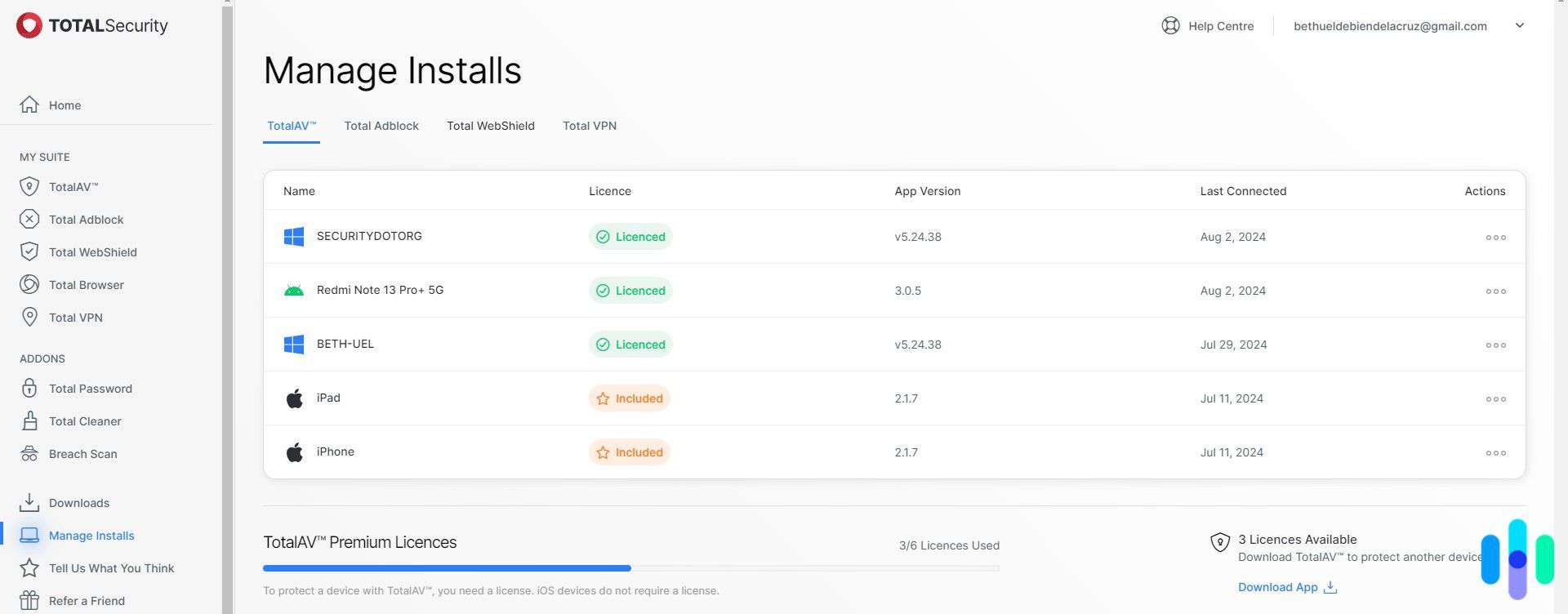
We think the Internet Security plan will work out for most people, but the Total Security plan offers the best value overall. For only $10 more, it includes a password manager so you can generate strong passwords and store them securely. TotalAV’s password manager, Total Password, even made our list of the best password managers of 2026.
Other options: Surfshark One also combines a quality antivirus, a top-tier VPN, and extra personal data safety tools. It charges $50 for the first 15 months, but the renewal rate is $99 per year. See our Surfshark antivirus review for our complete experience with Surfshark.
Why We Didn’t Choose TotalAV Free
TotalAV has one of the best free antiviruses. We tested it and started strong with features such as real-time protection, which we only typically see in premium antivirus software.
The only problem is that real-time protection is temporary. It’s part of the limited free trial, meaning after two days we could only do manual scans. It’s still useful, but it’s another reason why we recommend the premium version.
Free Trial Alternative: If you’re on the fence with TotalAV, take advantage of the 30-day money-back guarantee instead of the free plan. This way you can test out everything the platform has to offer over a full month.
We checked out the free TotalAV antivirus, but don t recommend it if you already have built-in antivirus software

TotalAV Internet Security Features
TotalAV is one of the best antivirus and VPN bundles, and Internet Security is a great example of why it made that list. TotalAV’s mid-tier plan offers:
- Real-time virus protection
- Full, quick, and scheduled scans
- System tune-up tools
- VPN
- WebShield
Real-Time Protection
We use real-time protection to automatically scan files and programs we download, open or create. It’s the best protection from malware for your device.
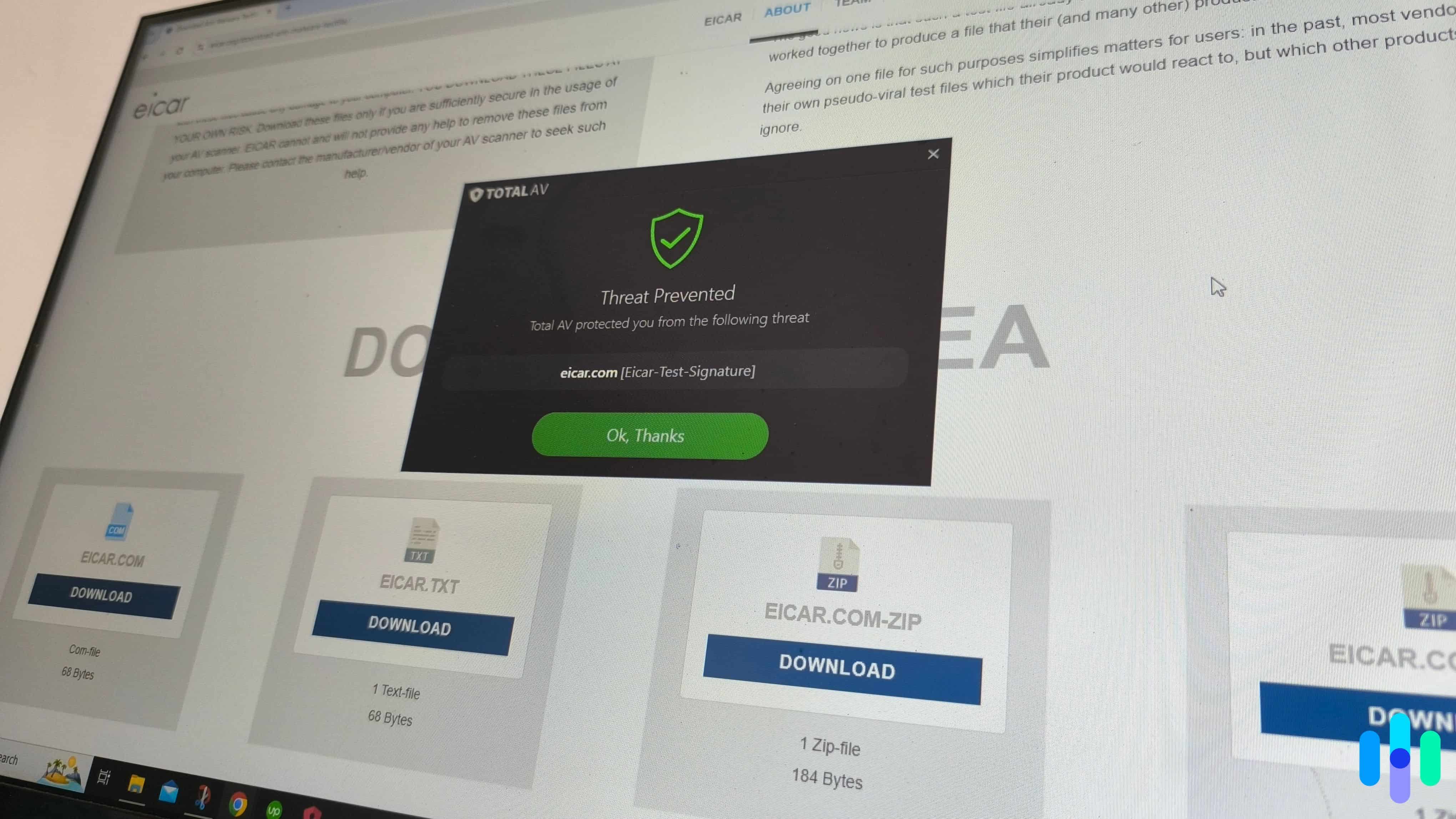
We tested TotalAV’s real-time protection by trying to download a malware test file. Windows Defender was able to detect and quarantine the file, but when it was TotalAV’s turn, the download pushed through. This happened a total of five times, so not a great start.
That said, for malware to actually cause damage, it needs to execute on your device. Real-time protection also monitors codes being executed, and when we tried to open the test file, TotalAV blocked it.
>> Also: The Best Antivirus for Windows PCs
FYI: We used the test virus file created by the European Institute for Computer Anti-Virus Research (EICAR).2 It’s harmless but mimics the behavior of real downloadable malware.
TotalAV Malware Scans
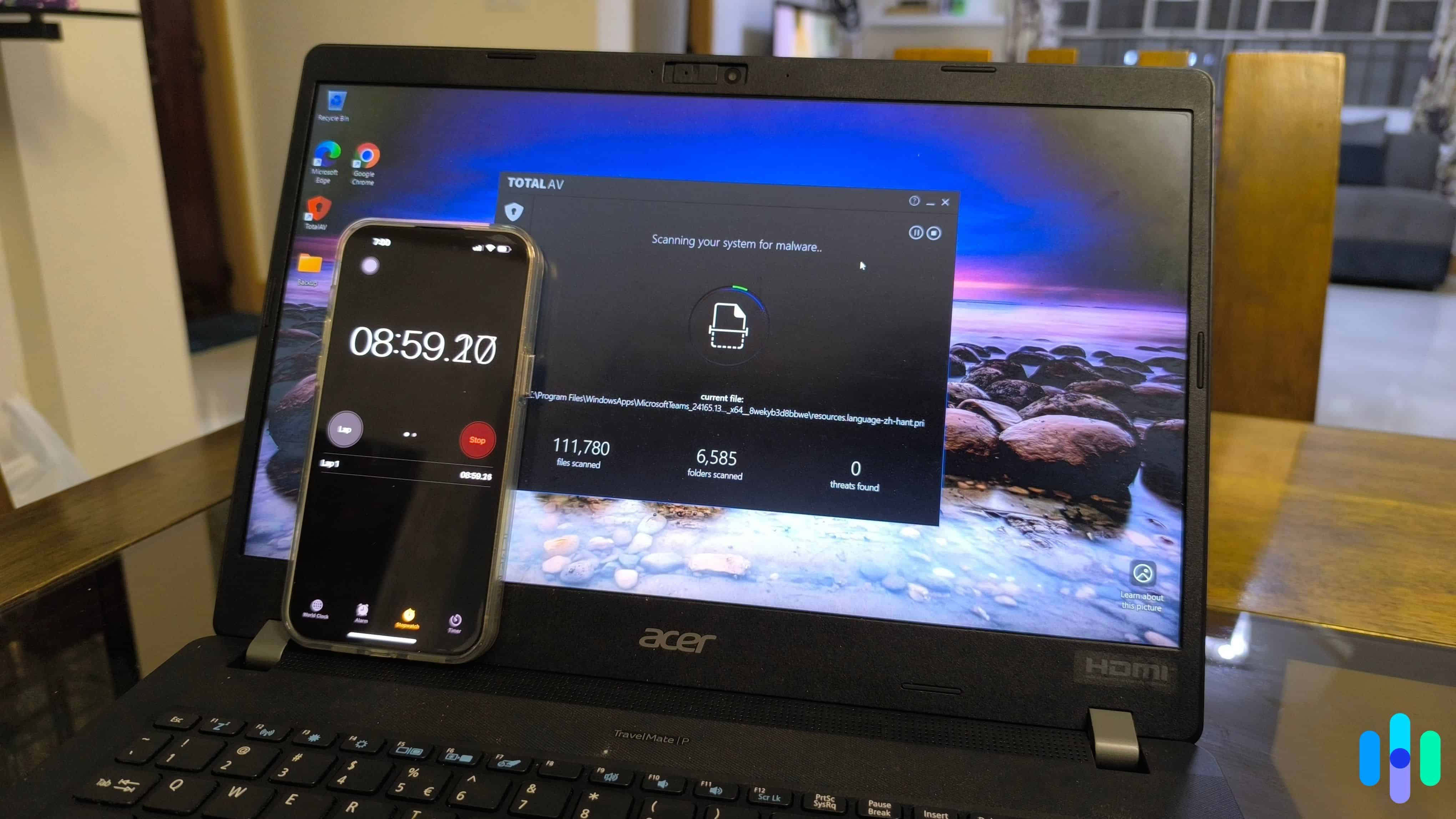
Malware scans are a staple feature of most antiviruses. TotalAV offers five different types of scans.
- Quick scan. TotalAV’s quick scan of our critical locations, new files, and processes, took four minutes and scanned more than 15,000 files and 78 folders. It identified six threats.
- System scan. Our full system scan took 25 minutes and scanned 300,000 files and 15,000 folders. TotalAV caught one threat that had evaded the quick scan – a VPN app marked as a potentially unwanted program.
- Scheduled scan. We recommend scheduling a system scan every week or two. Unfortunately, TotalAV doesn’t let you pick a day and time like McAfee did when we reviewed McAfee Total Protection. Instead, you set your active hours and TotalAV scans outside those times.
- Custom scan. TotalAV’s custom scan looks for malware in selected files and folders before opening them. We didn’t need to use this mode because we left real-time protection running in the background.
- Smart scan. Like our other top antivirus picks Norton and Avast, TotalAV has a multi-purpose smart scan that does four things at once:
System Tune-Up
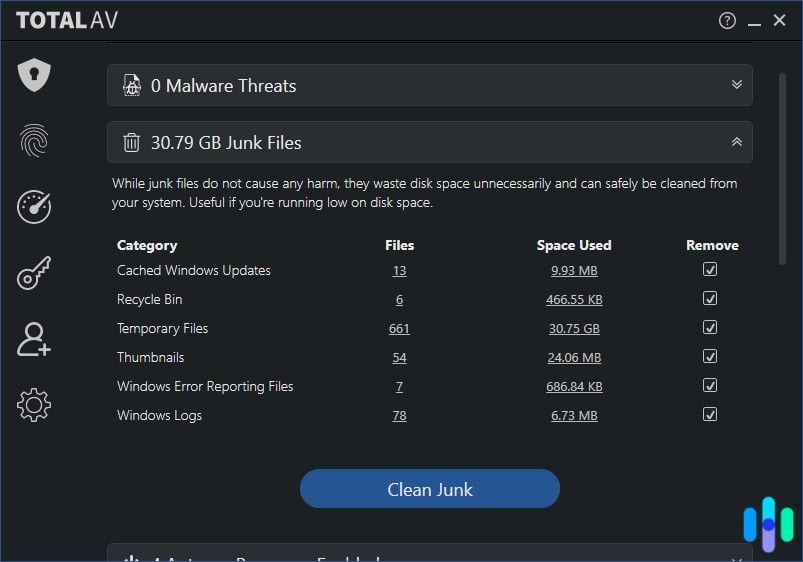
Real-time protection and malware scans are Total AV’s core anti-malware features, but TotalAV also offers tools that optimize device performance.
- Junk cleaner scans for junk files (cached update files, .temp files, and items in the recycle bin). TotalAV saved us more than 30 GB of memory when we used it.
- Duplicate file finder looks for duplicate files with similar names and sizes. It doesn’t delete duplicate files automatically, which is good because it mistakenly marked some of our files as duplicates even though they were not.
- Application uninstaller lets you select multiple apps to uninstall. TotalAV is actually faster than the native Windows uninstaller, which uninstalls one app at a time. TotalAV also removed a broken program we’d had trouble getting rid of in the past.
- Startup manager lets you manage the apps you run at start-up. We recommend keeping your startup apps to a minimum for better performance.
- Browser cleanup scans your browsers and shows you items you can remove to improve speed, such as cookies, cached items, download history, and saved passwords.
>> Related: How to Clear Your Search History and Why You Should
Pro Tip: TotalAV’s system tune-up tools also help identify and remove malicious programs like computer worms, which create multiple copies of themselves, causing serious performance issues.
WebShield
The features we’ve discussed previously focus on device protection; WebShield, on the other hand, focuses on online safety. When activated, WebShield:
- Prevents you from visiting potentially malicious websites
- Blocks phishing and crypto mining scams that use your device’s resources without permission
FYI: For a similar feature in a VPN, check out our NordVPN review. Nord’s Threat Protection Pro works the same way.
Privacy Protections
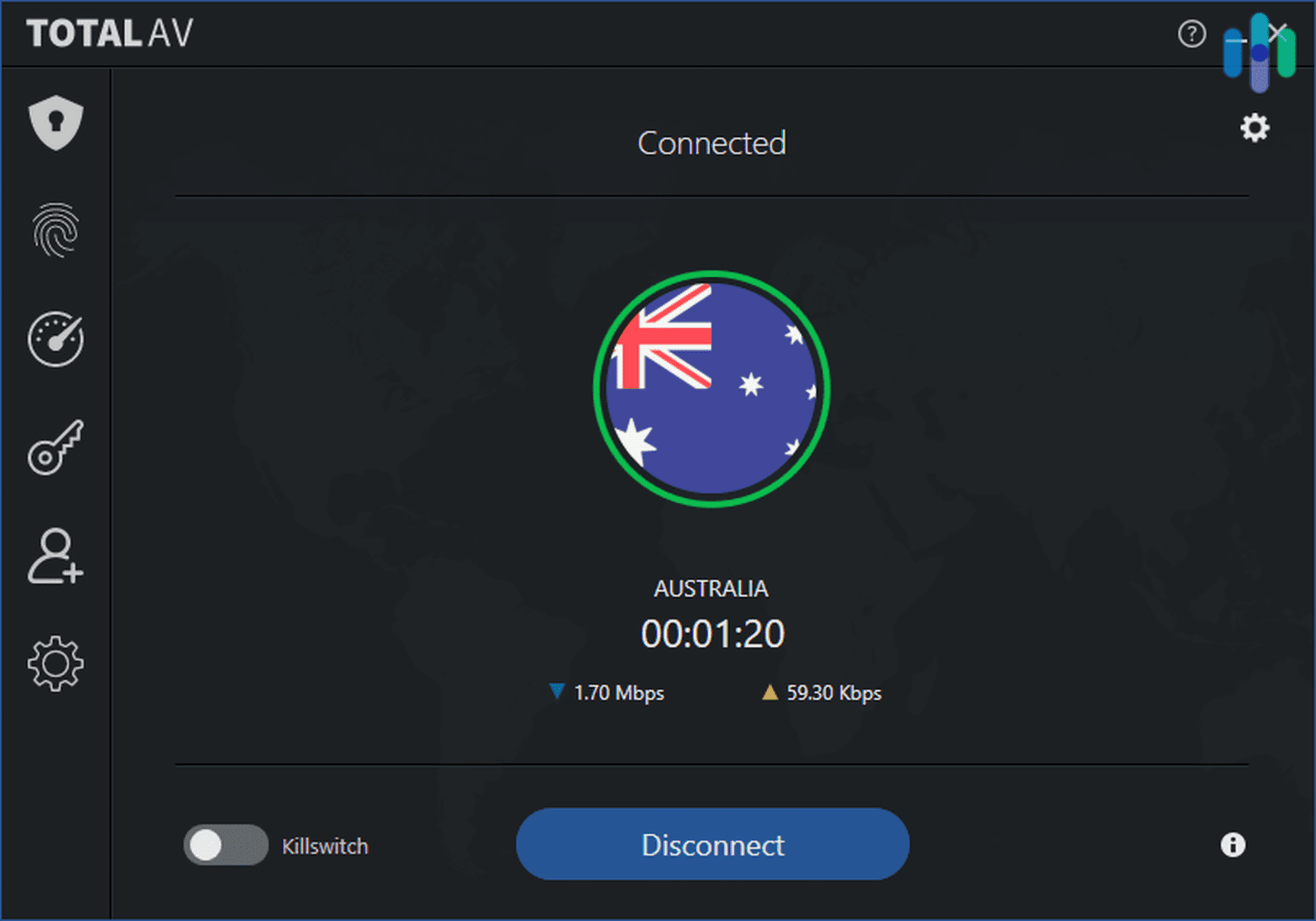
Lastly, we enjoyed greater online privacy thanks to the included VPN. A VPN encrypts online traffic and changes the IP address seen by the websites we visit. With our Internet Security plan, TotalAV gave us a full-featured VPN complete with a kill switch. It was actually similar to the TotalAV VPN we reviewed separately.
>> See Also: How to Install and Set Up a VPN
As mentioned earlier, TotalAV’s Total Security package also comes with a password manager compatible with Chrome, Edge and Safari. You can also install the Total Password app on your Android or iOS device and use it that way. A password manager is great for securing your online accounts.
FYI: The average person has over 250 personal and work passwords combined.3 Whether you have more or less, we recommend using a password manager to protect this info and securely log you in to your accounts.
The TotalAV User Experience
For a feature-rich antivirus software, TotalAV was refreshingly user-friendly.
Setup
TotalAV was quick and easy to set up. We didn’t even need to restart our device after installing the app; most antivirus software requires a reboot.
However, TotalAV didn’t prompt us to run an initial scan after installation. Many advanced features were also off by default, including:
- Real-time protection
- WebShield
- Automatic scan for removable devices
TotalAV’s settings page is where we enabled TotalAV’s full malware protections.
Pro Tip: We had to explicitly tell TotalAV to scan .zip archives, which are notorious for harboring Trojan viruses downloaded in malicious packages. We recommend peeking under the hood and enabling this and other malware protections.
User Experience Highlights
After getting our protections up to spec, TotalAV didn’t require much attention from us. It kept our devices safe in the background with real-time protection, WebShield, and weekly system scans.
We also liked that TotalAV didn’t bombard us with notifications. That can be distracting; it was one of the problems we had when we tested ESET.
We recommend running a smart scan every two weeks and at least once a month
TotalAV on Mobile
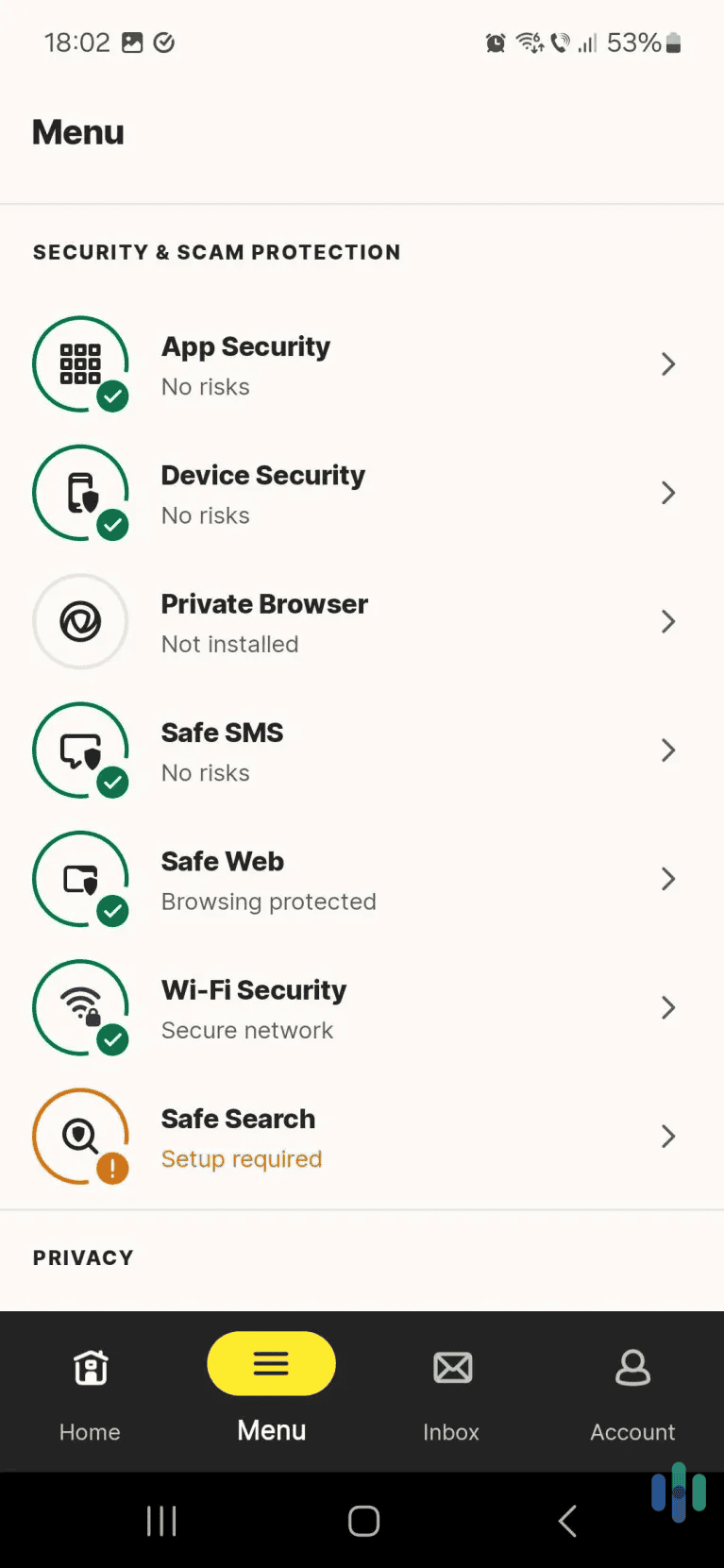
We also installed TotalAV on an iPad, iPhone, and Android smartphone. The mobile apps were similar to the Windows app but with a richer interface and animated graphics. Many antivirus mobile apps are dumbed-down versions of their desktop counterparts, but not TotalAV. Its Android app even made our list of the best Android antivirus apps we tested this year.
We tested TotalAV on Android, including its WebShield online protection
Virus Database Updates
TotalAV doesn’t have behavior-based detection, which means it can only recognize malware that’s on its database of known threats. This is a potential issue, especially with the increase of zero-day attacks.
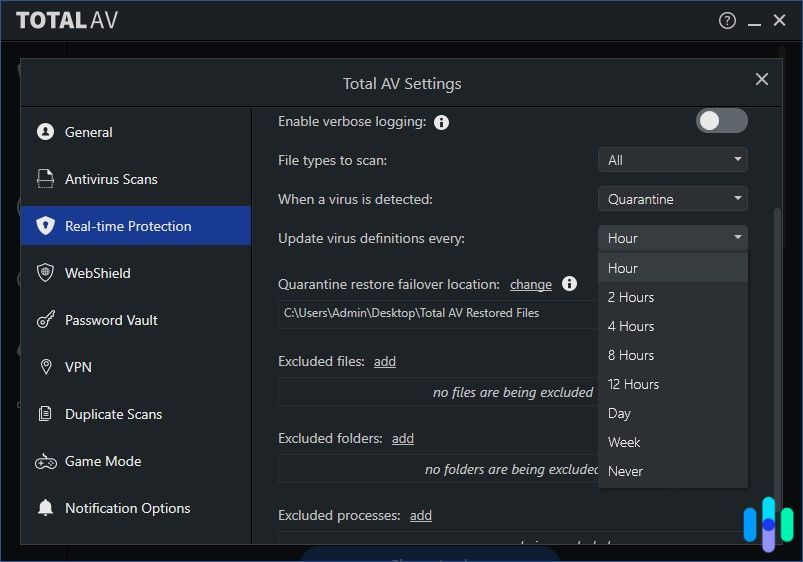
On the bright side, TotalAV updates its virus definitions regularly. We set it to check every hour. Plus, by default, it checks for database updates everytime it starts a scan.
Device Performance
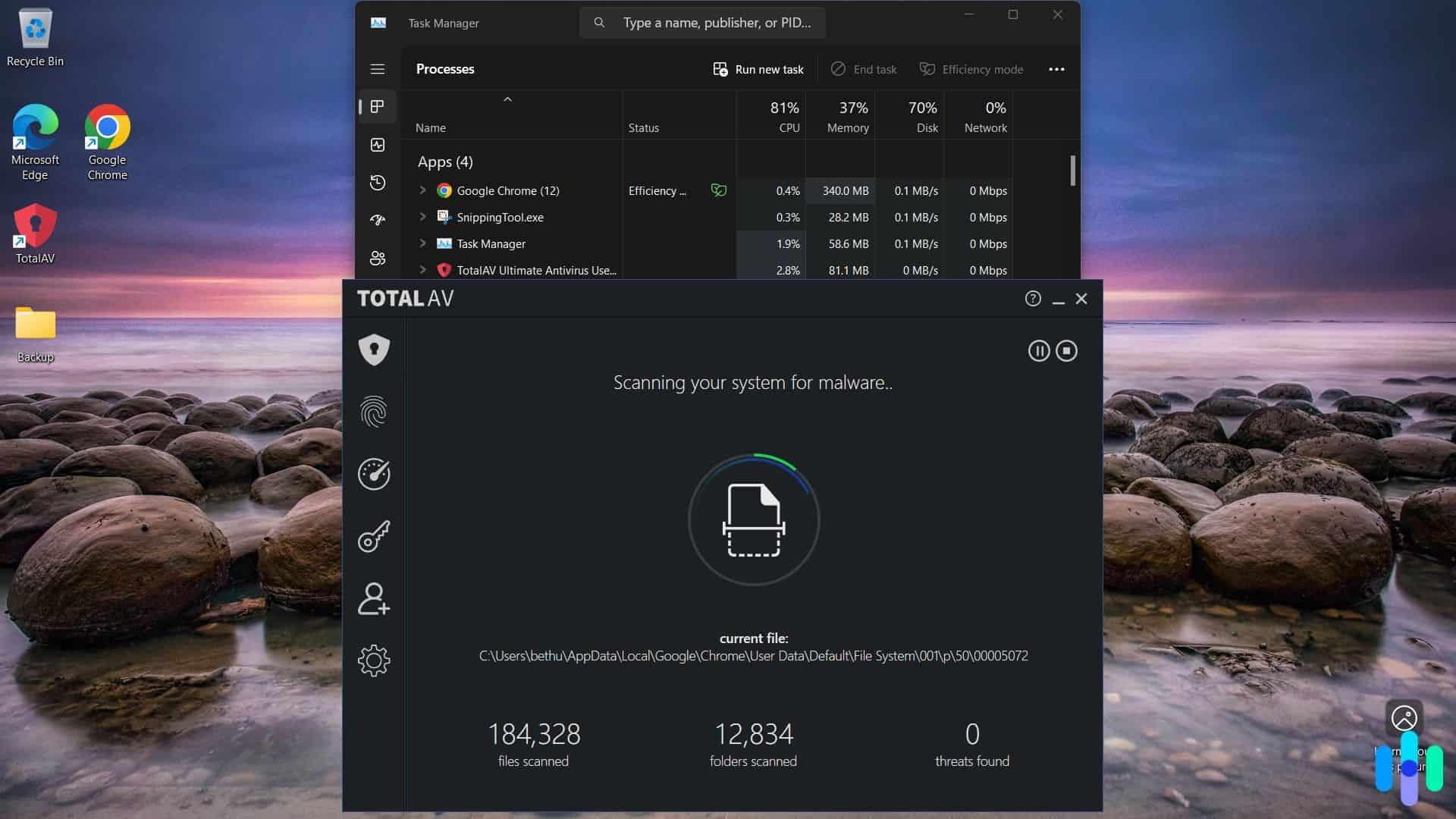
Antivirus software is notorious for impacting device performance. When we tested McAfee’s real-time protection, for example, files and apps took two to five seconds longer than usual to load. By contrast, TotalAV’s impact was minimal. Files and apps still loaded as quickly as they did before we installed TotalAV. However, when we first turned on real-time protection, our computer froze for a good 30 seconds.
Our Verdict on TotalAV
The Pros
TotalAV’s real-time virus protection worked, and malware scans ran efficiently and reliably. While Windows Defender did better at preventing us from downloading potential malware, TotalAV made up for it by stopping us from opening the files. TotalAV’s two premium plans also come with a VPN and useful system tune-up tools that cleaned over 30 GB from our computer.
The Cons
TotalAV was missing a few features we usually like to see in an antivirus. The first is behavior-based detection. Without it, TotalAV can only check for viruses on its database. TotalAV also can’t protect your device from threats originating from your network because it doesn’t have a firewall like Norton 360 does.
Overall
There were some holes in TotalAV’s protection, but we were satisfied overall. TotalAV is a feature-rich antivirus we trust whose price tag is good value for money even at the higher $129 renewal rate.
FAQs
-
Is TotalAV a scam?
No, it isn’t. It’s a legitimate antivirus. However, TotalAV does increase its prices substantially after the first year — a common industry practice, not a sales ploy.
-
Is TotalAV good at stopping malware?
Yes, it is. We did notice in our tests that TotalAV sometimes failed to flag malware as we downloaded it, but it always prevented us from opening it.
-
Is TotalAV’s free antivirus safe to use?
Yes, it is. But if you already have a built-in antivirus like Windows Defender, there’s not much point in using TotalAV’s free software. It can only scan for malware manually, which is what built-in antiviruses do anyway.
-
Does TotalAV have device limits?
Yes, TotalAV’s three premium plans support 4, 6, and 8 devices respectively. Keep in mind that iPhones and iPads don’t count against the usage limit.
-
Can I buy just the TotalAV antivirus without the VPN?
Yes, TotalAV’s Antivirus Pro plan doesn’t come with a VPN. It’s $29 for the first year with a four-device limit.

-
FBI. (2025). Home Internet Connected Devices Facilitate Criminal Activity.
https://www.ic3.gov/PSA/2025/PSA250605#fn2 -
EICAR. (2025).
https://www.eicar.org/ -
NordPass. (2024). Juggling security: How many passwords does the average person have in 2024?
https://nordpass.com/blog/how-many-passwords-does-average-person-have/