The Best Security System Apps in 2026
The right security system app turns your phone into a command center for your home — we tested dozens to find the ones worth downloading.
 &
&
 Last Updated on Mar 24, 2026

- Top-rated app
- Nest integration
- Excellent overall security system

- Great selection of smart devices
- High-quality equipment
- App makes home automation easy

- Packages start at $250
- Affordable smart lock
- App performs basic functions without a subscription
Most home security systems come with a control panel or keypad, but we rarely interact with them. We’re on the couch, at the office, or sometimes three states away, meaning we’re checking in on an app. We’ll review security camera footage, manage real-time alerts, and tweak automations, all from a phone.
Almost every security provider has an app now. The hard part is figuring out which ones are actually worth using. We loaded up our phones with apps from every major brand to find out. ADT came out on top. Its intuitive design and seamless Google Nest integration make it the best security camera app and system controller in one. Vivint, SimpliSafe, Frontpoint, and Ring all earned a spot too. Here’s what sets them apart.
Did You Know: In 1966, Marie Van Brittan Brown filed a patent for the first modern security system. It included a security camera, two-way audio, and radio to contact police.1 No app though.
Best Security System Apps Compared
| System |
ADT
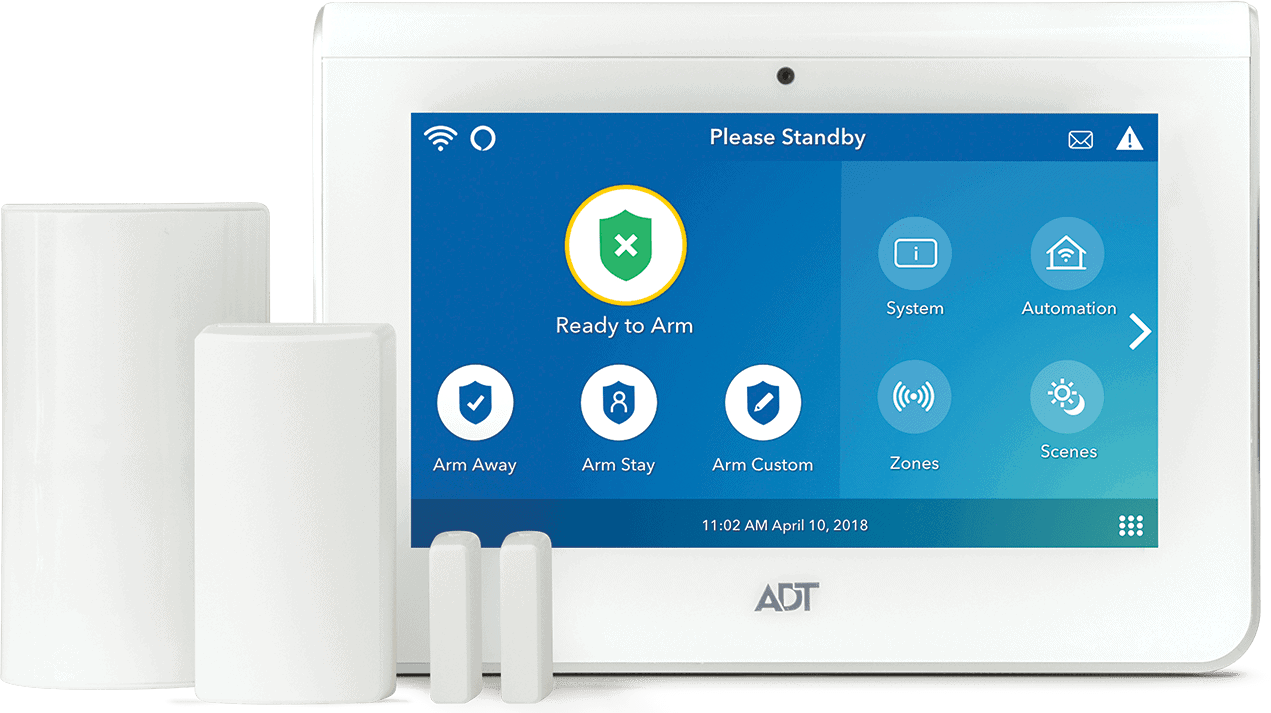
|
Vivint
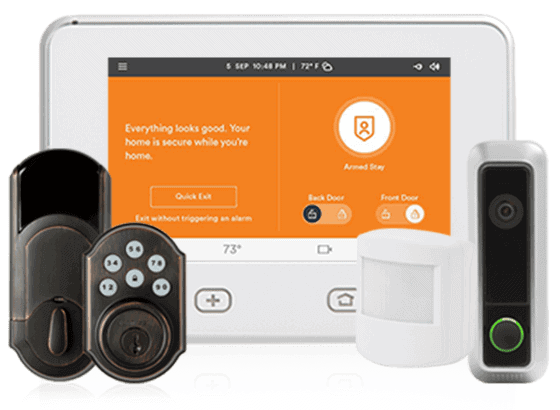
|
SimpliSafe
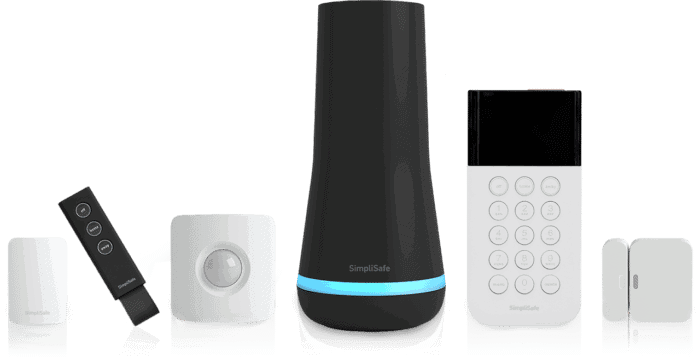
|
Frontpoint

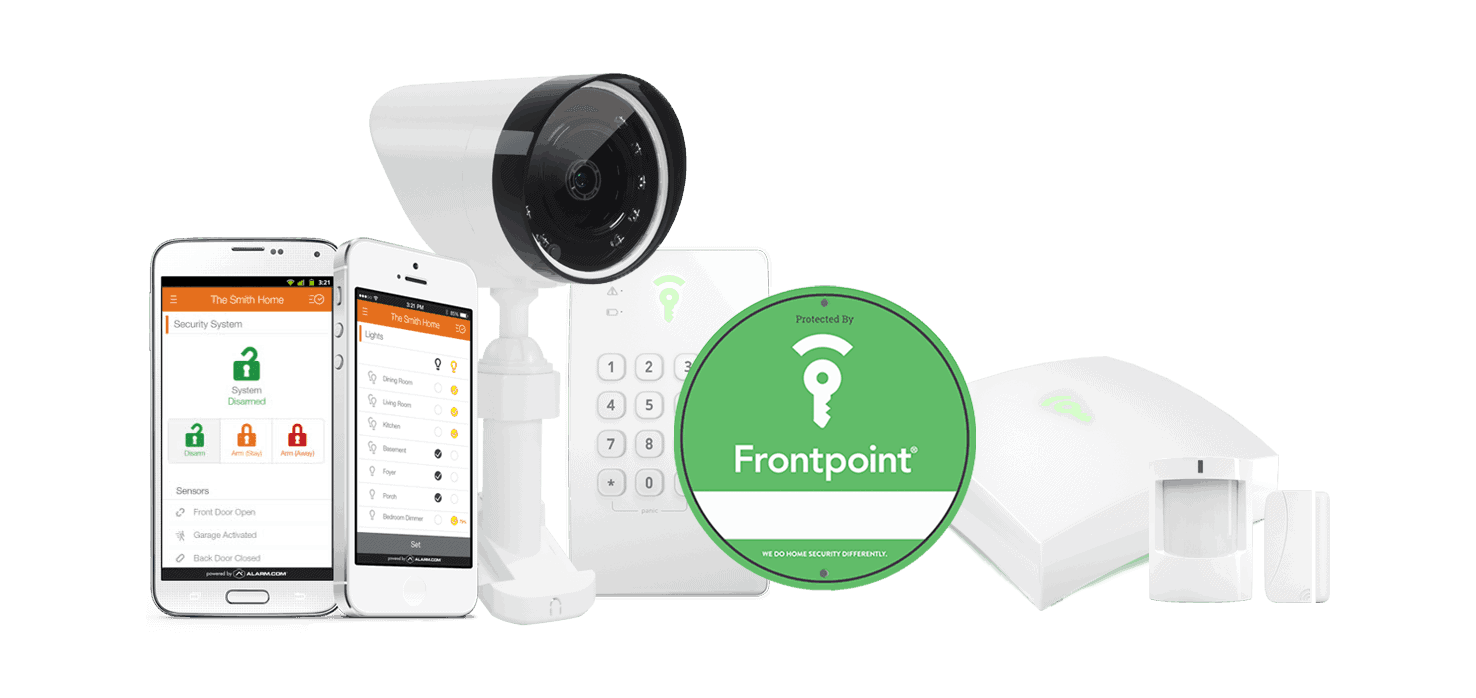
|
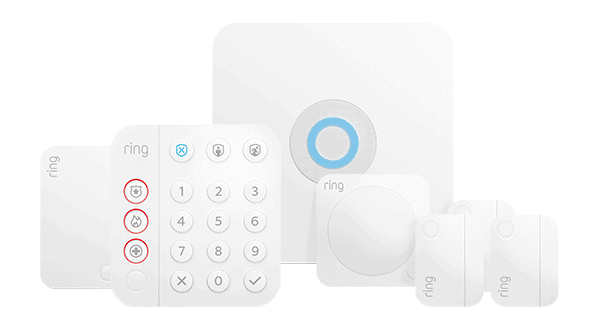
Ring Alarm

|
|---|---|---|---|---|---|
| Ranking | 1st | 2nd | 3rd | 4th | 5th |
| Ratings | 9.8/10 | 9.4/10 | 9.8/10 | 8.9/10 | 7.7/10 |
| App Name | ADT+ | Vivint | SimpliSafe Home Security | Frontpoint | Ring - Always Home |
| App Requires a Subscription? | No | Yes | No | Yes | No |
| Price for Full App Access | $24.99 per month | $24.99 per month | $9.99 per month | $14.99 per month | $4.99 per month |
| Read Review | ADT Review | Vivint Review | SimpliSafe Review | Frontpoint Review | Ring Alarm Review |
Summary of the Best Security Systems With Apps
- ADT - Best App User Experience
- Vivint - Best for Smart Homes
- SimpliSafe - Best Budget Option
- Frontpoint - Best Customer Service
- Ring Alarm - Best Alexa Compatibility
-
1. ADT - Best App User Experience

Product Specs
Equipment Costs Packages starting at $269 Monitoring Options Professional and DIY Monthly Monitoring Costs Starting at $24.99 per month Contract Lengths Month-to-month or 36 months and up Installation Options Professional and DIY Smart Platform Integration Alexa and Google Home Why We Like ADT’s App

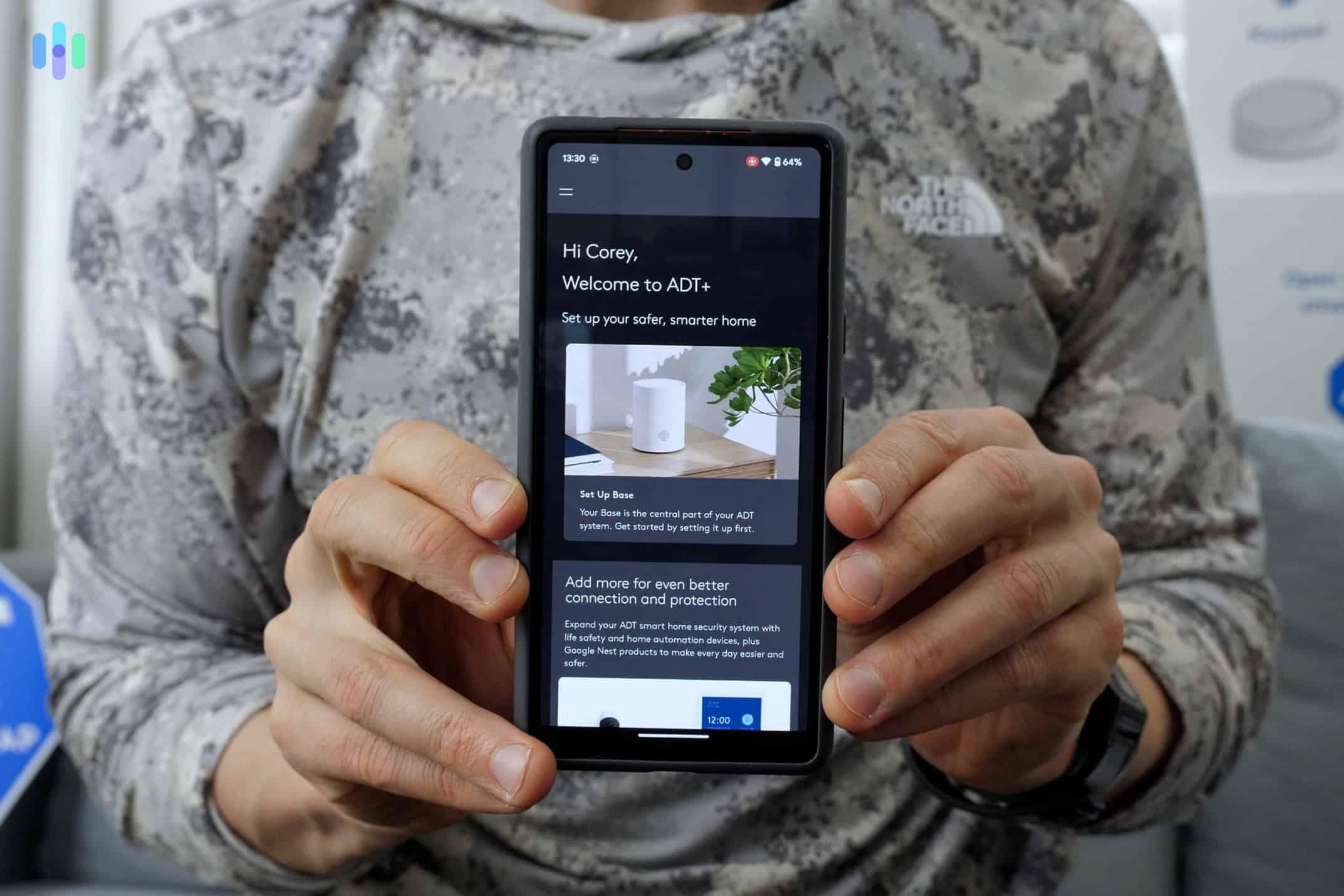
Our first time logging into the ADT+ App. ADT’s Google Nest integration puts it a step ahead of competitors. We could manage Nest Cam footage, control a Nest thermostat, and monitor our entire security system in one app. Most competitors either require a separate app for third-party devices or don’t support them at all.
Beyond Nest, ADT+ integrates with smart home brands including Kwikset, LiftMaster, and Sonos. Setting up our morning routine took about ten minutes. Every day at 8:30 a.m., our system arms, the thermostat adjusts, and the lights shut off automatically.
Our favorite feature was Trusted Neighbor, which uses facial recognition on Nest Doorbell and Nest Cams to identify familiar faces. We added a family member to our trusted list, so when they approach the door, the system disarms and sends them a notification to confirm entry. ADT+ holds a 4.5+ rating on iOS and Android, with users consistently praising easy navigation, reliable alerts, and automation that doesn’t require a manual.
FYI: When you search ADT in the app store, you’ll also see Smart Connect, Interactive Security, and ADT Control. You can ignore them. The only one you need is ADT+.
What We Like
- Manages ADT and Google Nest devices in a single app
- Trusted Neighbor facial recognition is useful
- Automation setup is fast and beginner-friendly
- Reliable push notifications with strong customization
- 4.5+ star rating on iOS and Android
What We Don’t Like
- Multiple legacy ADT apps in the app store create confusion
- Not compatible with some older Nest devices
- No self-monitoring plan that unlocks all app features
ADT Equipment
ADT combines its own branded hardware with devices from the Google Nest range, giving it one of the broadest lineups on this list. The equipment catalog includes indoor and outdoor cameras, a video doorbell, door and window sensors, motion detectors, glass break sensors, smart locks, smart lights, and a smart thermostat. You can install the system yourself or have an ADT technician handle it. Keep in mind that professional installation requires a monitoring plan, a setup fee, and a contract.
ADT Monitoring and Pricing
Equipment packages start at $269, and professional monitoring begins at $24.99 per month. Plans that include smart home and camera features start at $34.99 per month. ADT offers both month-to-month and long-term contracts starting at 36 months. You can browse ADT frequently asked questions before committing, or compare options in our ADT vs. Vivint and ADT vs. Frontpoint guides.
-
2. Vivint - Best for Smart Homes

Product Specs
Equipment costs Starting at $199 Monitoring options Professional Monthly monitoring costs Starting from $24.99 per month Contract lengths Starting at 42 months Installation options Professional Smart platform integration Alexa and Google Home Why We Like Vivint’s App
The Vivint app gives you granular control over how your system behaves. You can schedule recordings to trigger when a window opens, set motion detection to only run during certain hours, or create rules based on your system’s current state. The app walks you through every step, so it’s less complicated than it sounds.
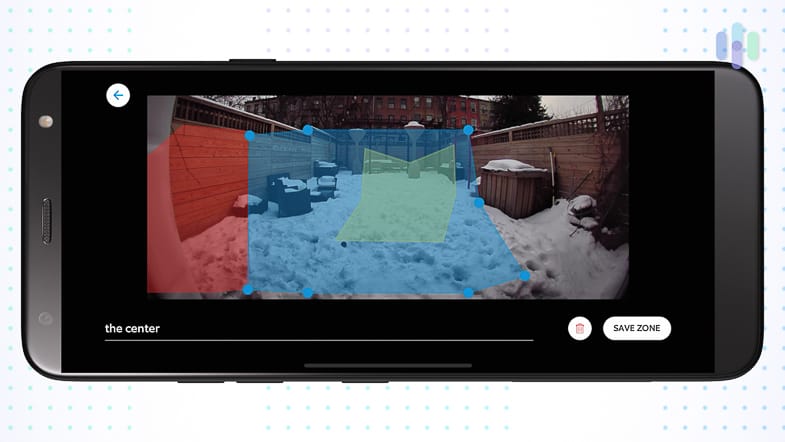
The interface works like a dating app. Swipe left to set the system to “Staying” mode, swipe right to arm it when you’re heading out. Accessing camera livestreams, using two-way audio, and setting up motion zones are all straightforward. We created invisible fences to exclude the sidewalk out front, so we only got alerted when someone actually approached the door.
We saw some mixed reviews online, mostly around camera connectivity and video lag. We didn’t run into those issues, but it’s worth noting if your home internet isn’t reliable.

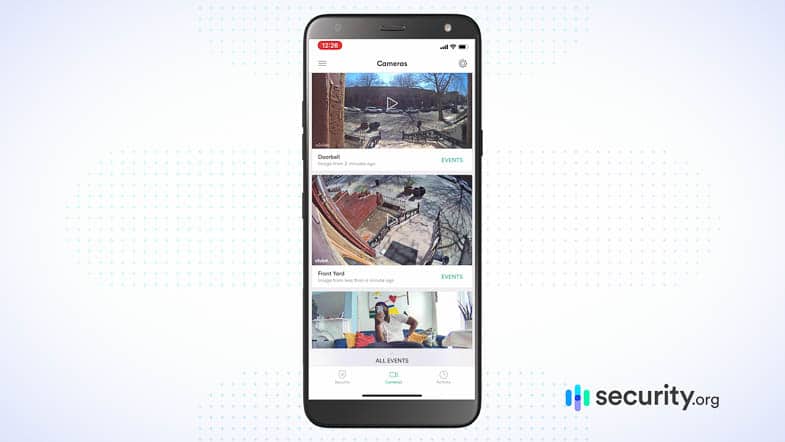
Accessing the livestreams of all our Vivint security cameras What We Like
- More automation options than other apps on this list
- Motion zones are easy to draw on the camera feed
- Two-way audio works reliably through the app
- Swipe-based interface is intuitive and fast to navigate
- Supports multiple users
What We Don’t Like
- Requires a paid monitoring plan to use the app
- Online reports of camera lag and connectivity issues
- Dashboard customization is limited
- Notifications don’t always take you to the relevant menu
Vivint Equipment
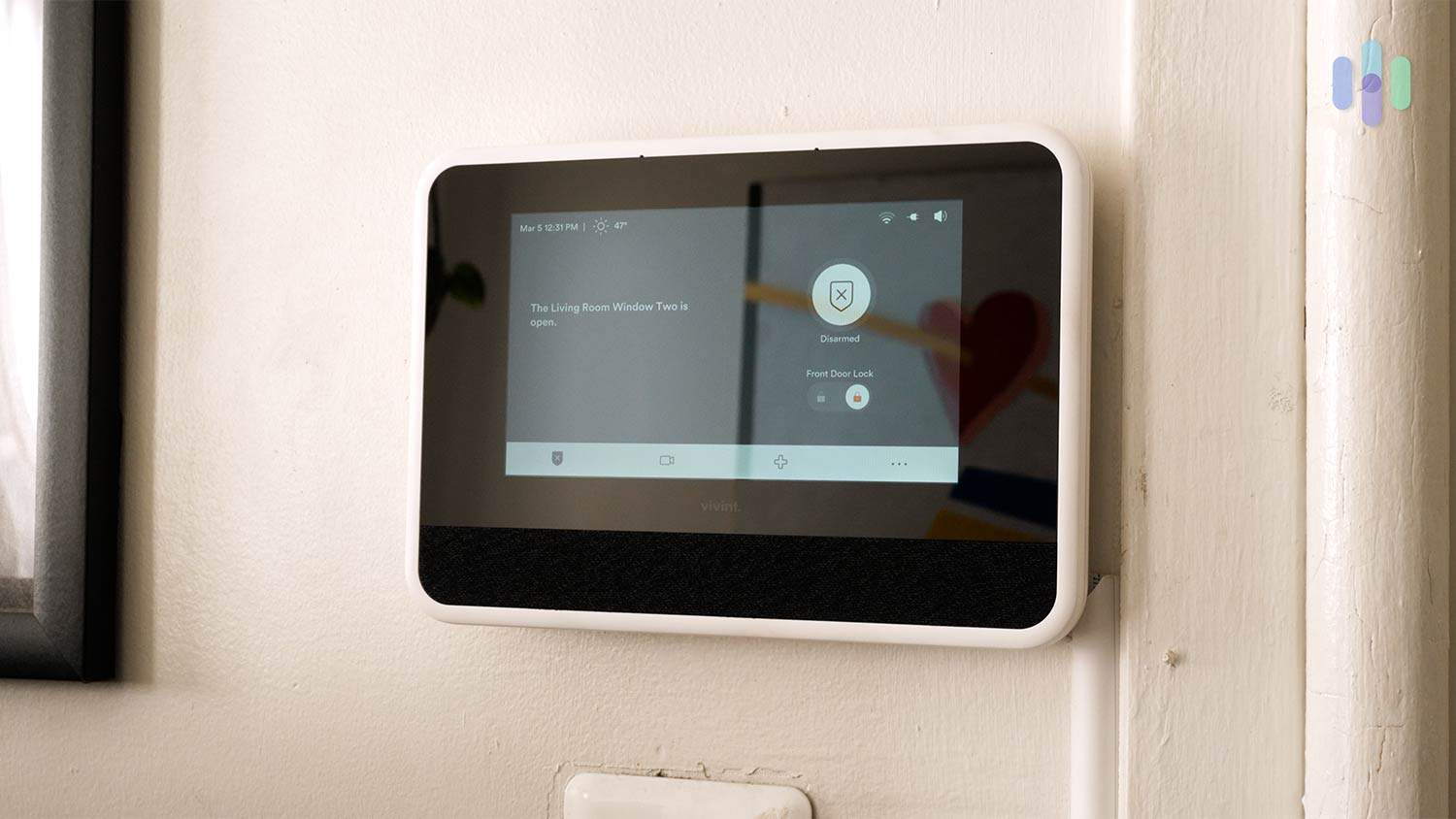
Vivint’s equipment is premium across the board, and it shows in the quality and the price. The company offers a wide range of devices including indoor and outdoor cameras, a video doorbell, door and window sensors, motion detectors, smart locks, and a smart thermostat. Everything connects through Vivint’s Smart Hub panel and is controllable from the app. Installation is handled by a Vivint technician, who will assess your home’s layout before placing anything. It’s a more involved process than a DIY setup, but the result is a system that’s properly configured from day one.
Vivint Monitoring and Pricing
Vivint doesn’t publish its pricing online. You’ll need to call and speak with a sales consultant. Based on our setup, expect to pay around $1,200 for equipment and roughly $50 per month for monitoring. Smart home and camera features are locked behind the higher-tier professional monitoring plan, which starts at $29.99 per month.
Vivint offers financing, which helps spread equipment costs across up to 60 months with the balance added to your monthly bill. If that’s still out of range, our guide to no-fee security systems has more affordable alternatives. For a direct comparison, see how Vivint stacks up against ADT.
-
3. SimpliSafe - Best Budget Option

Product Specs
Equipment Costs Packages starting at $250.96 Monitoring Options Professional and DIY Monthly Monitoring Costs Starts at $22.99 per month Contract Lengths Month-to-month Installation Options DIY or professional Smart Platform Integration Alexa and Google Home Why We Like SimpliSafe’s App
After unboxing our SimpliSafe system, we had every sensor and camera connected and confirmed through the app in under 30 minutes. The app guided us through placement, connection, and configuration for each device, with instructions specific to each piece of hardware.
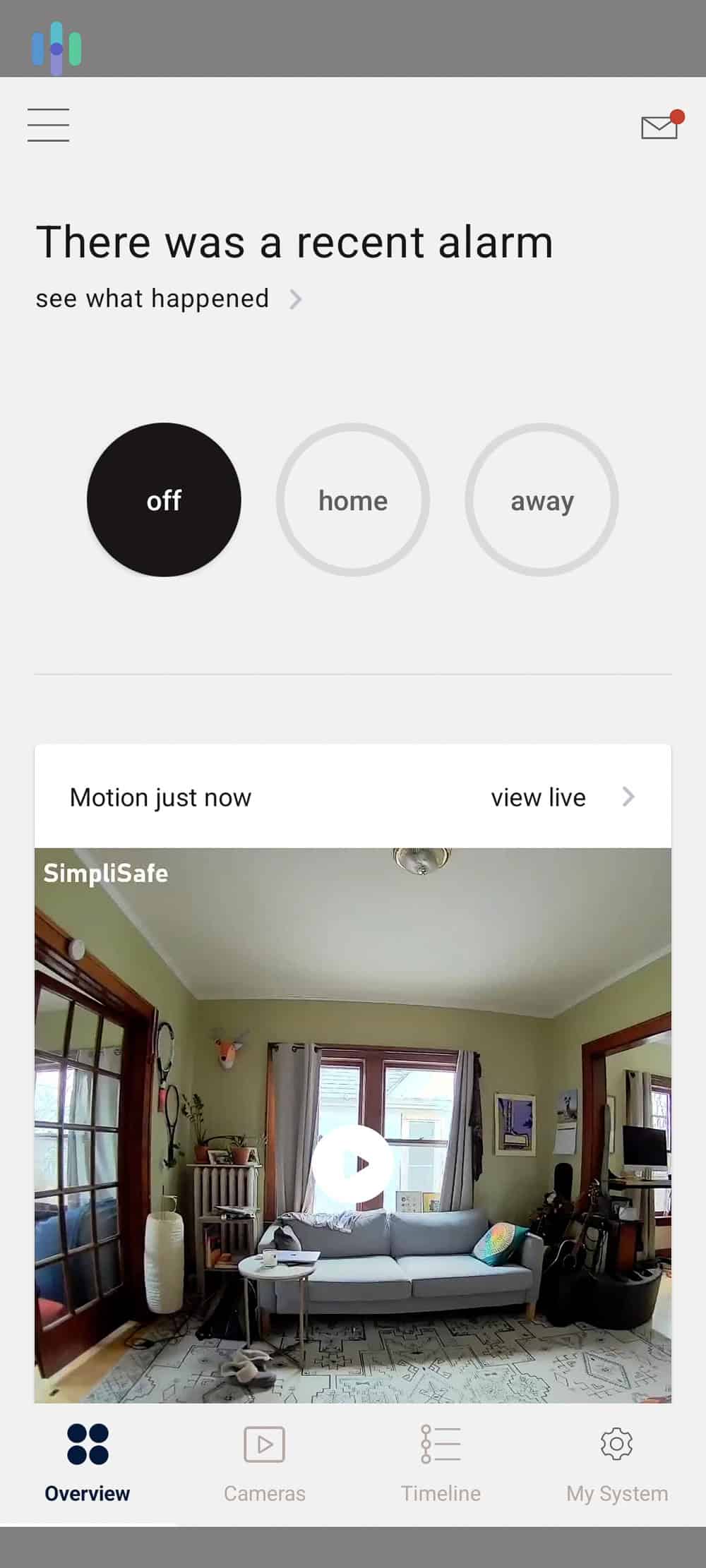
Day-to-day, we found SimpliSafe’s app easy to navigate. The overview screen puts system status, recent alerts, and camera access front and center. Adjusting motion sensor sensitivity, something we do often to cut down on false alerts, takes about three taps. For anyone new to home security systems, SimpliSafe is a good place to start.
Where we think the app falls short is depth. Compared to Vivint and ADT+, the automation features are thin. You can arm the system with basic voice commands, but building out custom routines requires a paid plan, and even then the options are limited. If you want a capable security camera app with room to grow, SimpliSafe will eventually feel constrained. We think it’s a good choice when you just want reliable fundamentals at a low monthly cost.

The overview page in the SimpliSafe app. What We Like
- Best in-app setup and onboarding experience we tested
- Clean, well-organized overview screen
- Basic app functions available without a paid subscription
- Easy to adjust device settings
- SimpliSafe actively updates the app based on feedback
What We Don’t Like
- Smart home automation requires a paid plan
- Fewer advanced features than Vivint or ADT+
- System can feel overly dependent on the app
SimpliSafe Equipment
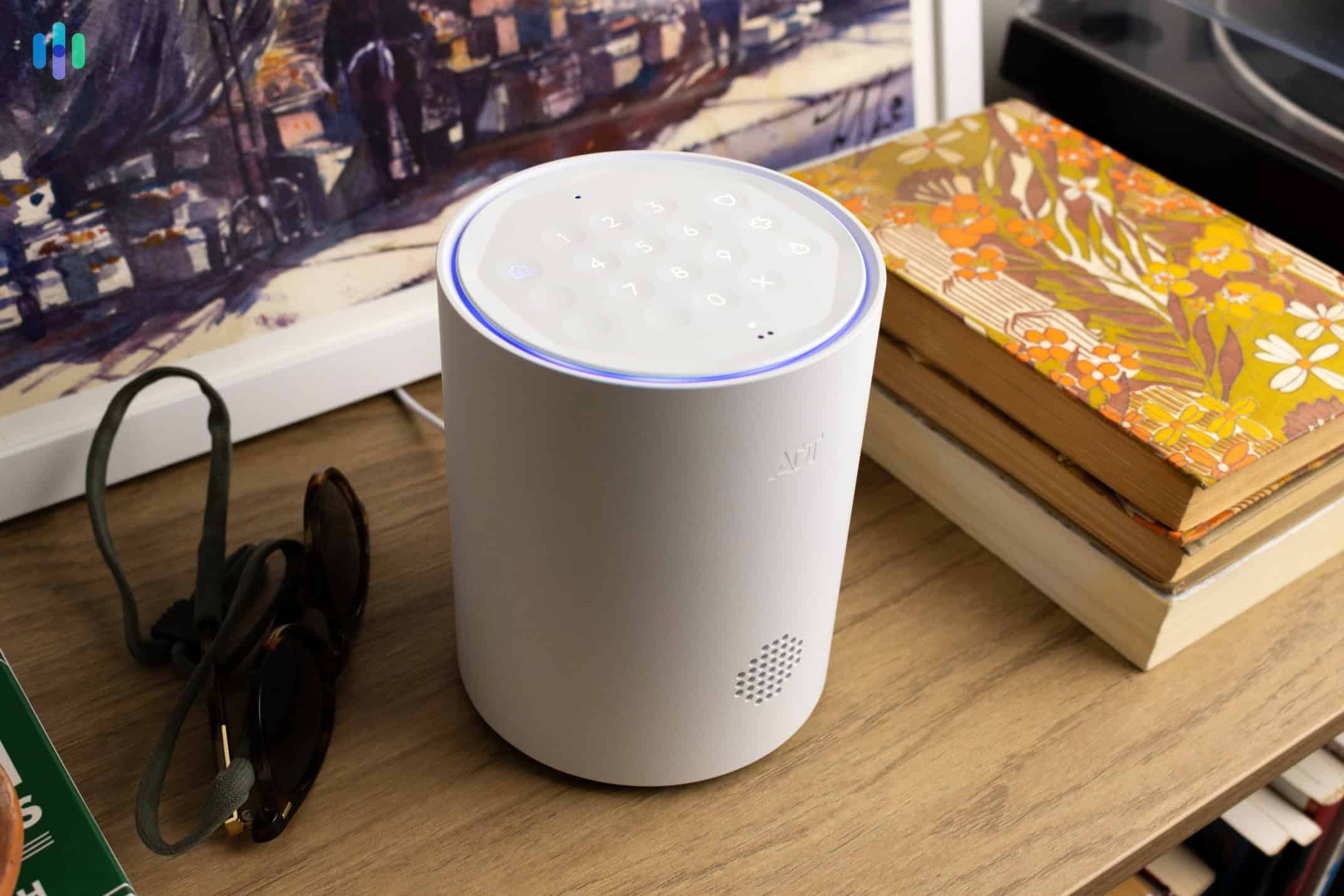
SimpliSafe’s core components include a base station, keypad, door and window sensors, motion sensors, indoor and outdoor cameras, a video doorbell, a smart lock, and environmental sensors for smoke, CO, and water. Everything is easy to install yourself, so you won’t need to call a technician. You can add and configure new devices directly through the app at any time, making it easy to expand your system as needed. SimpliSafe works well as a security system for apartments and scales reasonably for larger homes too.
SimpliSafe Monitoring and Pricing
Equipment packages start at $250.96. For monitoring, SimpliSafe offers two self-monitoring tiers — a free plan with no camera recordings, and a $9.99 per month plan that includes 30 days of recordings for up to 10 cameras. Both plans include app access, though some features require a paid tier.
Professional monitoring starts at $22.99 per month. For full app functionality, you’ll need the Core plan at $32.99 per month, which also includes SimpliSafe’s Intruder Intervention feature. This feature lets agents use the indoor camera to actively warn off intruders during an alarm. All plans are month-to-month with no long-term contract required. You can learn more in our SimpliSafe frequently asked questions guide or compare directly with SimpliSafe vs. ADT and SimpliSafe vs. Vivint.
-
4. Frontpoint - Best Customer Service

Product Specs
Equipment Costs Starting at $69.00 Monitoring Options Professional only Monthly Monitoring Costs Starting at $44.99 Contract Lengths 1-36 months Installation Options DIY Smart Platform Integration Alexa and Google Home Why We Like Frontpoint’s App
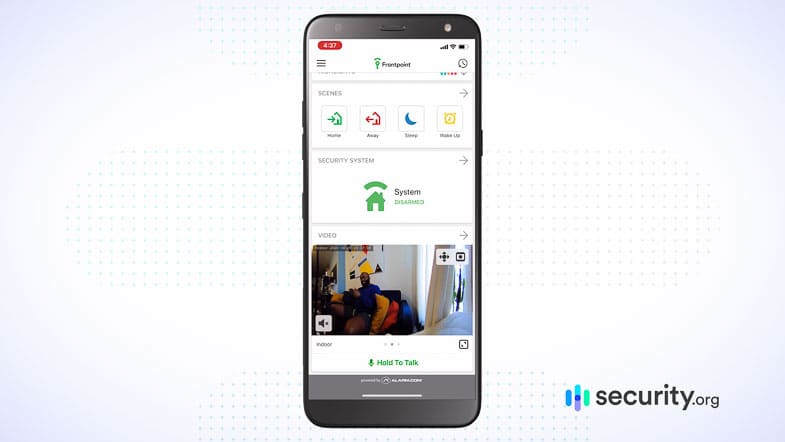
Frontpoint’s app home screen puts all the critical controls in one place. The notification customization is also one of the best we tested. We set an alert for when our garage door had been left open for more than 10 minutes, and sure enough, it caught us mid-grocery-unpack. That kind of specificity is hard to find at this price.
Another standout feature is Scenes. This feature offers automation routines you can use out of the box or customize to fit your lifestyle. Our favorite was Nighttime mode, which armed the system while disabling bedroom sensors so a trip to the bathroom at 2 a.m. didn’t trigger the alarm. There’s also a location-based reminder that detects when you’ve left the house and prompts you to arm the system if you forgot.
The tradeoff is complexity. Even with years of experience testing security systems, we found some of Frontpoint’s automation setup a little tricky to work through. It doesn’t walk you through the process the way Vivint does. At least Frontpoint’s customer service team is responsive and well-regarded when you need help.
Frontpoint’s Scenes has preprogrammed routines you can customize to match your lifestyle. What We Like
- Customizable notification settings
- Scenes feature makes automation routines easy to activate
- Location-based reminders
- Informative home screen
- Supports two-way audio through the app
What We Don’t Like
- Automation setup might be overwhelming for some
- Requires a paid monitoring plan to use the app
- Some users report camera connectivity issues
- App support response times can be slow
Frontpoint Equipment
Frontpoint’s equipment comes preprogrammed out of the box, which means every device was ready to pair before we even peeled off the adhesive backing. The lineup includes door and window sensors, motion detectors, indoor and outdoor cameras including a premium floodlight camera, a video doorbell, glass break sensors, and environmental sensors. Everything is DIY-installed, though we found the hardware functional but bulkier and less modern-looking than Vivint or ADT.
Frontpoint Monitoring and Pricing
Frontpoint’s only online plan is the Ultimate Monitoring package at $49.99 per month, which is on par with ADT’s most expensive plan. See our ADT vs. Frontpoint comparison for more. More affordable Frontpoint plans starting at $4.99 per month are available by calling the customer service team directly. Equipment starts at $69, which is the lowest entry point of any system we reviewed.
-
5. Ring Alarm - Best Alexa Compatibility
 View on Amazon Links to Amazon.com
Product Specs
Equipment Costs Packages starting at $199.99 Monitoring Options Professional and DIY Monthly Monitoring Costs Starting at $19.99 per month Contract Lengths 1-12 months Installation Options DIY or professional Smart Platform Integration Alexa and Google Home
Why We Like Ring’s App
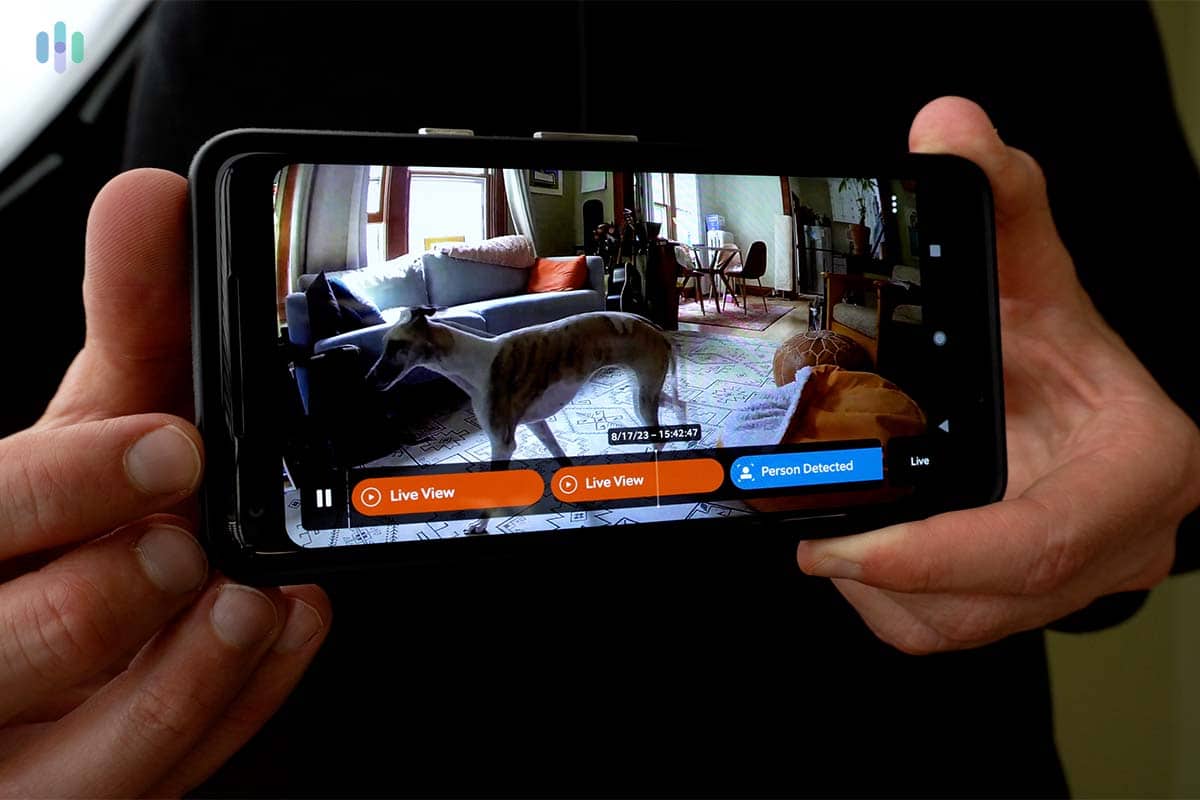
Ring – Always Home has been around since 2013, and it shows — in the best way. The app has been refined over more than a decade, and the core experience is polished. Sounding a siren, jumping into a livestream, or adjusting sensor sensitivity are all fast and intuitive. When we got a new puppy, dialing back the motion sensitivity so we weren’t notified of her every movement took about 30 seconds.
As part of the Amazon family, Ring’s Alexa integration is where it stands apart from competitors. We asked Alexa to run our night routine, which involved locking the doors, checking the windows, and arming the Ring Alarm system. We didn’t even need to open the app. We experienced a few crashes during livestream sessions and noticed some notification delays during testing, but they weren’t dealbreakers for us.

Keeping an eye on our new puppy on the Ring app to make sure they’re behaving What We Like
- Alexa integration is deep
- Easy to adjust sensor sensitivity
- Custom motion zones reduce false alerts
- All devices chime through the app when the system is armed
- Flexible self-monitoring options with no contract required
What We Don’t Like
- App sometimes crashes during livestream sessions
- Occasional notification delays
- Advanced features locked behind the highest-tier plan
- Camera features limited compared to Vivint and ADT+
Ring Alarm Equipment
Ring has expanded beyond its doorbell roots. The current lineup includes indoor and outdoor cameras, a video doorbell, motion sensors, door and window sensors, a range extender, a panic button, and environmental sensors for smoke and CO. Pet-friendly motion sensor options are available too, with adjustable sensitivity to reduce false alerts. All equipment is DIY-installed and available through Amazon or Ring’s website. For a head-to-head comparison with another strong budget DIY option, see our Ring Alarm vs. SimpliSafe comparison.
Ring Alarm Pricing
Ring equipment packages start at $199.99. A free self-monitoring plan is available and includes camera live feeds and alerts, but no video storage. Paid plans start at $4.99 per month, but we recommend the AI Pro plan at $19.99 per month. That plan includes 180 days of cloud storage, pre-rolled video clips, rich notifications, and 3 GB of cellular backup if your internet goes down. For more on Alexa-compatible options, see our guide to the best Alexa-compatible home security systems.
Why You Need a Home Security App
You’ve got sensors on every door and window. A siren loud enough to wake the neighbors. A keypad right by the front door. So why do you need an app? Because most of what makes a security system useful happens when you’re not standing next to the keypad. Here’s what a security system app actually does for you.
- It keeps you in the loop, no matter where you are. Whether you’re at the office, on vacation, or just grabbing groceries, an app sends real-time alerts the moment something triggers your system. ADT+, for example, alerts you about everything from motion detection to door sensor activity. You can even customize exactly what you hear about.
- It gives you eyes on your home at any moment. Every app on this list doubles as a security camera app, letting you pull up a live feed from any connected camera in seconds. Vivint even lets you jump between cameras without leaving the same screen.
- It turns a basic system into a smart home hub. Arm your system. Lock your doors. Adjust your thermostat. Trigger a lighting routine that makes your house look occupied while you’re away. The app is where passive security equipment becomes an active, automated defense.
- It’s the easiest interface you’ll use. Keypads are fine. Apps are better. You can do more, see more, and configure more from the app than you ever could punching buttons on a panel.
Pro Tip: Can’t hear your alarm from the next room? We recommend ordering a high-decibel siren. Your app notification is the backup. Not the other way around.
What to Look for in a Security Camera App
Most people think of their security system app and their security camera app as two different things. With the systems on this list, they’re the same app.
When your camera feeds, motion alerts, and system controls all live in one place, you get a complete picture of what’s happening at home. When they’re split across multiple apps, things fall through the cracks. Here’s what a good security system app should be able to do:
- Live streaming. This is a baseline. Tap a camera, see what it sees, right now. ADT+ pulls up Nest Cam footage alongside the rest of your system controls without switching apps. Ring’s – Always Home app makes it easy to jump from a doorbell camera livestream to an indoor cam in a couple of taps.
- Recorded footage and cloud storage. A live feed is only useful if you’re watching it. Recordings fill in the gaps. Ring’s professional monitoring plan includes 180 days of cloud storage, which is one of the most generous on this list. SimpliSafe’s paid plan stores up to 30 days of recordings across up to 10 cameras for $9.99 per month.
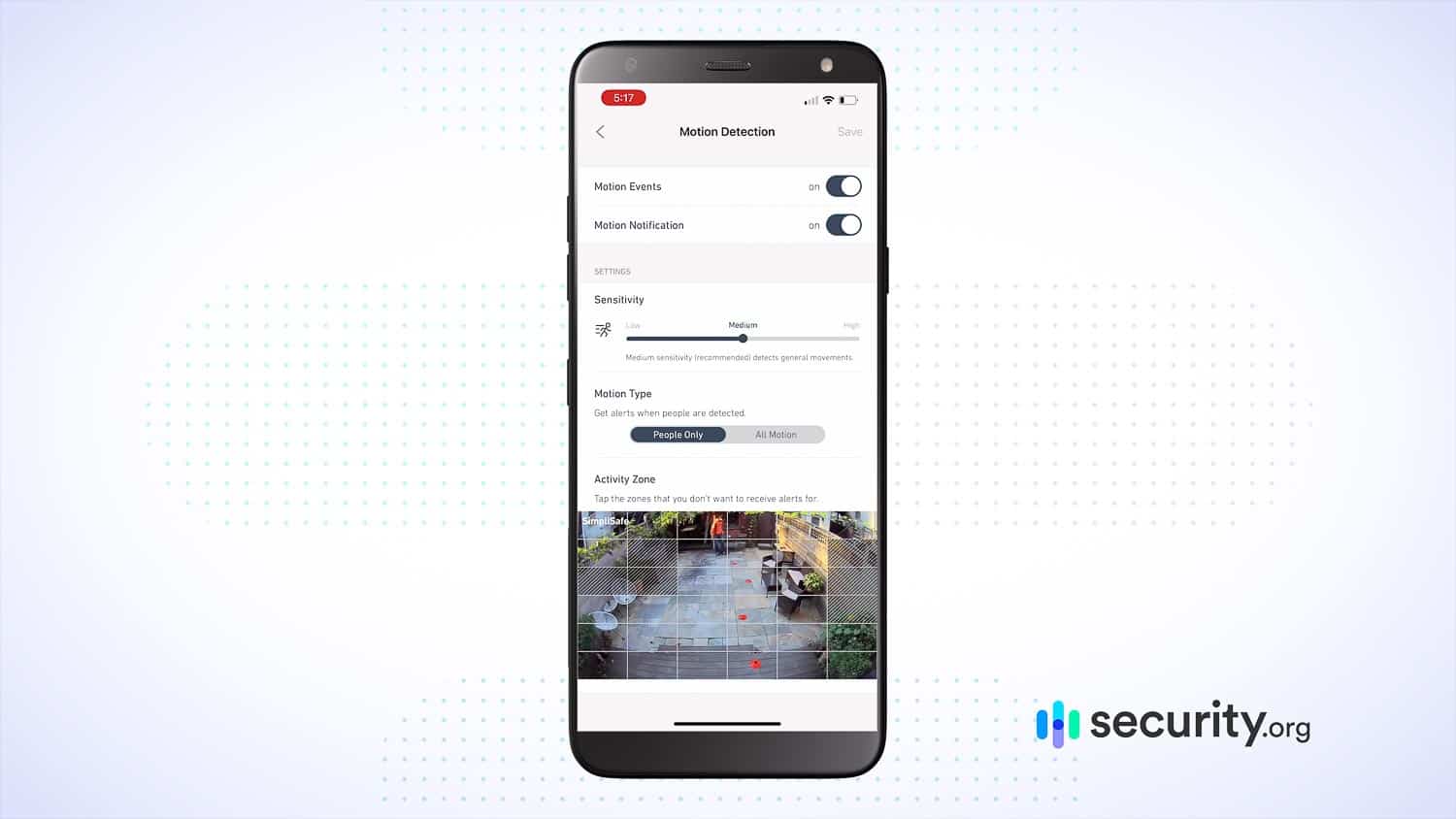
- Motion zones. A security camera app that alerts you every time a car passes is one you’ll eventually ignore. Motion zones let you define exactly which areas the camera should watch. Both the Vivint and Ring apps let you draw custom zones directly on the camera feed, so you only get alerted when it actually matters.
- Rich notifications. The best security camera apps don’t just tell you motion was detected. They show you a thumbnail or short clip so you can decide whether it’s worth opening the full feed. This is standard on ADT+ and Ring, and it dramatically cuts down on unnecessary check-ins.
- Two-way audio. If a camera has a speaker and microphone, a good security camera app lets you use it. Vivint and Frontpoint both support two-way audio through their apps, which means you can talk to a delivery driver, a pet, or a would-be intruder without touching the door.
If you want to dig deeper into camera-specific options, our guide to the best home security cameras is worth checking out.
>> Read More: How to Make Your Home More Secure
Questions You Should Ask Before You Download a Home Security App
Not every security system app is created equal. Ask yourself these questions before you tap “Download.”
- Are you downloading the right app? This sounds obvious, but it can be an issue. ADT alone has a graveyard of legacy apps in the App Store. The one you want is ADT+. Ring customers need “Ring – Always Home,” not just “Ring.” Start by checking your provider’s website or the setup guide that came with your system.
- Is your phone compatible? ADT+ requires iOS 16.0 or later. If you’re running an older device, you may hit a wall before you even log in. Check the minimum requirements for your app before assuming it’ll work.
- Does your subscription actually unlock the features you want? SimpliSafe’s app functions without a subscription, but you’ll lose access to camera recordings, automations, and scheduled alarms. Vivint and Frontpoint require a paid monitoring plan to use the app at all. Before committing to a plan, understand what app features come with it. The gap between the free tier and the full experience can be significant.
- How does the app handle notifications? A security app that buries alerts or delays them by several minutes is a liability, not an asset. In our testing, we noticed Ring has some notification lag, while ADT+ was almost instant. It’s worth checking recent app store reviews specifically for this.
How to Make the Most of Your Home Security App
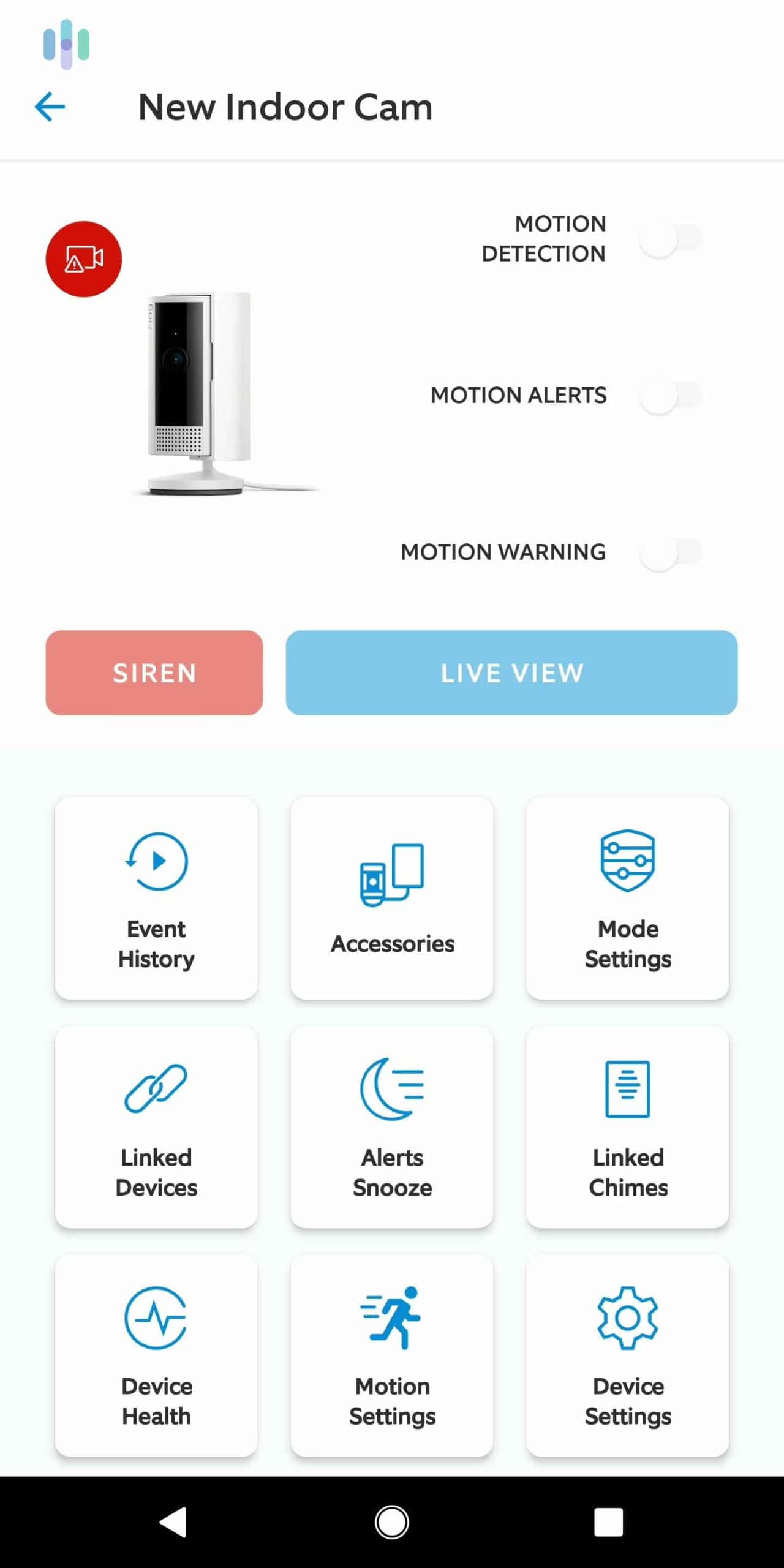
The best security system app is the one you’ve set up properly. Here’s how to get past the basics.
- Explore the full feature set: Most people download a security app, learn to arm and disarm, and stop there. We suggest spending a good 20 minutes tapping through every menu. You’ll likely find features you didn’t know existed. Frontpoint’s Scenes, for instance, let you create preset routines like “Nighttime” that arm your system while ignoring bedroom sensors so a midnight bathroom run doesn’t trigger the alarm.
- Set up automations: Home automation is an underused feature in security apps. The basic concept is simple: create an “if/then” rule. If it’s 10 p.m., lock the door. If the system detects motion after 11 p.m., turn on the porch light. Vivint’s app walks you through automation setup step by step. ADT+ makes it easy to schedule routines tied to specific times or system states. Start with one automation and build from there.
- Choose motion zones: If your security camera app is triggering on kids walking past your fence line or your dog crossing the living room, you’re going to start ignoring alerts. Ring and Vivint let you draw custom motion zones directly on the camera feed so you only flag activity that matters.
- Whitelist security app notifications: Do Not Disturb is great until it silences an intrusion alert at 2 a.m. On iPhone, go to Settings, Focus, Do Not Disturb and allow notifications from your security app. While you’re at it, save your security company’s phone number as a contact and whitelist that too. Monitoring centers still call from real numbers.
- Add trusted users. Vivint, Ring, and most other apps let you add family members or trusted contacts as additional users. If someone else needs to be able to arm the system, check the camera, or get alerts, this is the move. It also means the system doesn’t rely solely on you if your phone dies.
Methodology
Pretty much every security system has an app in 2026. That’s not enough to make it to the top of our list. To be counted as one of the best options, each security system had to meet our strict criteria.
- App Quality: We checked Apple Store and Google Play reviews. If everyday users hate an app, that’s a bad sign. Cove, for example, didn’t make the list because its Android app has a whopping 1.8 rating.
- Security Camera App Performance: We didn’t just look at whether you can pull up a livestream. We assessed how fast the app loads security camera live feeds, how stable the connection is, how clearly you can make out details, and how well recorded footage is organized and searchable.
- Smart-Home Integration: Arming, disarming, and streaming security camera footage are the basics. What separates a good security system app from a great one is how much further it goes.
- Cost of App: Every security system on this list either allows you to use the app without paying a subscription or is included in the monitoring plan it requires of all customers. What we won’t recommend are systems that charge separately for basic app access.
Recap
A security system app is where a setup stops being reactive and starts being proactive. The app catches the porch pirate and saves the clip before they’re even off your street. Someone snoops through your trash, and your security app notifies you so you can call the cops. Your vacation home security system detects a burst pipe, and you can send over a plumber before it becomes a disaster. You want to set up a home-automation routine that locks the doors and dims the lights every night at 10? It can be done in under two minutes from your couch.
A good app won’t save a bad security system. But a great app can make a good security system significantly more useful, more responsive, and more worth the monthly cost.
FAQs
-
What does a security system app do?
It depends on the app. Usually, it acts like a keypad, allowing you to arm and disarm your system. Extra features may include viewing security footage, setting home-automation routines, and controlling individual smart devices.
-
Can I arm my security system in the app?
Yep! Arming and disarming your security system is a basic feature you can expect from any provider’s app.
-
Is my security system’s app free?
No security system we’ve reviewed requires you to purchase your app. It should be free to download. You may, however, have to pay a subscription fee to access all the app’s features.
-
Do security system apps work without Wi-Fi?
Your app will need an internet connection for full functionality to access features like remote monitoring and video livestreams. Without Wi-Fi or an internet connection, you might not receive notifications or be able to access sensors or equipment.
-
Do security systems apps work with smart home devices?
There are several security system apps that integrate with smart home devices. However, this may depend on the brand and the monitoring plan you’ve chosen.
-
Massachusetts Institute of Technology. (2026). Marie van Brittan Brown.
https://lemelson.mit.edu/resources/marie-van-brittan-brown -
Ring. (2024). Neighbors by Ring.
ring.com/neighbors