

How Much Does Surfshark Cost?
Surfshark is one of our top choices for VPNs, and its pricing can’t be beat.
- No-logs VPN company based in the Netherlands
- Supports unlimited connections, double VPN, and split tunneling
- Choice of OpenVPN, WireGuard, Dausos, and IKEv2


the security.brief
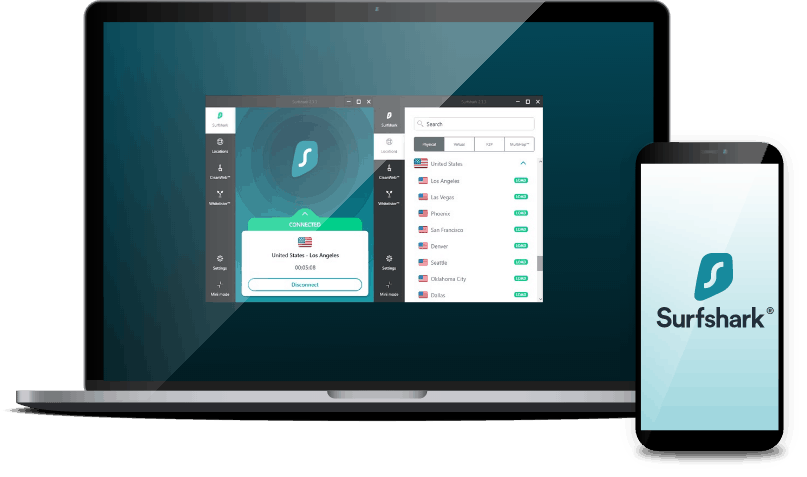
Surfshark offers a no-logs VPN with unlimited connections, starting at $2.49/month for a 2-year plan with 3 extra months free.
If budget is the priority, Surfshark is hard to beat. While other VPNs occasionally run discount promotions, Surfshark stays consistently cheap year-round. The question is how cheap, and what you actually get for the price.
The best rates come with a two-year plan, which is what we tested. In our experience, it delivers real value for budget-conscious users, with fast speeds, secure connections, and a comprehensive feature set that punches above its price point, enough to land it among the best cheap VPNs of 2026. Here’s a breakdown of current pricing and whether it’s worth committing to.
Surfshark VPN Subscription Options
Surfshark structures its pricing across three tiers: Starter, One, and One+. Starter covers full VPN access, including every core feature, an ad-blocker, and a cookie pop-up blocker.
One and One+ build on that foundation with added layers of protection — Surfshark One is an antivirus suite, while Surfshark One+ includes Surfshark Alert identity protection. All three tiers are available on one-month, one-year, or two-year terms, and as with most VPNs, longer commitments bring the monthly cost down. Here’s a breakdown of current pricing across the board.
| Surfshark Starter | Surfshark One | Surfshark One+ | |
|---|---|---|---|
| Monthly | $16.45 | $17.95 | $20.85 |
| One Year (+3 extra months free) | $2.98 per month | $3.38 per month | $6.98 per month |
| Two Years (+3 extra months free) | $2.49 per month | $2.08 per month | $4.18 per month |
Pro Tip: The low introductory price for the two-year plan is reason enough to choose the two-year plan over the monthly or one-year plan. Add to that the three-month freebie exclusive to new users. And if you’re worried about making a long-term commitment, Surfshark has a 30-day money-back guarantee, which we’ll discuss below.
Once the initial two-year term ends, renewals shift to yearly or monthly billing only. Monthly rates hold steady, but annual renewal pricing increases. Starter renews at $79/year, One at $99/year, and One+ at $119/year, all of which still land within the typical cost range for a VPN.
Against other top providers, Surfshark holds its own on price. ExpressVPN’s pricing, for example, recently shifted to a tiered structure, yet Surfshark still comes out $1.50 to $3 cheaper per month across comparable one-year and two-year plans. Our ExpressVPN review covers our full take on that service if you want the details.
The one-year and two-year introductory rates are genuinely good value, but the monthly plan is a tougher sell. It runs noticeably higher than the monthly rates from NordVPN ($14.99) and Private Internet Access ($11.99). It’s not the priciest option out there — that distinction goes to Astrill VPN at $30 per month — but if you’re not ready to commit long-term, there are better values than Surfshark for month-to-month use.
FYI: Connecting to public Wi-Fi or mobile hotspot is always unsafe without a VPN; your online data could leak through your devices to the internet. Fortunately, you can download the Surfshark app and use it to protect your data.
Surfshark’s Best Features
Even with Surfshark’s low prices, they still manage to offer plenty of great features, from split tunneling to torrent (P2P) support. Surfshark delivers all the standard functions, including some areas where other VPNs fall short. Below is a short rundown of the top features. For the full list, check out our Surfshark review or the video review below.
Core Features
Surfshark offers a lot of the non-negotiable features you expect from a VPN. In some cases, Surfshark’s features are even better than some of the best VPNs on the market today.
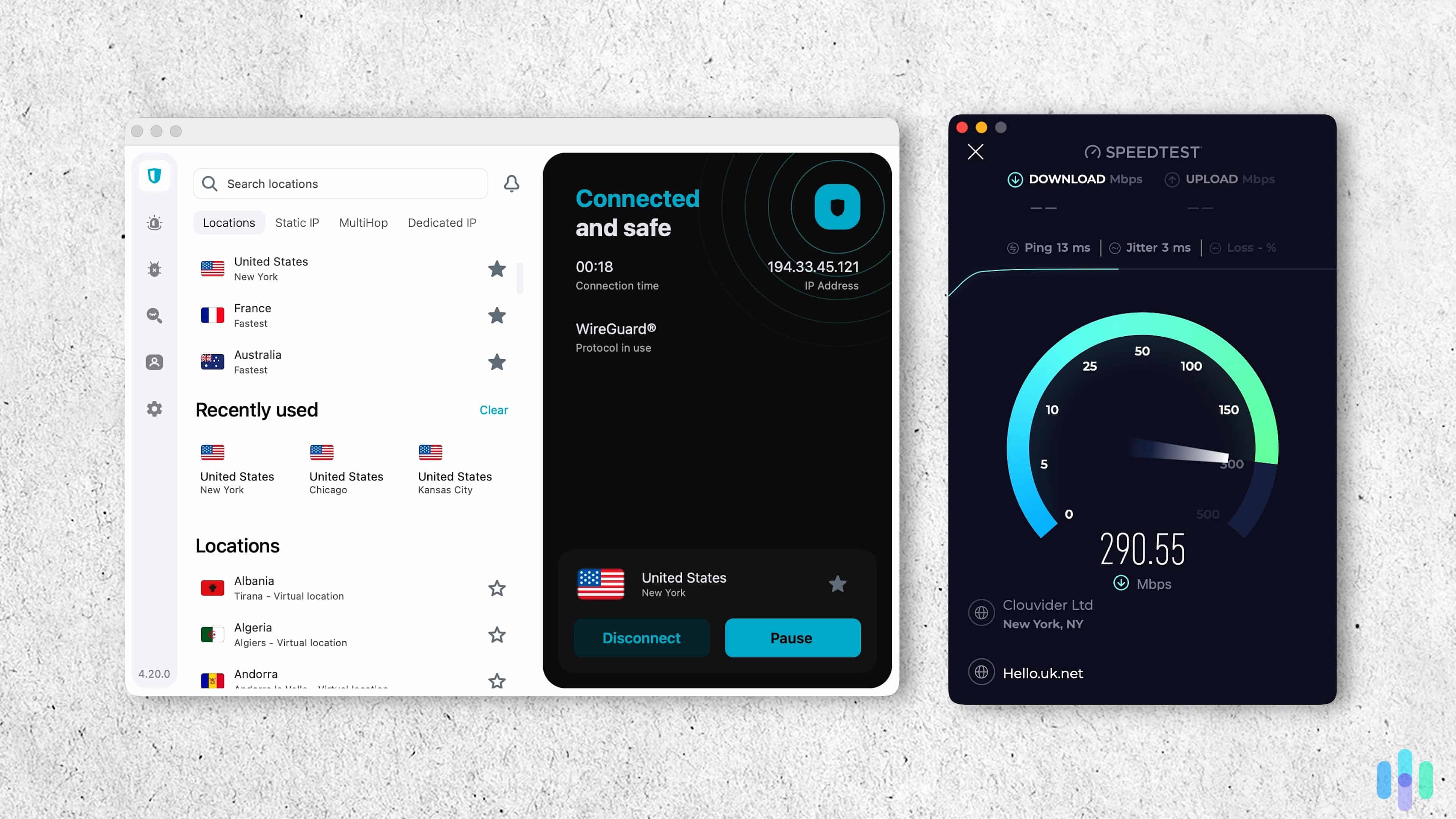
- Speedy servers: Surfshark upgraded the throughput of all its servers from 1Gbps to 10Gbps. That means each server can handle more simultaneous traffic. Even with 1Gbps servers, Surfshark was one of the fastest VPNs available. With these server upgrades, they can more reliably offer those fast speeds.
- Unlimited and simultaneous connections: Surfshark allowed us to connect to as many devices as we wanted, with no limit on simultaneous connections.
- App performance: Surfshark updates its apps regularly, rolling out improvements and bug fixes. For instance, Surfshark has added post-quantum encryption support on top of the WireGuard protocol across its Mac, Linux, and Android apps — a meaningful security upgrade as quantum computing threats become more relevant.
- Free trial: Okay, this is not a feature, but it’s worth mentioning. We were able to test out Surfshark for seven days by signing up through the iOS App Store. It also works if you sign up through the Google Play Store. It’s one of the best VPNs with a free trial (there aren’t a lot of them).
- P2P/Torrenting support: Downloading a torrent requires the utmost privacy and anonymity because ISPs and the government frown upon the use of torrents. Surfshark, fortunately, can provide that privacy without much effect on the speed and connection quality of torrents. Read our guide on how to use a VPN to torrent.
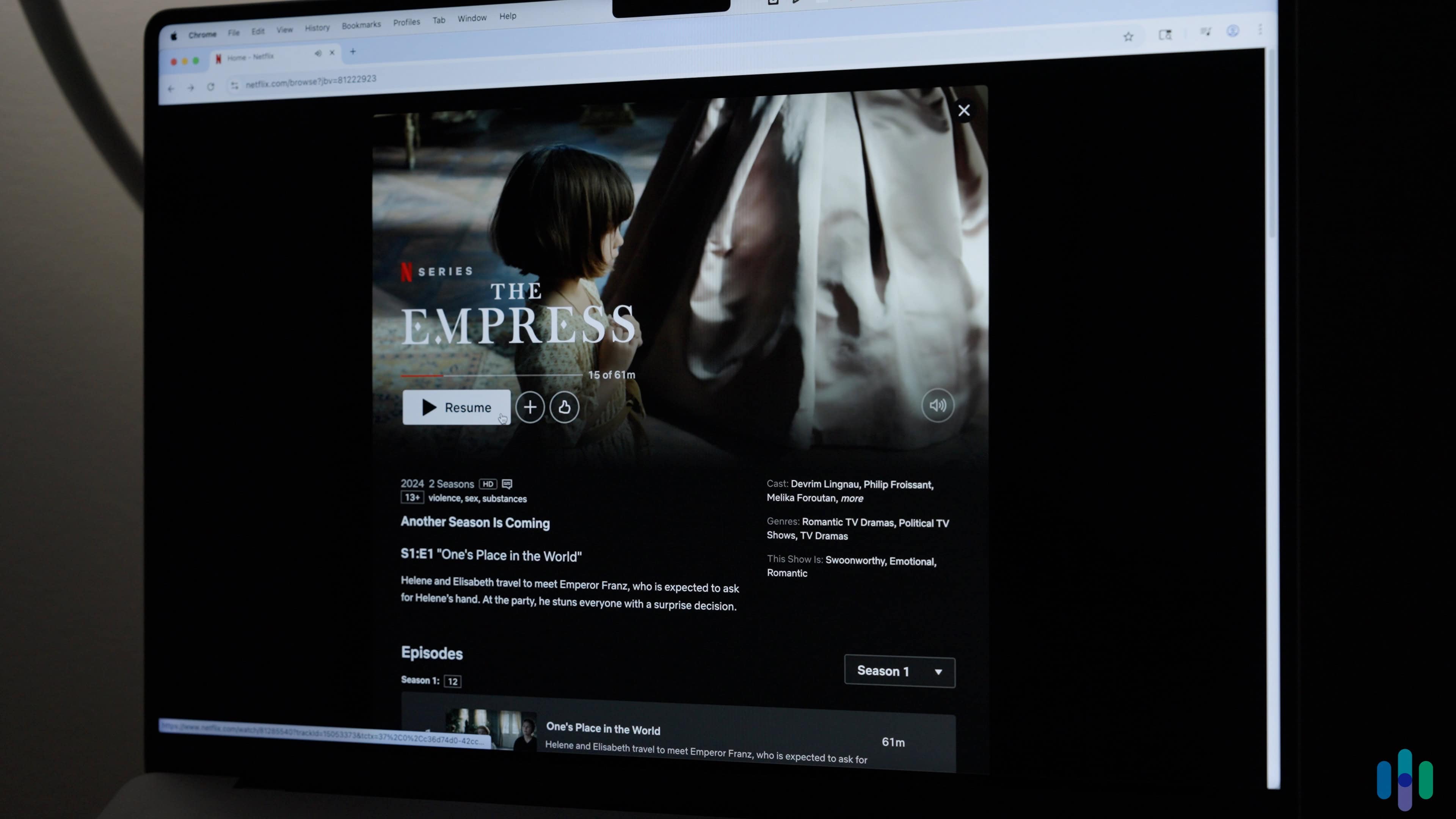
- Netflix and streaming: This is another popular use-case for VPNs. Changing your IP address allows you to access streaming libraries of other regions. For example, we hopped over to the U.K. Netflix while connected to Surfshark, which allowed us to catch up on TV shows not available on the U.S. version using a U.K. IP address.
FYI: With Surfshark connected, you can watch Netflix (or any streaming service) from another country’s server, giving you endless amounts of new entertainment choices. For more information, read our articles on how to change your region on Netflix and how to watch Netflix with a VPN.
Security Features
In addition to military-grade encryption, Surfshark offers a range of security tools that can personalize your VPN experience. Here are a few key examples.
- Logging policy: Surfshark doesn’t log browsing activity (e.g. the websites you visit). However, it does record IP addresses at the beginning of each connection. Within 15 minutes after the session ends, the data is deleted, as confirmed by annual third-party audits. That’s why it’s still one of the best “no-logs” VPNs.
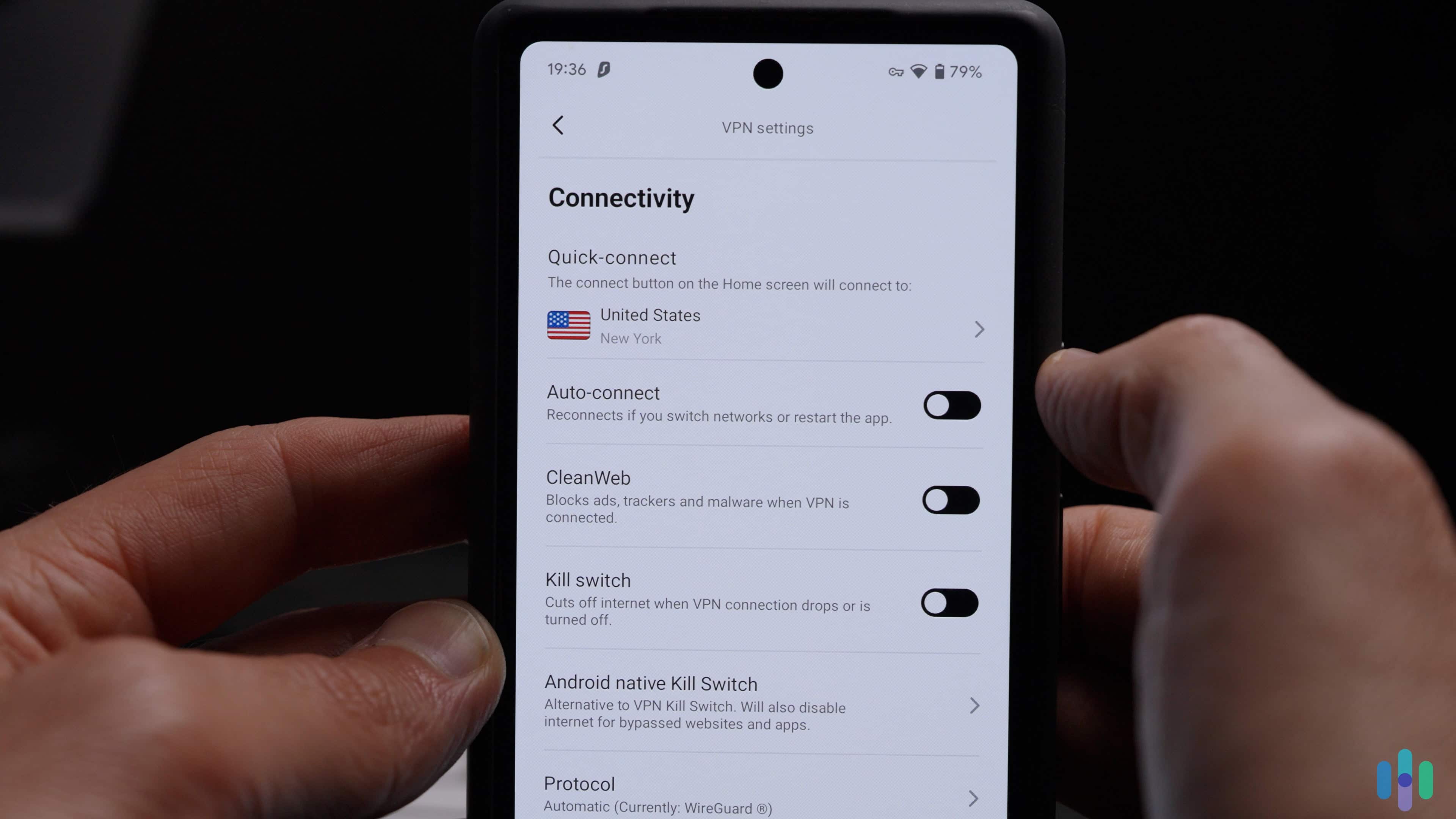
- Split tunneling: Connecting your device to a VPN might cause some apps and websites to function abnormally. For example, some online banking apps won’t give you access if your VPN IP address is showing that you’re in a different country. For such instances, Surfshark’s split tunneling will let you route some website or app traffic outside the VPN.
- NoBorders Mode: When traveling outside the country, Surfshark used NoBorders Mode to bypass censorship and restrictions set forth by the countries we were visiting, including China.
- Camouflage Mode: Additionally, it camouflaged our online traffic to make it look like normal traffic rather than VPN traffic. This helped draw suspicion away from our online data, particularly in countries where VPNs are illegal or frowned upon.
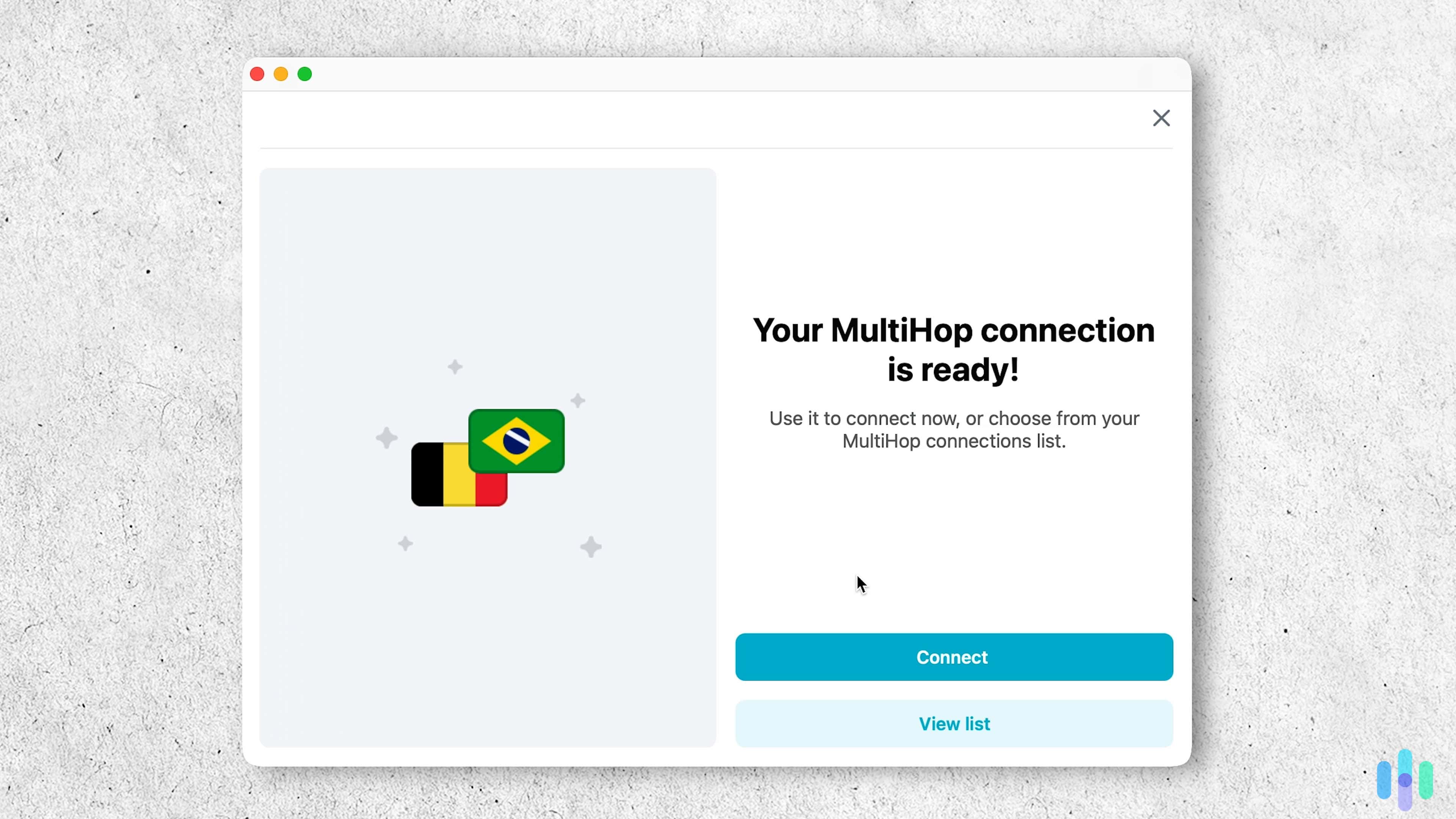
- Dynamic MultiHop: MultiHop doubles your encryption and protection by routing your traffic through two servers instead of one. Surfshark’s Dynamic MultiHop lets you customize your own server pairings from its network of 4,500+ servers across 100 countries.
- GPS changing: Surfshark is the only VPN we’ve reviewed that allows us to change our Android’s location within the app. If you’re looking for a VPN that allows you to change your GPS location rather than just your IP address, look no further.
- Proprietary protocol: While Surfshark still offers OpenVPN and WireGuard, they’ve also developed a proprietary network architecture called Dausos, which routes your traffic through an entire network of servers rather than a single tunnel — giving you improved connection stability and stronger resistance to censorship.
Pro Tip: Want to access location-restricted apps like dating services or AR games from your couch? The easiest way to change your location on Snapchat and other apps is by purchasing a Surfshark subscription. It’s the only VPN we’ve reviewed that allows us to change our GPS location on Android.
Surfshark One
Online security and privacy are usually the whole point of using a VPN, and Surfshark’s One and One+ tiers build on that core mission with added tools like antivirus software and identity theft services. Here’s a closer look at what each tier actually includes.
First, a side-by-side comparison of inclusions and cost across Starter, One, and One+.
| Service | Surfshark Starter | Surfshark One | Surfshark One+ |
|---|---|---|---|
| VPN | Yes | Yes | Yes |
| Antivirus | No | Yes | Yes |
| Alert | No | Yes | Yes |
| Search | No | Yes | Yes |
| Alternative ID | No | Yes | Yes |
| Data deletion from people search sites | No | No | Yes |
| Up to $1 million identity theft coverage | No | No | Yes |
| Price per month (2-year subscription) | $2.49 | $2.79 | $4.49 |
| Annual price after the first billing period | $99 | $119 | $149 |
In addition to the VPN, a Surfshark One subscription adds Surfshark Antivirus, Search, Alerts, and a few other privacy features.
Here’s a closer look at each service.
- Surfshark Alert: This identity monitoring service scans databases and dark web marketplaces for your personal information. If your data appears in a breach, you’ll receive real-time notifications. That way, you can take immediate action to protect your accounts. Surfshark added malware attack monitoring that notifies you if one of your devices becomes infected, details the impact and provides remediation steps. And speaking of remediation, Surfshark Alert offers identity theft insurance up to $1 million.
- Surfshark Search: Advertisements above the organic search results can be annoying. They can also affect what we click on. In fact, the first link in the search engine results page receives 39.8 percent of the clicks, according to a recent study by Backlinko.1 Many times, that link is an ad. Surfshark Search gets rid of those ads so all the search results are as organic as your local farmer’s market.
- Website safety settings: On top of a dedicated search engine, Surfshark’s browser extensions can also scan links in your Google search results to flag dangerous sites before you click them.
- Antivirus: Another service we subscribed to is antivirus protection. This all-in-one package is a solid bonus — you get device-level protection layered on top of everything else Surfshark already does for your privacy.
- Alternative ID: To help protect your identity, Alternative ID generates an alternative online profile complete with a name, birthday, home address, and email address. You can use that alternative identity to sign up for websites, so that in case the website gets hacked or suffers a data breach, your real personal information won’t be compromised.
- Email Alias: Additionally, if you need a burner email to sign up for anything from email newsletters to free trials, you can create a secondary email address via Surfshark. All emails will be forwarded to your primary email, while also keeping all your communications – and most importantly, address – secret and private.
You can learn more about Surfshark One antivirus in our Surfshark antivirus review.
Finally, going beyond just privacy protection and cybersecurity, Surfshark One+ adds identity monitoring and up to $1 million in identity theft insurance to the mix.. It searches data broker sites and people search sites that have your information and requests your data to be removed on your behalf. That can help you avoid becoming a victim of data breaches.
FYI: The data removal services from Surfshark One+ is actually powered by Incogni, one of the best data removal services today. You can learn more in our Incogni review, but this service uses cutting edge automated technologies to remove your personal information from people search sites en masse.
Payment Options
If you’re going to buy anything online, we recommend using a payment service like PayPal, Google Pay, Apple Pay, or Amazon Pay instead of entering your credit card number. Those services don’t share any account or device information with a merchant. If a merchant is hacked and you’ve used a payment service, you probably don’t have anything to worry about. Fortunately, Surfshark accepts all of the services listed above except Amazon Pay.
If you don’t have any of those services, you can pay with your credit card. Surfshark uses secure payment processing through established providers to handle transactions. This ensures your payment information is encrypted and protected throughout the checkout process.
>>Learn More: Is PayPal Safe?
If you want a more secure and anonymous method of payment, Surfshark also accepts cryptocurrency payments via CoinGate. Note that it may take up to 24 hours for payments to clear, so your access to Surfshark could be delayed. Cryptocurrency payments must also be made from a desktop.
Here are all the payment methods Surfshark accepts:
- Major credit cards including Mastercard, Visa, American Express, and Discover
- PayPal
- Google Pay
- Apple Pay
- Cryptocurrency including Bitcoin, Ethereum, and Ripple
TIP: For the most privacy, pay for Surfshark using cryptocurrency as opposed to a more traditional method like Visa or Mastercard. It allows Surfshark to receive payment for your subscription without processing any of your personal payment-related details.
Cancelling Surfshark
Although this article is about the cost of a Surfshark subscription, it is important to understand a VPN’s cancellation process before putting down a good chunk of change on a one- or two-year plan. If you start to have buyer’s regret or Surfshark makes a change that’s a dealbreaker for you, you should know that you have the power to opt out.
Cancelling a VPN subscription is typically headache-free. With Surfshark, it’s as easy as logging into your online dashboard, opening a live chat ticket, and indicating your desire to cancel your subscription. The process is automated through their chatbot, so you won’t need to wait for a live representative.
It’s important to note: You can only get your money back if you cancel your subscription within the first 30 days. After that, cancelling simply means stopping your auto-renewal. You won’t get money back for unused months, but you’ll continue to have the full service until the end of your commitment.
Surfshark: Is There A Free Trial?
There are several ways to enjoy Surfshark for free.
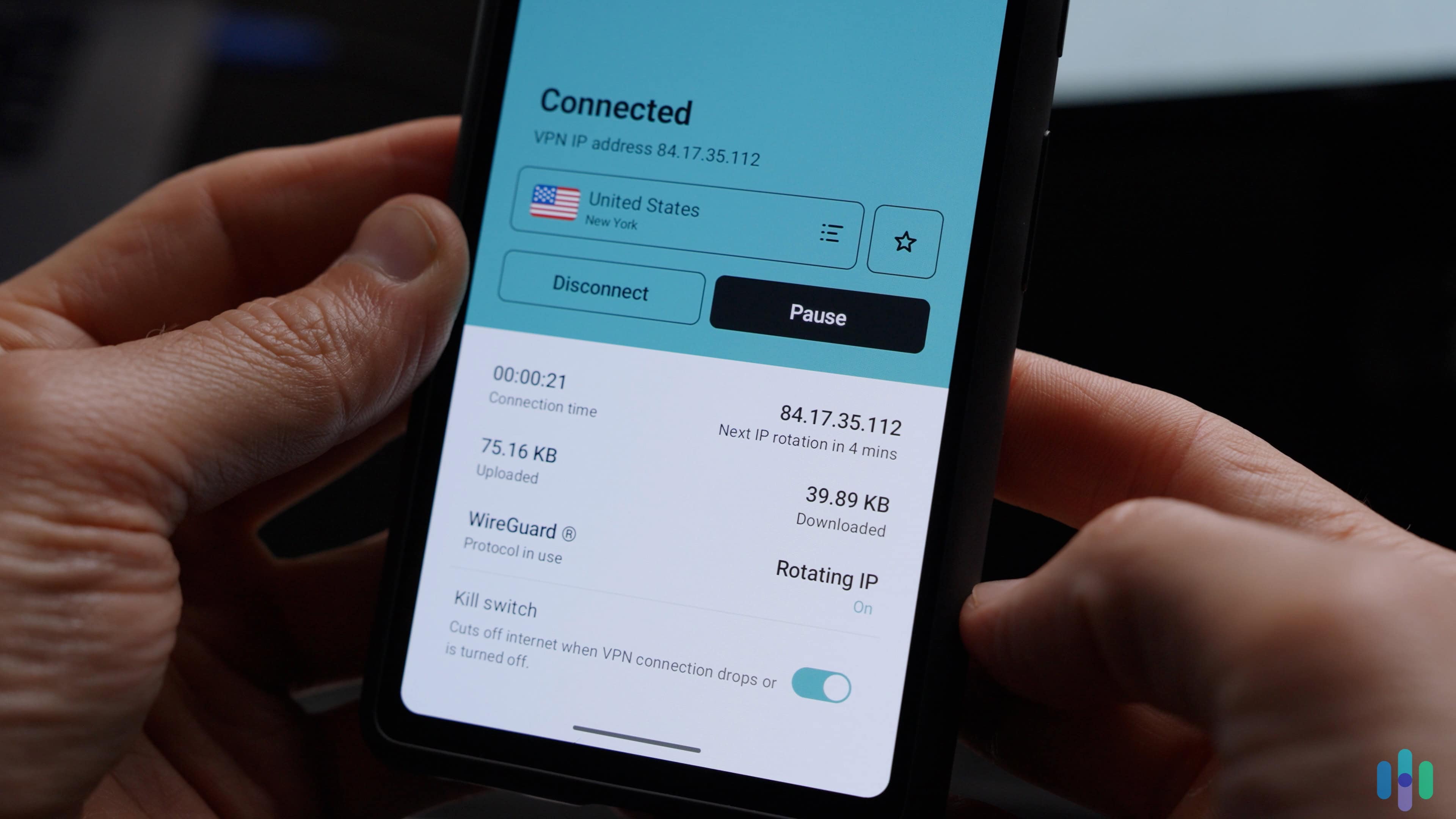
First off, you can buy a subscription through the App Store or Google Play Store and enjoy a week-long free trial. Your card won’t be charged initially and you can cancel the trial anytime before it expires to avoid auto-renewal. You can also use your iOS or Android sign-in credentials to use Surfshark on Windows or macOS. Just note that after the free trial, your subscription will auto-renew and you will be billed.
Second, you can use the 30-day money-back option, but only if you buy a subscription from Surfshark’s website. Here’s how it works:
- Log-in to your Surfshark web dashboard and cancel your subscription.
- If you’re still within the 30-day grace period, ask for a refund.
- Surfshark will process your refund request and inform you of the timeline for the process.
While many premium providers offer a 30-day money-back guarantee, Surfshark’s automated processing of refund requests makes it stand out. All you need to do is request a refund from their chatbot. That’s why it made our list of the best free VPNs. Just note that this refund can only be claimed once per customer.
Discounts
Surfshark is a great VPN for school and the company often offers student discounts. Students can get an extra 15-percent off any plan through Student Beans. It’s not much, but at least those discounts appear from time to time.
Even if you’re not a student, you can still score a solid deal. Surfshark regularly sweetens its annual and two-year plans by tossing in bonus months. The current promotion includes three free months, which brings the average monthly cost down to $2.49 for the two-year Surfshark Starter plan.
Before you subscribe to Surfshark, be sure to browse its website for its current deals, or check our pages on Surfshark deals and Surfshark Black Friday deals.
Referral Program
Want to save even more? Take advantage of Surfshark’s generous referral program. They give you free months of service based on the subscription length purchased by the person you refer, as follows:
| Subscription Length | Number of free months |
|---|---|
| One month | 1 |
| One year | 3 |
| Two years | 3 |
Here’s how it worked: first, we told all our friends and family about Surfshark and sent them referral links, which were easy to access in our app’s settings under Earn Free Months. If anyone signed up and used Surfshark via a Windows, iOS, or Android app, we received free months of its VPN, which ranged anywhere from one to three months per person.
NOTE: In order to receive rewards, the referral must be a completely new customer to Surfshark. Also, you’ll need an active Surfshark subscription to refer friends; you can’t use the referral link on its own.
Server Locations Vs. the Competition
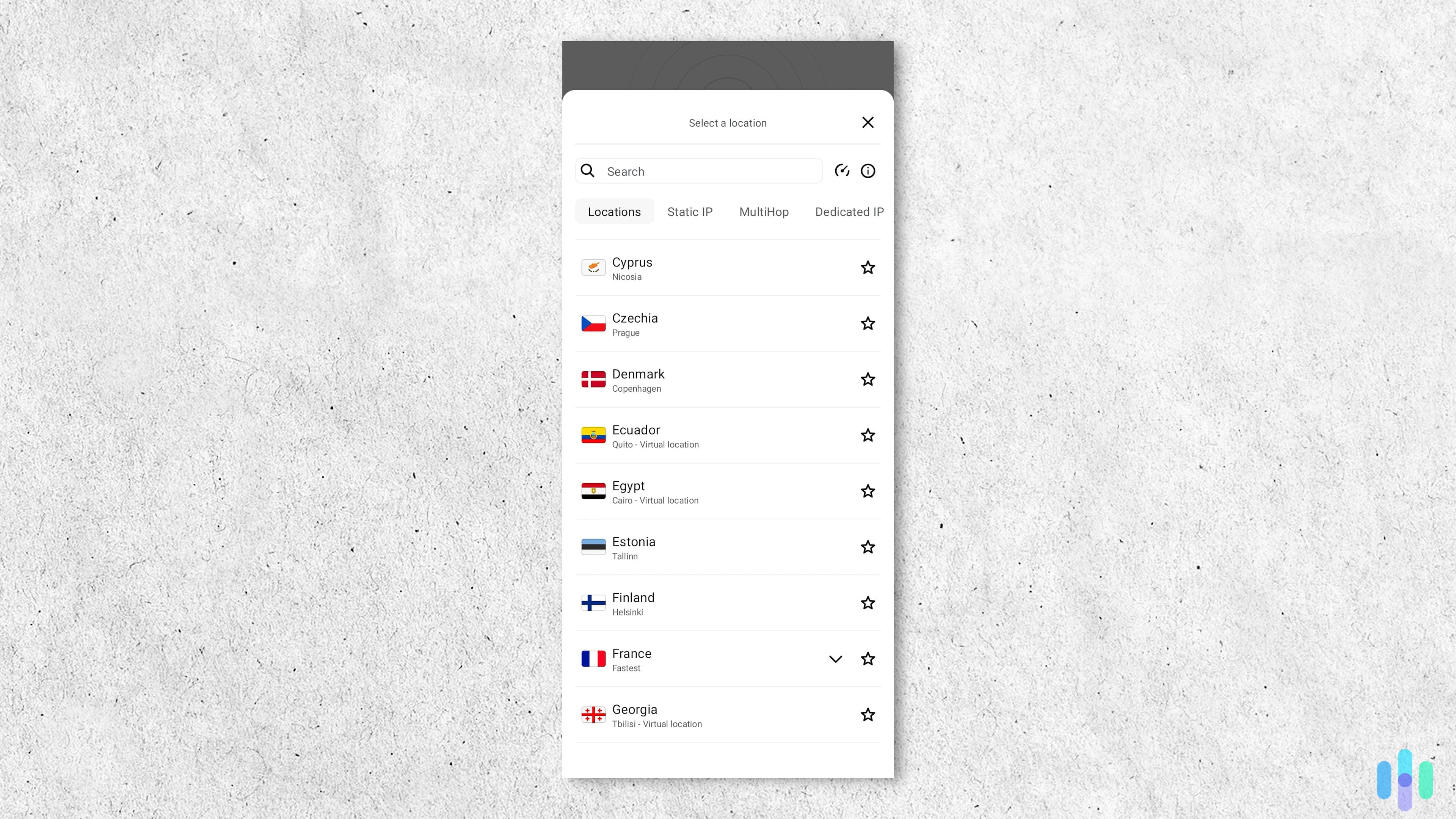
With servers spread throughout 100 countries countries, Surfshark hits all major countries and plenty of small countries too. Compared to Proton VPN and NordVPN, Surfshark only lacks servers in a few smaller countries with poor data privacy practices such as Iraq, Afghanistan, and Türkiye. NordVPN and Proton VPN also offer more servers throughout Africa, which can provide faster speeds if you plan a trip there.
Looking at ExpressVPN’s server list, they offer almost the same infrastructure as Surfshark. They just offer servers in five more countries such as Guam and Azerbaijan. As for Private Internet Access, Surfshark offers servers in nine more countries.
Overall, Surfshark sits on the upper end of the industry in terms of server locations with a smart distribution across the globe so you’re never far from a Surfshark server.
Will My Device Work With Surfshark?
Another thing to check before you purchase a Surfshark subscription is the devices compatible with its VPN software. However, it’s highly unlikely that your device won’t work with Surfshark, as it’s compatible with all of the most popular consumer electronics brands like:
- Android
- Apple TV
- Fire TV
- iOS
- Linux
- macOS
- Playstation
- Samsung TV
- Windows
- Xbox
If your platform isn’t supported, you could simply install Surfshark on your router so that it sends all of your traffic through the VPN. Then, any device you connect to your router will be protected by Surfshark.
Can Surfshark stand toe-to-toe with other brands? Find out below.
Surfshark is a great choice, but there may be better options out there. See how Surfshark compares to our favorite VPNs.
>> For Further Insight: Our Favorite Surfshark Alternatives
Surfshark Recap
With prices starting at just $2.49 a month on its two-year plan, Surfshark delivers serious value without skimping on features. You get 4,500+ servers across more than 100 countries, all the core VPN essentials, and some genuinely impressive extras like customizable multihop connections and Dausos technology.
Still unsure? Try out Surfshark for seven days with no risk; you won’t even have to put a credit card down. And if you do decide to get a paid subscription, you’ll get 30 more days to test Surfshark or get your entire money back.
FAQs
Not to brag, but we’re experts on Surfshark, and dozens of other VPNs to boot. But let’s focus on Surfshark, specifically the questions we get asked the most.
-
Is the Surfshark VPN any good?
The Surfshark VPN is good in terms of fast speeds, security, and overall performance. Surfshark is headquartered in the Netherlands, operating under a strict no-logs policy that ensures it never records your web activity or traffic while connected to its servers. It completely encrypts our web traffic and private IP addresses on an unlimited number of devices.
-
How much does Surfshark cost?
Surfshark Starter costs between $2.49 and $16.45 per month, depending on the length of your subscription.
Months in contract Monthly cost Annual price after first billing period 24 $2.49 $59.76 12 $3.39 $59.76 1 $16.45 $16.45 per month -
Is Surfshark better than NordVPN?
Surfshark is better than NordVPN in terms of its pricing and GPS-changing features. But when we looked at Surfshark vs. NordVPN overall, we thought NordVPN was slightly better, especially when it came to the size of its server network and its iOS app.
-
How much does Surfshark cost after two years?
After the initial subscription period, Surfshark Starter renews at $79 per year ($6.58 per month). Surfshark One renews at $99 per year ($8.25 per month) and Surfshark One+ renews at $119 per year ($9.92 per month). Keep in mind that additional taxes may apply depending on where you live.
-
Backlinko. (2025). We Analyzed 4 Million Google Search Results. Here’s What We Learned About Organic Click Through Rate.
https://backlinko.com/google-ctr-stats