The Best VPN Services of 2026: Expert-Tested Rankings & Reviews
Our top pick, NordVPN, had less than a five percent impact on our internet speed with a network of 9,300+ servers covering 137 countries (and counting!).
 &
&
 Last Updated on Aug 06, 2026

- Uses state-of-the-art, post-quantum encryption to secure your data.
- Offers malware protection, ad blocker, password manager, and identity theft protection on higher tiers.
- NordVPN’s independently audited no-logs policy provides peace of mind that your browsing activity is private.
- Prices start at $1.78 per month for a two-year subscription.
- Premium plans include antivirus software, data removal, and identity theft insurance.
- Offers built-in features that boost VPN speeds (split-tunneling and VPN Accelerator)
- Flexible pricing structure
- Trusted brand with unmatched customer support
- Operates 16,000+ servers spread across 129 countries countries
the security.brief
We tested 50+ VPNs for speed, security, and streaming. NordVPN is our #1 pick for 2026. Compare prices, features, and find the best VPN for your needs.
If you’ve been researching VPNs, you’ve probably noticed a lot of the same words popping up. All the best VPNs have kill switches, encryption protocols, and no-log policies. How are you supposed to choose the right one for you?
Our team of cybersecurity experts knows exactly what to look for, and spent nine months putting these VPNs through their paces. We connected to servers across dozens of countries, ran speed tests using Ookla on Windows, macOS, Android, and iOS, read through every privacy policy line by line, and verified that critical features (kill switch, encryption, IP leak protection, etc.) worked as advertised. Here, you’ll find all our findings and recommendations. Let’s dive deep into each one to help you make the best choice.
Hot Deal: One of the first questions you might have is how much VPNs cost. Prices range from $3 to $15 per month. You can even get our top pick, NordVPN, for just $3.49 per month on a two-year subscription.
The Best VPN Services of 2026
- NordVPN - Best VPN for Security & Privacy
- Surfshark - Best VPN for Budget & Features
- Proton VPN - Best VPN for Speed
- Private Internet Access - Best VPN for Beginners
- Hotspot Shield - Best Free VPN
The Best VPN Services of 2026
-
1. NordVPN - Best VPN for Security & Privacy
Get NordVPN Links to NordVPN
Product Specs
Server locations 137 countries Average Speed Loss 6% download & 4% upload Apps Windows, MacOS, Linux, Android, iOS, Chrome, Firefox, Edge, Android TV, tvOS Best Monthly Rate $3.49/mo with a 2-year plan Money-Back Guarantee 30 days full refund
NordVPN Privacy - 5/5
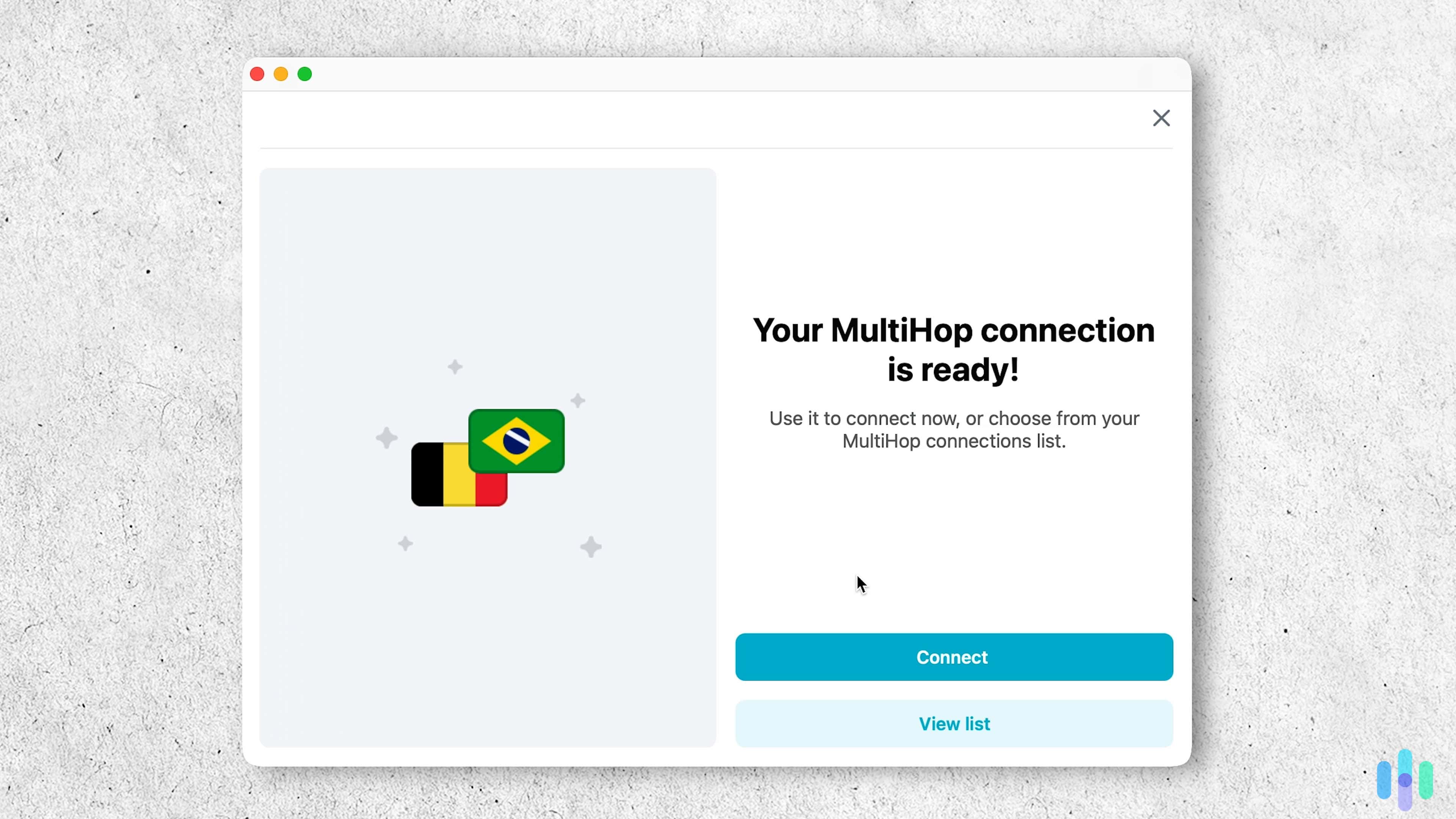
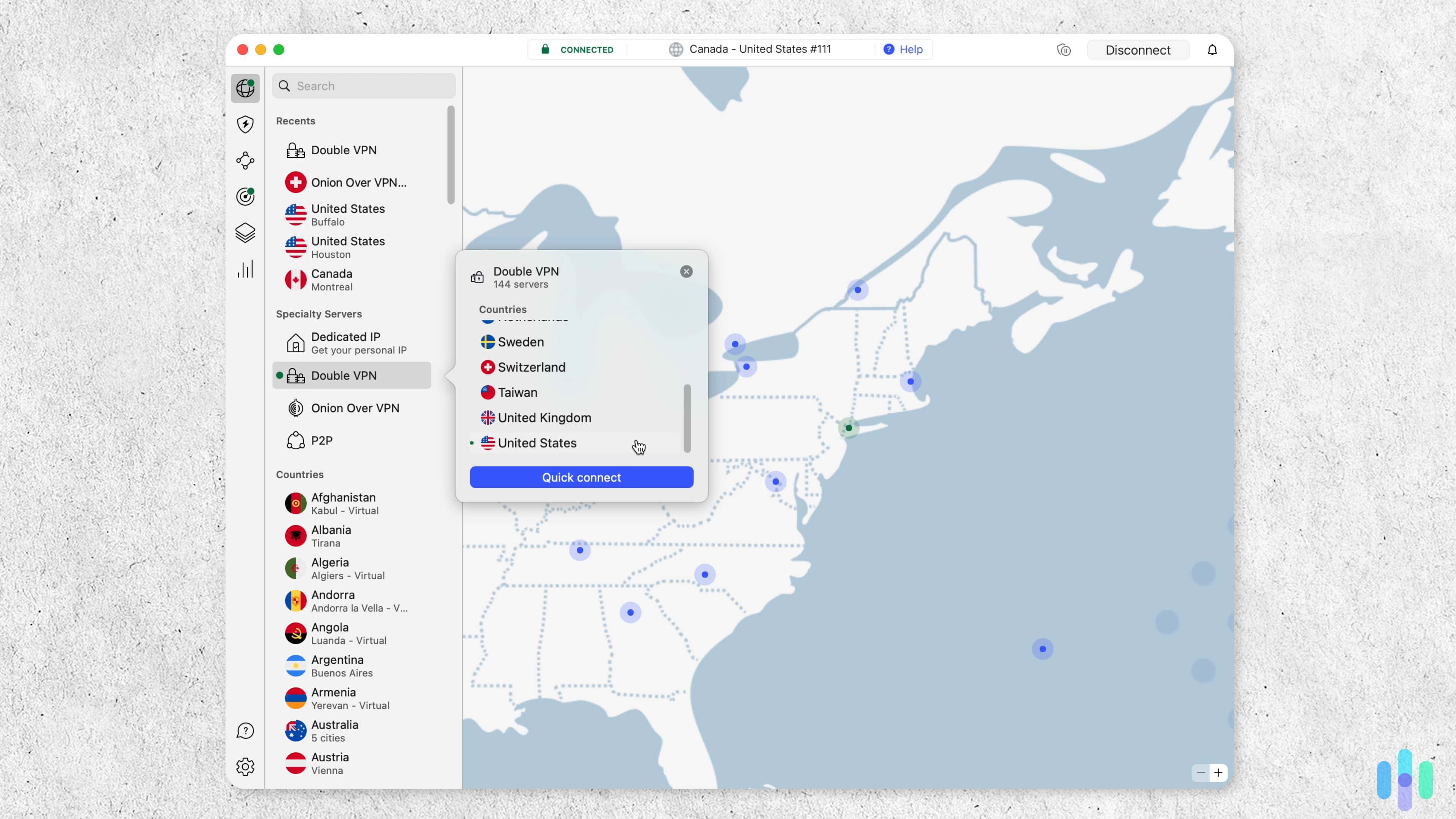
NordVPN covers all the privacy essentials, and in our testing, everything held up. We ran DNS leak tests repeatedly across different servers and never saw our real IP slip through. The kill switch — which cuts your internet if the VPN connection drops — fired every time we needed it, keeping our activity from being exposed even for a second. For users who want an extra layer of protection, the Double VPN feature routes your traffic through two servers instead of one. We used it when connecting from networks we didn’t trust.
Higher tiers add extra security features, like NordPass (a password manager), Next-Generation Antivirus, dark web monitoring, and identity theft protection.
>> Related: NordPass Password Manager Review
NordVPN Speed - 4/5

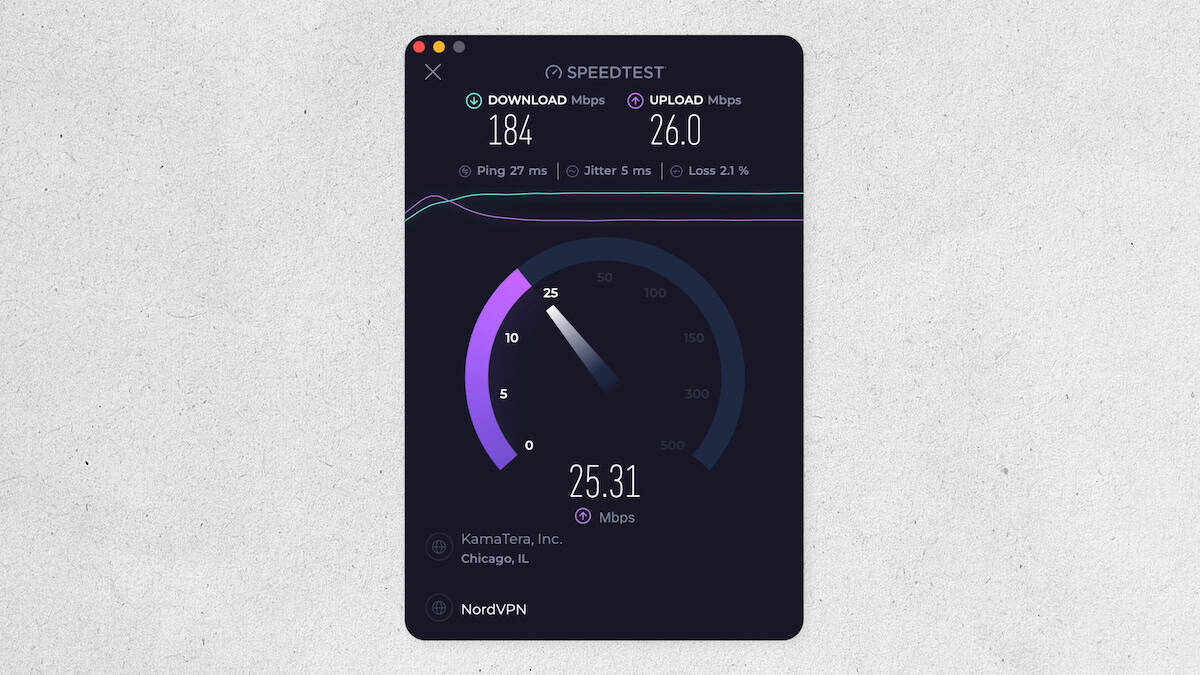
Our internet speed while connected to one of NordVPN’s servers in Chicago We ran several speed tests, and NordVPN held up well. Our average download speed only dropped by 5.78 percent and upload by 4.11 percent — well under the 10 percent threshold we use to classify a VPN as fast. To put that in perspective, we streamed 4K video on YouTube through distant servers without a single buffer, and downloaded a 15 GB file in about seven minutes, compared to roughly five minutes without the VPN running.
FYI: We only recommend using NordVPN’s Double VPN when you truly need enhanced privacy. When we enabled it, our speeds dropped by around 80 percent on average — noticeable enough that we wouldn’t want to browse or stream with it on.
NordVPN Security - 5/5
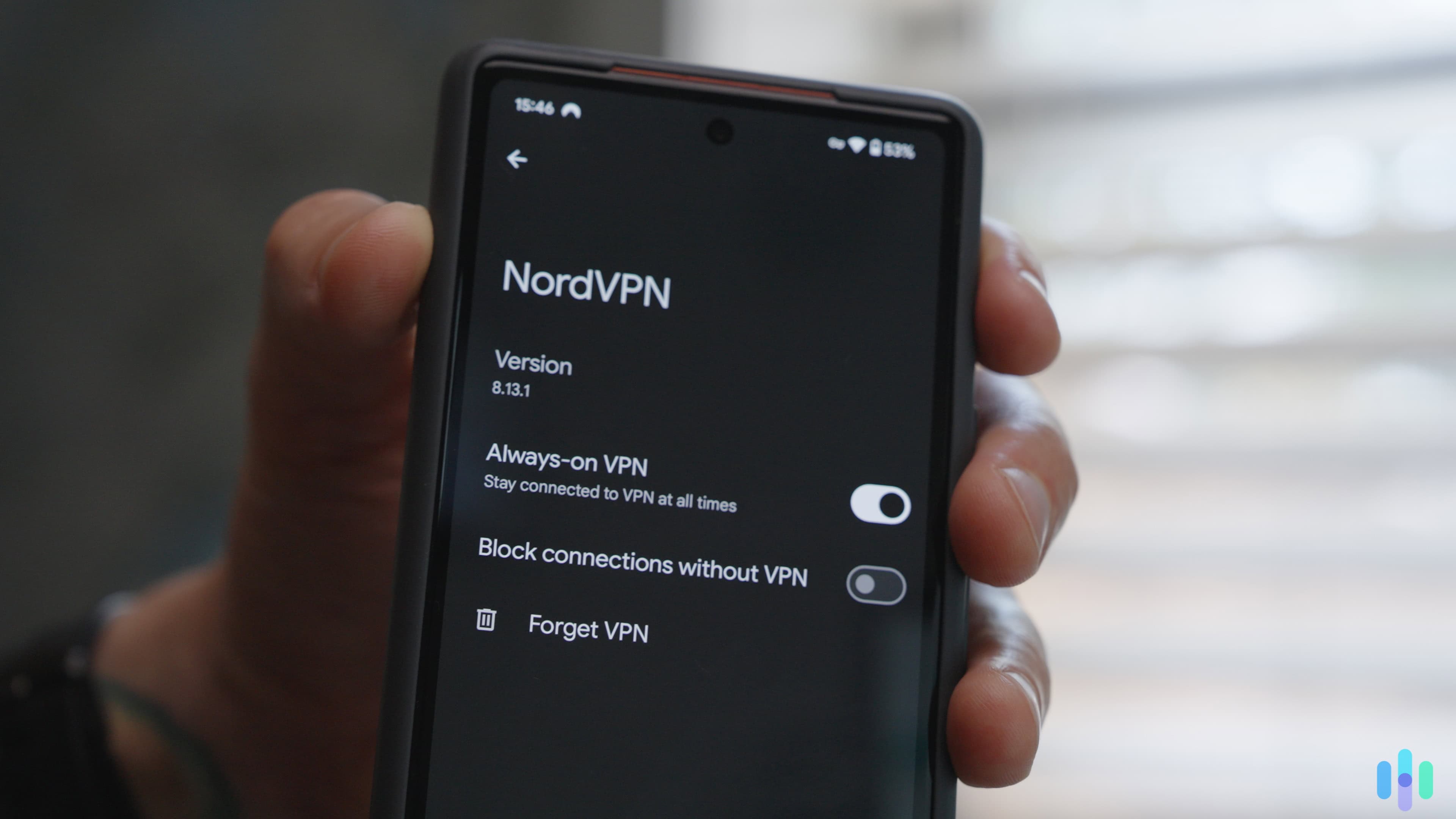
We used NordVPN’s always-on VPN feature to ensure our online activity is always concealed. Our favorite security feature is Next-Generation Antivirus. It scans downloads in the background and blocks malware before it reaches your device. It even stays active even when the VPN is off. During our tests, it caught several suspicious files we intentionally downloaded to put it through its paces, proving that it works.
Recently, NordVPN also released a proprietary protocol called NordWhisper, designed to bypass network restrictions that block VPNs by disguising your VPN traffic as regular internet traffic. We tested it against our office network firewall, which we set up to detect VPN traffic, and it worked without any issues except for slightly lower speeds (around 8 percent slower than usual).
Pro Tip: Next Generation Antivirus is only available on “Complete” and “Prime” plans. These packages also include NordPass, which is one of the best password managers we’ve tested.
Why We Picked NordVPN
NordVPN performed the best across every test we ran. Speed impacts were minimal, our data never leaked, and the kill switch kicked in every time we needed it.
The base plan is enough if you only need a VPN. If you’re looking for an online security bundle, we recommend choosing a higher tier to get access to NordPass for password management and Coveron for identity theft protection.
>> Related: The Best Antivirus and VPN Bundles
What We Like
- Based in Panama, outside the reach of US and EU data-sharing agreements
- Double VPN routes your traffic through two servers for an extra layer of privacy
- NordLynx protocol kept our speeds fast while maintaining strong encryption
- Unblocked every streaming service we tested, including Netflix and Disney+
- Apps were straightforward to navigate on every device we tested
What We Don’t Like
- Pricier than most competitors, especially on monthly plans
- Next-Generation Antivirus, one of its best features, is locked behind higher-tier plans
- Setting it up in restrictive countries like China requires manual configuration before you travel
Who It’s Best For
We recommend NordVPN to users who are looking to improve their overall digital security, especially if you plan to sign up for the mid-tier or top-tier plans with Next-Generation Antivirus, NordPass and other bonus privacy and security features.
NordVPN Video Review
We put NordVPN to the test for privacy, speed, streaming, and ease of use. -
2. Surfshark - Best VPN for Budget & Features
Get Surfshark VPN Links to Surfshark.com
Product Specs
Server locations 100 countries countries Average Speed Loss 8% download & 50% upload Apps Windows, MacOS, Linux, Android, iOS, Chrome, Firefox, Edge, tvOS, Android TV, Fire TV Best Monthly Rate $1.78/mo with a 2-year plan Money-Back Guarantee 30 days full refund
Surfshark Privacy - 3/5
Surfshark allowed us to easily set up customized double VPN connections Like NordVPN, Surfshark’s no-log privacy policy has been validated by third parties, and its servers are RAM-based. This means all data is wiped after a reboot. During our testing, we found the kill switch and double VPN worked as intended. They even updated the kill switch on Windows, making it easier to use.
Alternative ID was the standout feature, though. It’s available on the mid- and top-tier plans. Alternative ID generates a fake name, email address, and phone number you can use to sign up for online accounts. This means you keep your real information out of data broker lists. You can generate up to three email addresses at a time and one phone number per account.
Privacy Tip: Over 1.7 billion individuals had their personal data compromised in 2024, according to a 2025 study by the HIPAA Journal.1 Email addresses were among the most commonly exposed details, so tools like Alternative ID are useful.
Surfshark Speed - 4/5
Surfshark’s download speeds held up well in our tests, with an average speed loss of around eight percent — fast enough that we streamed video and browsed without any noticeable slowdowns. However, upload speeds dropped by as much as 80 percent and averaged around 50 percent across 10 tests. That made tasks like uploading files to Google Drive or posting videos noticeably slower. On the bright side, Surfshark has introduced Doulos — a new proprietary protocol designed to offer better speeds and less latency through dedicated encryption tunnels for each user.
Expert Tip: Most everyday online activities don’t require fast upload speeds. On Netflix, for example, you only need 15 Mbps to stream 4K content, and just 3 Mbps for HD. Surfshark’s download speeds are more than enough for that.2
Surfshark Security - 5/5
Surfshark has a built-in obfuscation feature called Camouflage Mode, which disguises your VPN traffic as regular internet traffic. That’s handy if you’re on a restrictive network where admins actively monitor for VPN usage. We tested it on our network we configured to detect VPN connections, and it slipped through without a flag.
Like NordVPN, Surfshark also has a built-in ad blocker called CleanWeb. In our tests, it blocked 90 percent of ads on every site we visited and stopped us from accidentally landing on unsafe HTTP sites.
On the more technical side, Surfshark started offering post-quantum cryptography on top of WireGuard. This further enhances the encryption of your data, offering protection against cutting-edge quantum computing attacks.
>> Learn More: Must-Have VPNs for Traveling
Why We Picked Surfshark
Surfshark plans provide the perfect balance between affordability and top-quality features. The Starter plan covers the essentials well — in our testing, Camouflage Mode bypassed every network restriction we threw at it, and CleanWeb blocked 90 percent of ads across every site we visited. But we’re particularly fond of the Surfshark One plan because it bundles in one of the best antivirus software we’ve tested, Surfshark Antivirus, at just $2.79 per month with a two-year subscription.
>> Learn More: Surfshark Antivirus Review
What We Like
- Camouflage Mode bypassed every network restriction we tested it against
- Unlimited devices per subscription, so you can protect everything in your household
- CleanWeb blocked 90 percent of ads across every site we visited
- Low costs with one- or two-year subscriptions
What We Don’t Like
- Upload speeds dropped by as much as 80 percent in our tests, making large file uploads noticeably slower
- Not guaranteed to work in restrictive countries like China
- Month-to-month pricing is significantly higher than the long-term plans
Who It’s Best For:
Surfshark balances affordability without sacrificing security features or privacy. We recommend the VPN for daily use and suggest upgrading to a Surfshark One subscription if you need antivirus protection.
Surfshark Video Review
Corey gives his review of SurfShark VPN -
3. Proton VPN - Best Bundled VPN
 View Plans Links to Proton VPN
Product Specs
Server locations 129 countries countries Average Speed Loss 8% download & 4% upload Apps Windows, MacOS, Linux, Android, iOS, Chrome, Firefox, Android TV, tvOS, Firestick Best Monthly Rate $2.99/mo with a 2-year plan Money-Back Guarantee 30 days
Proton VPN Privacy – 5/5
We recommend using Proton VPN’s Secure Core servers if you need enhanced digital privacy. Like NordVPN and Surfshark, Proton VPN’s no-logs policy has been independently audited. The basics — kill switch, ad blocker, and DNS leak protection — also come with every plan. In our testing, all of them worked exactly as advertised.
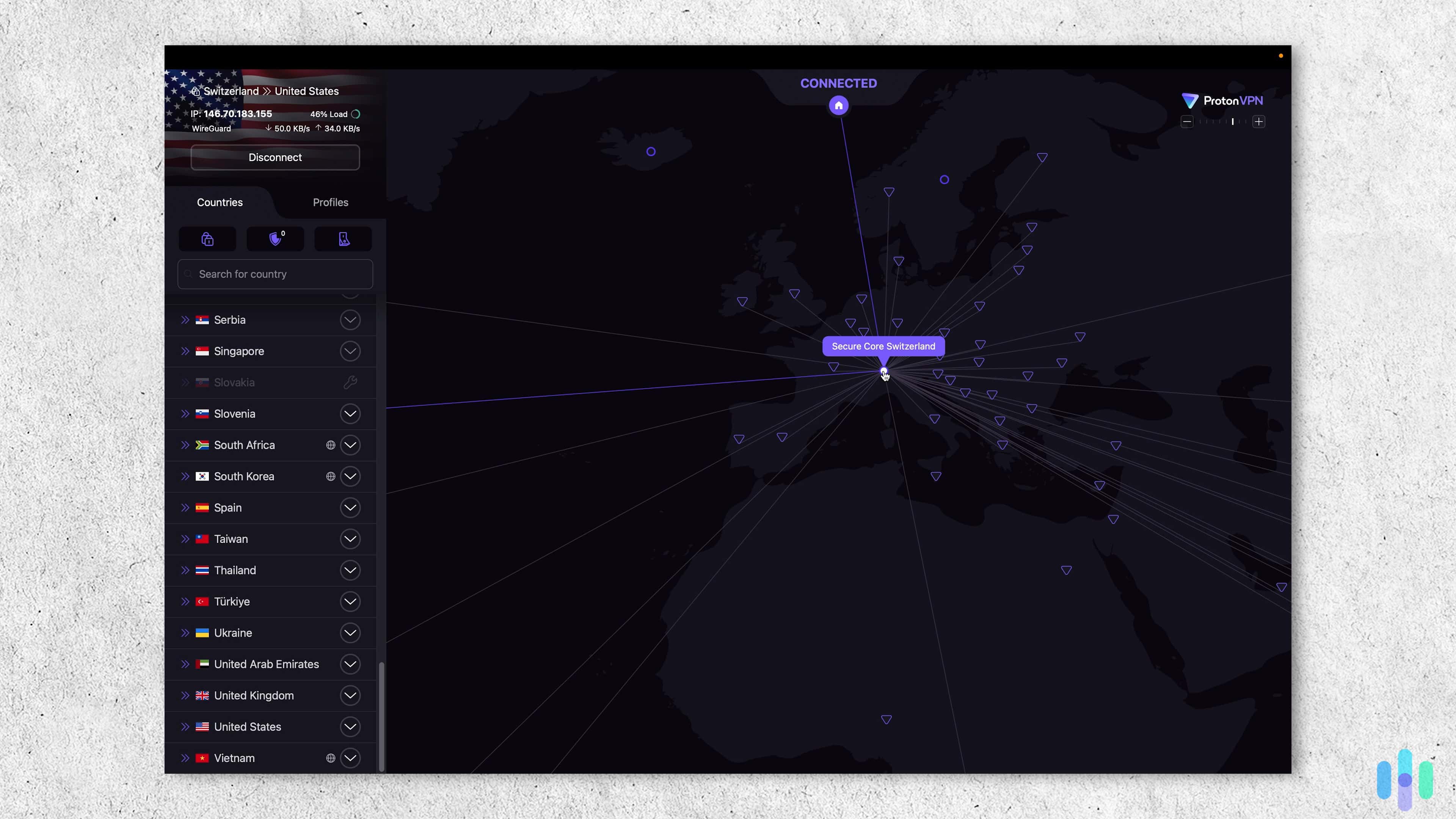
Where Proton VPN stands apart is its Secure Core feature. It routes your connection through two servers before reaching its destination, similar to NordVPN’s Double VPN. What makes it different is that those first servers are physically secured and located in privacy-friendly countries like Switzerland, Sweden, and Iceland. These are places with strong legal protections against government surveillance. Even if someone were monitoring the final server in the chain, they’d have a much harder time tracing the traffic back to you.
FYI: All Proton VPN apps are open-source, meaning that anyone can inspect the code for security issues. Since not everyone can do that, we like how Proton VPN had all of its apps audited by a security firm.
Proton VPN Speed – 4/5
Proton VPN streaming Netflix while connected to a Japanese server Proton VPN nearly rivals NordVPN in our speed tests, slowing our download speeds by around eight percent and upload speeds by just four percent on average — making it one of the more balanced performers we tested across both metrics.
To minimize the impact further, Proton VPN offers a couple of useful tools. Split-tunneling lets you choose which traffic gets routed through the VPN, conserving bandwidth for everything else. Its VPN Accelerator, meanwhile, is designed to boost speeds on distant servers. In our tests, it delivered speed increases of up to 50 percent, which was impressive enough that we now leave it on by default.
>> Related Reading: Proton VPN vs. NordVPN
Proton VPN Security – 4/5
While Proton VPN’s best security feature is its Secure Core servers, the NetShield ad blocker also impressed us. During our testing, it blocked over 90 percent of ads, including pop-up, banner, and video ads. The one thing it couldn’t do was block YouTube ads — NordVPN’s Next-Generation Antivirus handled that better.
Unlike NordVPN and Surfshark, Proton VPN uses full-disk encryption to secure its servers. Data isn’t erased on reboots like it is with RAM-based servers, but the encryption prevents unauthorized access even if the hardware is seized. In practice, our experts consider it just as secure.
Test Results: While NetShield blocked over 90 percent of ads in our tests, it can’t stop malicious downloads like NordVPN’s Next-Generation Antivirus. You also need to be connected to Proton VPN to be protected.
Why We Picked Proton VPN
Proton VPN placed first overall in upload speed and recorded only an eight percent decrease in download speed in our tests, making it one of the fastest VPNs in 2026. But speed isn’t the only reason it made our list. We read its privacy policy and the results of its latest third-party audit, and confirmed the VPN doesn’t log user IP addresses, browsing traffic, connection timestamps, or bandwidth usage. Add in Secure Core servers that route your traffic through privacy-friendly countries, and Proton VPN is one of the more well-rounded options we tested.
What We Like
- Upload and download speeds were among the fastest we tested
- Secure Core servers add a layer of privacy by routing traffic through legally protected countries
- VPN Accelerator boosted speeds by up to 50 percent on distant servers in our tests
- All apps are open-source and independently audited
What We Don’t Like
- Starting price is somewhat steep compared to Surfshark and Private Internet Access
- 30-day refund policy is prorated, so you won’t get a full refund after the first few days
- NetShield couldn’t block YouTube ads the way NordVPN’s Next-Generation Antivirus did
Who It’s Best For:
We recommend Proton VPN for privacy-focused users who don’t want to sacrifice connection speed. The large server network and speed-boosting tools reduce the impacts on your network, while Secure Core adds an extra layer of privacy.
Proton VPN Video Review
Interested in ProtonVPN? Check out our video review and learn more about VPNs -
4. Private Internet Access - Best User Experience
 View Plans Links to Private Internet Access
Product Specs
Server locations 91 countries Average Speed Loss 5% download & 84% download Apps Windows, MacOS, Linux, Android, iOS, Chrome, Firefox, Android TV, tvOS Best Monthly Rate $1.98/mo with a 3-year plan Money-Back Guarantee 30 days full refund
Private Internet Access Privacy - 4/5
Private Internet Access is one of the best no-log VPNs in 2026. We read its privacy policy, which has been independently audited, and confirmed the VPN doesn’t log user IP addresses or browsing traffic — just like NordVPN, Surfshark, and Proton VPN. It also doesn’t store usage metrics like connection timestamps and bandwidth usage.
We also ran DNS leak tests throughout our testing, and PIA’s encrypted DNS servers kept our browsing activity from slipping through to our ISP every time. Like Proton VPN and NordVPN, PIA’s apps are fully open-source, meaning anyone can inspect the code for potential security issues.
FYI: Some VPNs log connection timestamps and bandwidth usage to improve their services. We don’t have an issue with this type of logging, as it doesn’t compromise user privacy.
Private Internet Access Speed - 5/5
Private Internet Access performed well in our speed tests across every device we used, from mobile to desktop. Our average download speed dropped by just 4.84 percent — one of the lowest figures we recorded across all the VPNs we tested. We streamed 4K video without a single buffer and browsed without any noticeable slowdown.
The upload speed was less impressive. Our speed dropped by over 84 percent on average. We tried uploading some large files to a Google Drive with PIA running and it took significantly longer than other VPNs we tested.
Private Internet Access Security - 3/5
Private Internet Access uses MACE, a built-in ad blocker, to protect your privacy. During our testing, MACE blocked banners, pop-ups, and most video ads on YouTube. The app even redirected us when we stumbled upon some unsafe websites.
Just like NordVPN, Surfshark, and Proton VPN, Private Internet Access offers obfuscation — connecting you to servers designed to hide the fact that you’re using a VPN. This helps keep your VPN usage hidden from your network admin, your ISP, or government monitoring.
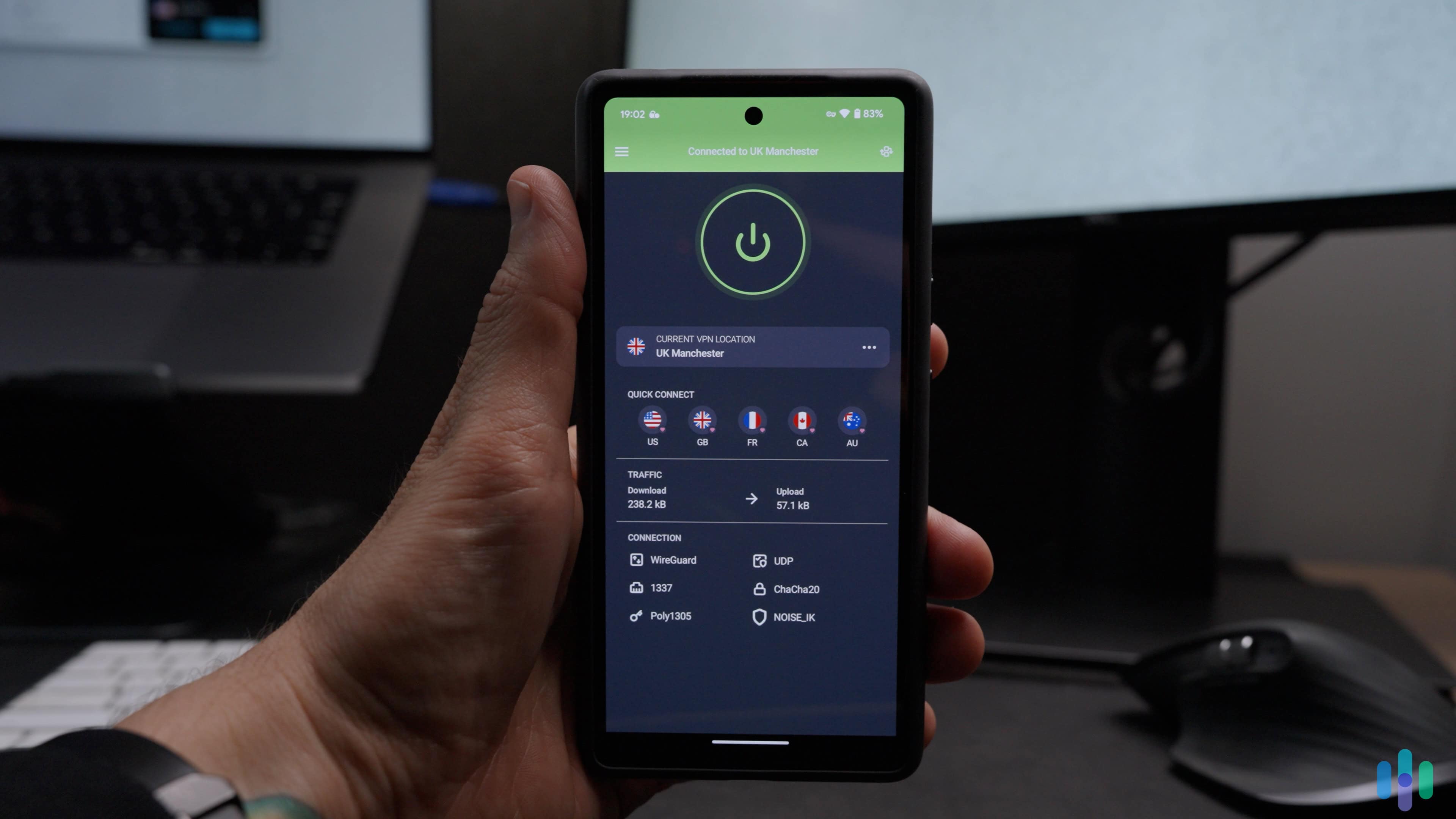
Our Android connected to Private Internet Access’ Manchester server Why We Picked Private Internet Access
Private Internet Access offers great download speeds and is reliable. It’s also one of the most secure VPNs we tested. The VPN apps for desktop (Windows, macOS, Linux), mobile (iOS and Android), and streaming devices (Apple TV and Android TV) are all easy to use. We also like that it offers unlimited connections and customizable options for different uses such as browsing, streaming, torrenting, and online gaming.
What We Like
- Strict no-logging policy, independently audited
- Download speeds were among the fastest we recorded across all VPNs tested
- Intuitive apps across every platform we tested, including mobile, desktop, and smart TVs
- Reliably unblocked Netflix across multiple regions
What We Don’t Like
- Upload speeds dropped significantly in our tests, making large file transfers noticeably slower
- Live chat support was slow to respond during our testing
- Fewer bonus features compared to NordVPN and Surfshark
Who It’s Best For:
We recommend Private Internet Access to anyone looking for an intuitive VPN. Even if you don’t know how to set up a VPN, PIA makes everything easy whether you want something as simple as a private connection or complex like accessing a proxy server.
Private Internet Access Video Review
In-depth review: Corey explores the features and benefits of PIA -
5. Hotspot Shield - Best Free VPN
 View Plans Links to Hotspot Shield
Product Specs
Server locations 80+ countries Average Speed Loss 3% download & 80% upload Apps Windows, MacOS, Linux, Android, iOS, Android TV, Firestick **Best monthly rate** **$2.99/mo with a 3-year plan (free plan available)** Money-Back Guarantee 45 days full refund
Hotspot Shield Privacy - 4/5
Like our other top picks, Hotspot Shield has a no-logs policy that was last independently audited in 2023. The report confirmed the company doesn’t store websites visited or applications used by customers, and verified that AES-256 encryption and the kill switch both function as promised. In our testing, the kill switch cut our connection every time the VPN dropped, and we never saw our real IP slip through across more than 20 leak tests.
One thing worth noting is that Hotspot Shield does collect some anonymized session data, like connection timestamps and bandwidth usage. This isn’t tied to your account or browsing activity, so it doesn’t compromise your privacy in any meaningful way — but if airtight data minimization is important to you, NordVPN or Proton VPN log even less.

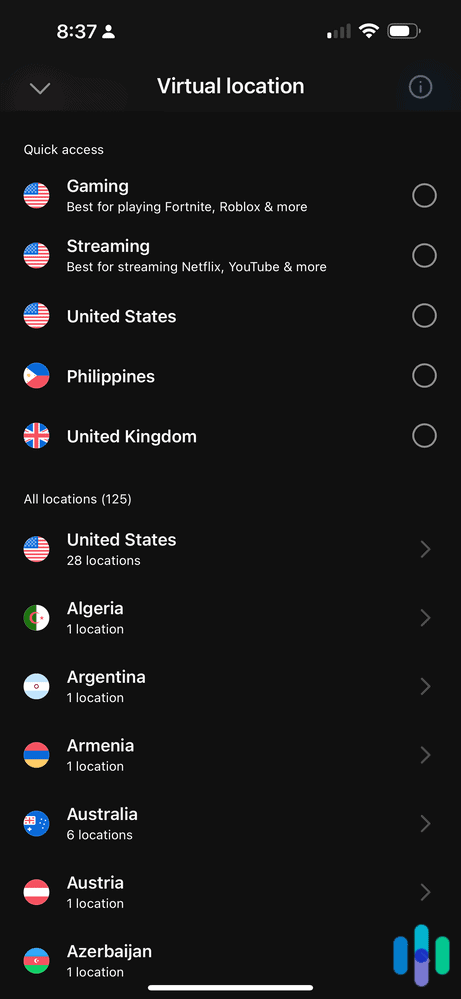
All Hotspot Shield Premium servers (125 locations) Hotspot Shield Speed - 3/5
Hotspot Shield was the fastest VPN we tested, with just a 3.17 percent reduction from our usual download speeds — even lower than NordVPN’s already impressive figures. We streamed 4K video through distant servers without a single buffer and downloaded large files faster than we expected from a VPN, especially one with a free plan. That said, upload speeds told a different story, dropping by as much as 80 percent — similar to what we saw with Surfshark. When we tried uploading a large folder to Google Drive with Hotspot Shield running, it took significantly longer than usual.
>> Related: What Is ISP Throttling?
Hotspot Shield Security - 4/5
Hotspot Shield delivers solid security through its built-in app features. It offers leak protection against IPv6, DNS, and WebRTC leaks by providing a private DNS — we ran over 20 tests and never experienced a single leak.
We’re also impressed with the VPN’s proprietary Hydra protocol. It uses military-grade encryption and provides obfuscation, allowing the VPN to work in restrictive countries that censor the internet like China and Russia. We tested it on a network we configured to detect and block VPN traffic, and it got through without any issues.

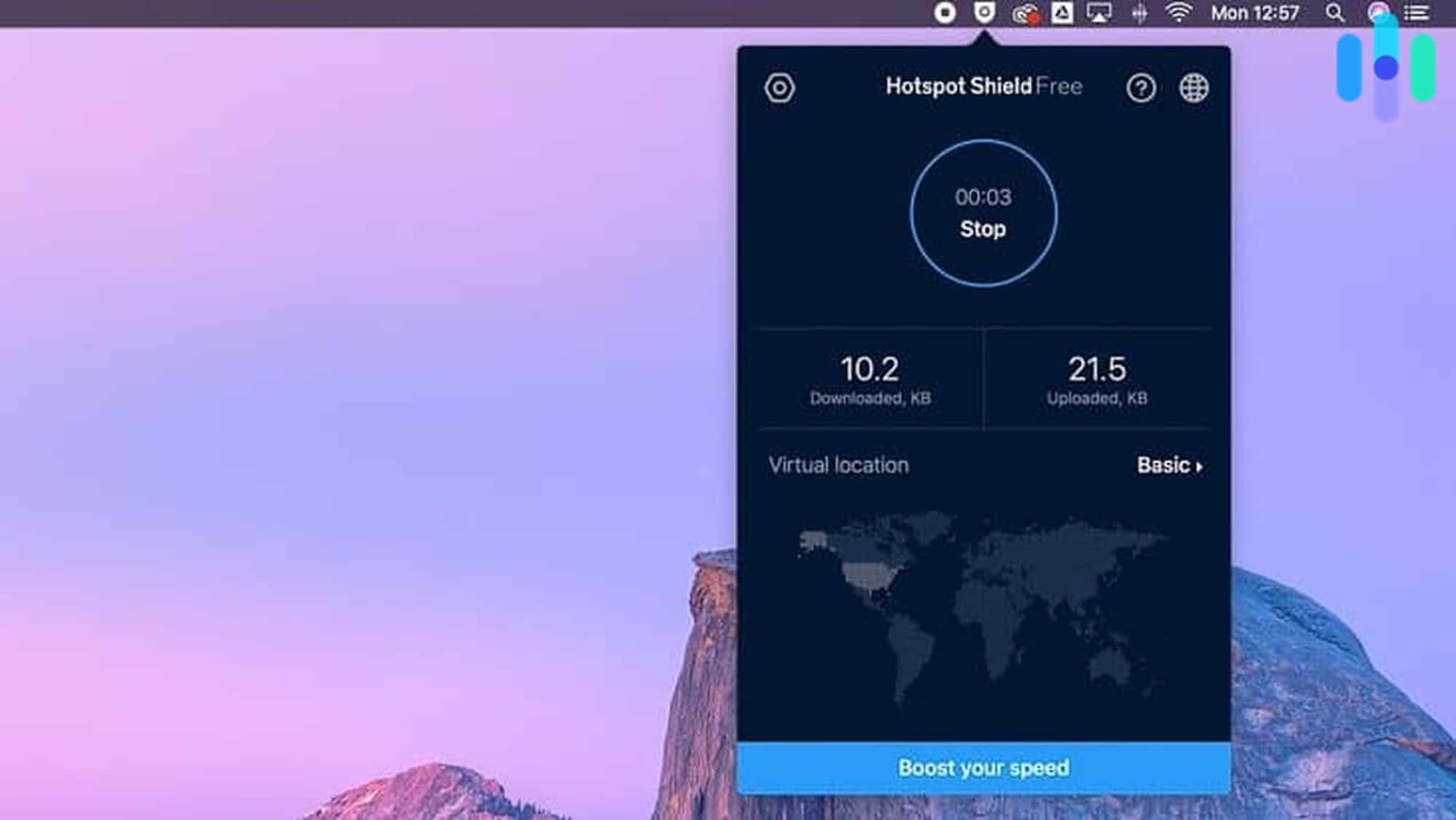
Using Hotspot Shield on my Mac Why We Picked Hotspot Shield
Speed is the main reason we picked Hotspot Shield. The Hydra protocol, available on the free plan, kept our download speeds within three percent of our baseline. The free plan has some restrictions, but it will do the job for everyday browsing, streaming, and downloading.
What We Like
- Fastest download speeds of any VPN we tested, including the free plan
- Hydra protocol works on restrictive networks without any extra configuration
- No bandwidth or data caps on the free plan
- Torrenting access on all plans
What We Don’t Like
- Upload speeds dropped by as much as 80 percent in our tests
- Difficulty accessing Disney+ and other platforms with strong VPN blocks
- Free version requires watching ads after hitting a 500 MB daily data limit
Who It’s Best For:
Hotspot Shield is the best option if download speed is your top priority, especially if you’re not ready to commit to a paid subscription. The free plan is genuinely usable for everyday browsing and streaming, though the 500 MB daily data limit and ads make it less practical for heavy use. If you regularly upload large files, we’d point you toward NordVPN or Proton VPN instead.

Comparison of the Best VPNs
| System |
NordVPN
|
Surfshark
|
Proton VPN
|
Private Internet Access

|
Hotspot Shield

|
|---|---|---|---|---|---|
| Ranking | 1st | 2nd | 3rd | 4th | 5th |
| Ratings | 9.7/10 | 9.5/10 | 9.3/10 | 9.4/10 | 8.9/10 |
| Best Monthly Price | $3.49 | $2.49 | $2.99 | 1.98 | Free |
| Maximum Monthly Cost | $25.29 | $21.85 | $12.99 | $11.95 | $12.99 |
| Simultaneous Connections | 10 | Unlimited | 10 | Unlimited | 10 |
| Server locations | 137 countries countries | 100 countries countries | 129 countries countries | 91 countries | 85 countries |
| Download Speed* Loss | 5.78% | 7.76% | 8.18% | 4.84% | 3.17% |
| Upload Speed Loss* | 4.11% | 49.98% | 4.08% | 84.26% | 80.03% |
| Independently Audited Privacy Policy | Yes | Yes | Yes | Yes | Yes |
| Open Source Apps | Yes | No | Yes | Yes | No |
| VPN Protocols | OpenVPN, WireGuard, NordWhispher | OpenVPN, WireGuard, IKEv2 | OpenVPN, WireGuard, IKEv2 | OpenVPN, WireGuard, IKEv2 | WireGuard, IKEv2, Hydra |
| Read Review | NordVPN Review | Surfshark Review | Proton VPN Review | Private Internet Access Review | Hotspot Shield Review |
*All the VPNs we tested caused our internet speed to drop, but the fastest VPNs limited the loss to below 10 percent.
Best VPNs By Use Case
Not all VPNs are built for the same job. Whether you’re trying to unblock a streaming library, reduce in-game lag, download torrents safely, or find the best VPN for your country, the right pick depends on what you’re actually doing online. Here’s what we recommend for each use case.
VPNs for Streaming
Streaming services like Netflix, Hulu, and Disney+ actively detect and block VPN traffic, so not just any VPN will do. The best streaming VPNs combine fast, consistent speeds with obfuscation technology — software that disguises your VPN traffic as regular internet traffic so streaming platforms can’t detect and block it. They also need broad server coverage to unlock regional content libraries across dozens of countries. In our testing, we connected to servers in multiple regions and verified that each VPN could reliably access content libraries without being flagged or blocked.
>> See Our Full Guide: Best VPNs for Streaming
VPNs for Gaming
Gamers need VPNs that minimize latency and protect against DDoS attacks, which bad actors use to knock opponents offline mid-match. A good gaming VPN routes traffic through optimized servers close to game servers, keeping ping low while shielding your real IP from would-be attackers. It should also avoid bandwidth throttling, which ISPs sometimes apply to gaming traffic.
>> See Our Full Guide: Best VPNs for Gaming
VPNs for Torrenting
P2P file sharing — the technology behind torrenting — exposes your real IP address to every other user in a torrent swarm, making a VPN essential for privacy and security. Look for providers that support SOCKS5 proxy, a lightweight connection method that routes your torrent traffic without full encryption overhead, preserving download speeds. We also recommend using a VPN with a reliable kill switch, which cuts your internet connection entirely if the VPN drops — preventing your real IP from being accidentally exposed mid-download. In our testing, we deliberately dropped VPN connections while torrenting to confirm the kill switch kicked in every time.
>> See Our Full Guide: Best VPNs for Torrenting
VPNs by Country
VPN needs vary significantly depending on where you live or travel. Factors like local data retention laws, censorship regimes, ISP throttling, and access to geo-restricted content all shape which VPN features matter most in a given country. We’ve put together region-specific guides for the countries with the highest VPN usage worldwide.
VPNs by Device and Platforms
The best VPN for you also depends partly on where you’re running it. A mobile VPN needs to balance protection with battery life, a desktop VPN should offer full-featured control across operating systems, and browser extensions trade some security depth for speed and convenience. Here’s how the options break down by device.
Mobile VPNs
iPhone VPNs and Android VPN apps share most of the same core features, but there are meaningful differences worth knowing. iOS restricts background processes more tightly than Android, which means some VPN features work better or are more customizable on Android. Split tunneling, for example — which lets you choose which apps route through the VPN and which don’t — has full support on Android but is limited on iOS.
Keep in mind that running a VPN continuously on a mobile will drain your battery fast. You can minimize the impact by using lightweight protocols like WireGuard. We recommend setting this protocol as the default option before you connect to a server.
| Feature | iPhone (iOS) | Android |
|---|---|---|
| Always-on VPN | Limited | Full support |
| Split tunneling | Limited (app-level) | Full support |
| Battery impact | Low–moderate (WireGuard recommended) | Low–moderate (WireGuard recommended) |
| Kill switch | Supported | Supported |
| Sideloading VPN apps | Not supported | Supported |
Desktop VPNs
Desktop VPN apps offer the most complete feature sets of any platform, with full access to advanced settings like split tunneling, custom DNS, multi-hop routing, and protocol selection. Windows has the widest VPN support by far, with every major provider offering a polished app. Mac users are well covered too, though some advanced features are occasionally missing due to macOS’s more restrictive nature. Linux support varies significantly by provider — some, like NordVPN and Mullvad, offer dedicated apps with a full graphical interface, while others require manual setup through the command line.
| OS | App Availability | Notes |
|---|---|---|
| Windows | All major VPNs | Widest feature support; most VPNs optimized first for Windows |
| macOS | All major VPNs | Some advanced features (e.g. split tunneling) may be missing |
| Linux | Select VPNs only | NordVPN, Mullvad, and PIA offer dedicated Linux apps; others require manual setup |
>> See Our Full Guide: Best Desktop VPNs
Browser Extension VPNs
If you only want to protect traffic within your browser, use a VPN extension. Keep in mind that all of the other apps running on your device won’t be covered. A VPN browser extension is handy for tasks like accessing geo-restricted content, but we still recommend using the VPN app for complete protection.
| Browser | Extension Availability | Notes |
|---|---|---|
| Chrome | Widest selection | Most major VPNs offer a Chrome extension |
| Firefox | Good selection | Strong privacy-focused options; open-source friendly |
| Safari | Limited | Fewer providers; most require the full macOS/iOS app |
| Brave | Chrome extensions compatible | Supports Chrome extensions; Brave also has a built-in VPN option |
VPN Device Compatibility
Before signing up for a VPN, you need to check that it’s compatible with the devices you want to use. Most support iOS, Android, Windows, and macOS, but the best VPNs have apps for other connected devices.
| NordVPN | Surfshark | Proton VPN | Private Internet Access | Hotspot Shield | |
|---|---|---|---|---|---|
| Windows | Yes | Yes | Yes | Yes | Yes |
| MacOS | Yes | Yes | Yes | Yes | Yes |
| Linux | GUI and CLI | GUI | GUI and CLI | GUI | Manual (OpenVPN) |
| iOS | Yes | Yes | Yes | Yes | Yes |
| Android | Yes | Yes | Yes | Yes | Yes |
| Android TV | Yes | Yes | Yes | Yes | Yes |
| Fire TV (Vega OS) | Yes | No | No | No | No |
| Fire TV (Fire OS) | Yes | Yes | Yes | Yes | Yes |
| Apple TV | Yes (native app) | Yes (native app) | Yes (native app) | Yes (native app) | Router set-up only |
| Router | Yes | Yes | Yes | Yes | Yes |
Other VPNs We Tested
We tested over 50 VPNs to narrow down our top picks. Some didn’t quite make the cut for different reasons, but are still worth an honorable mention.
Norton Secure VPN – Great VPN to Bundle With Other Security Tools

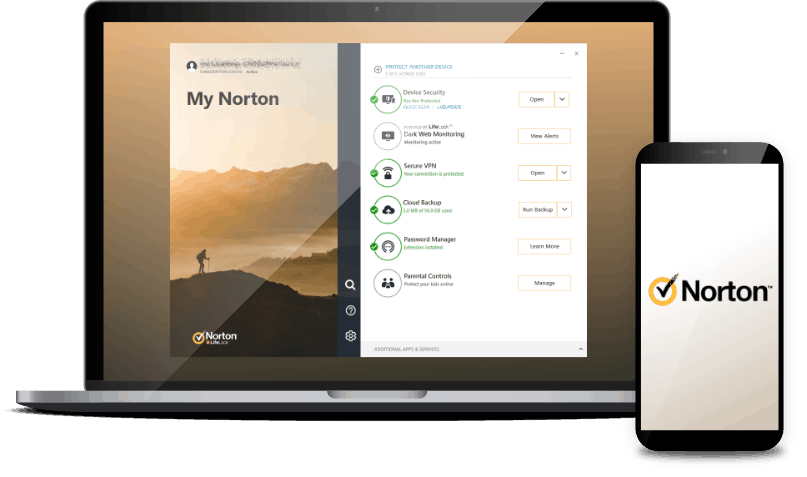
Norton Secure VPN is better when bundled with the rest of the company’s security suite. You can get the VPN with Norton Antivirus and LifeLock, which is one of the best identity theft protection services we’ve tested. It didn’t make our list because Norton’s VPN only offers servers in 65 countries — a number that pales in comparison to our top picks, all of which cover at least 90 countries. When we tested it, we also found its speeds inconsistent on distant servers, which made it less reliable for streaming or gaming.
>> Find Out More: Norton Secure VPN 2026 Review
IPVanish – Affordable VPN for Torrenting

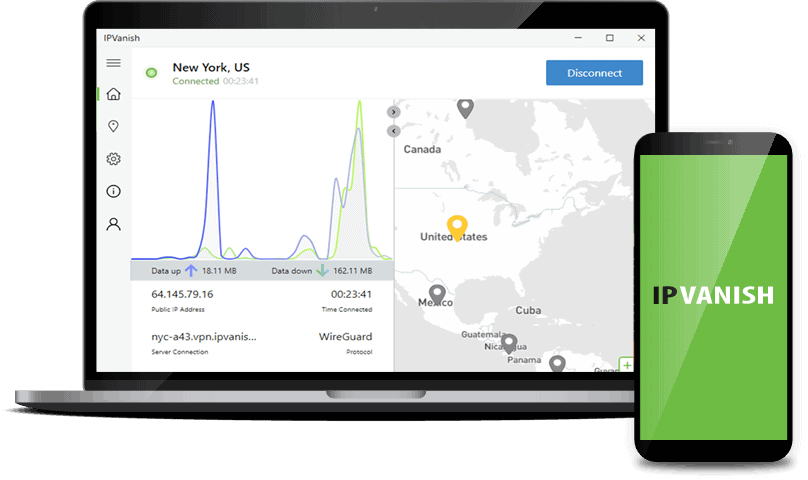
IPVanish maintains very good download and upload speeds, and even rivals NordVPN and Proton VPN in our speed tests. It also has a huge server network that covers 112 countries. Plus, it’s an affordable VPN that allows P2P traffic on all servers, making it a solid pick for torrenting. The one area where it fell short in our testing was streaming — it was only able to bypass Netflix’s VPN block five out of ten times, which isn’t reliable enough for us to recommend it as a primary streaming VPN.
>> Read More: IPvanish 2026 Review
ExpressVPN – VPN with Optional VPN Router (Great for Gaming)

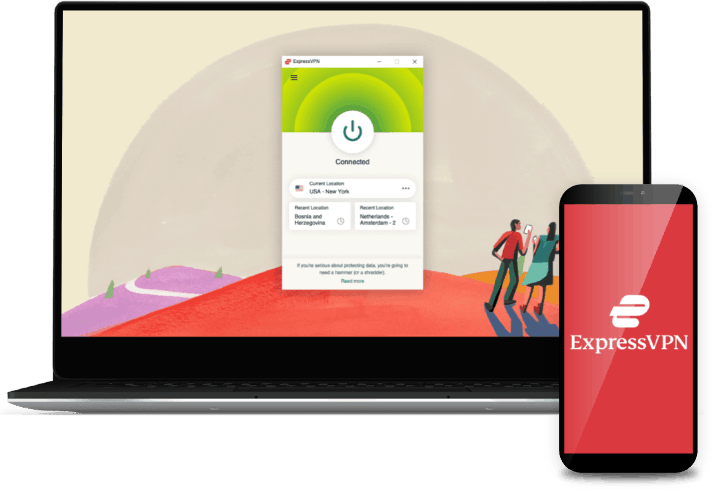
ExpressVPN is one of the most user-friendly VPNs we’ve tested, with a clean interface that made it easy to find servers and adjust settings across every device we used. You also get access to servers in 105 countries that didn’t significantly impact our network speeds. Our favorite feature is the company’s VPN router called Aircove, which we recommend for gamers — especially since consoles like PlayStation and Xbox don’t support VPN apps natively. ExpressVPN plans are pricier than some of our top picks, starting at $2.79 per month, and the Aircove router starts at $170.
>> Find Out More: ExpressVPN 2026 Review
TunnelBear – Another Great Free VPN

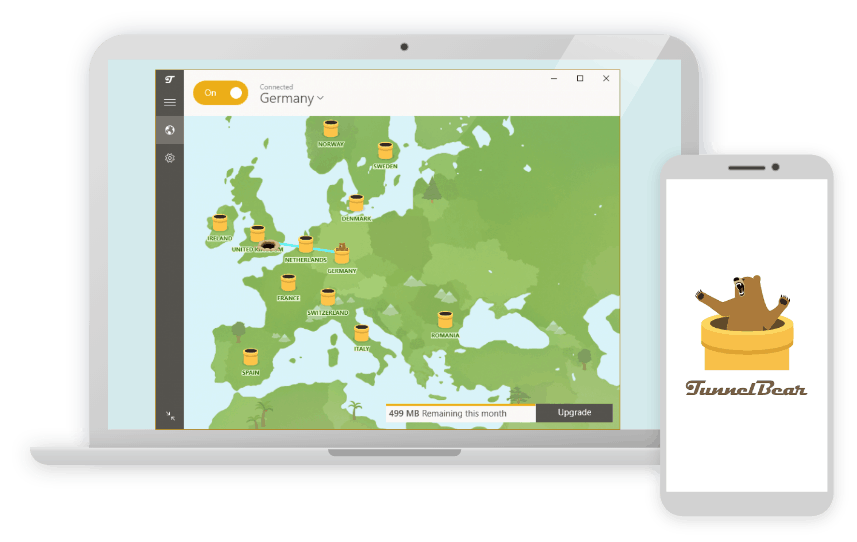
Two of our top picks, Hotspot Shield and Proton VPN, offer excellent free VPNs. TunnelBear is another option worth considering. We don’t recommend its premium plans due to their higher price relative to what you get, but the free plan stood out in our testing. With 2 GB of monthly data, it let us connect to servers in 47 countries — far more flexibility than Hotspot Shield’s three free server locations or Proton VPN’s automatic server selection. If you occasionally need a free VPN and want some control over where you connect, TunnelBear delivers.
>> Learn More: TunnelBear 2026 Review
CyberGhost – Dependable Everyday VPN

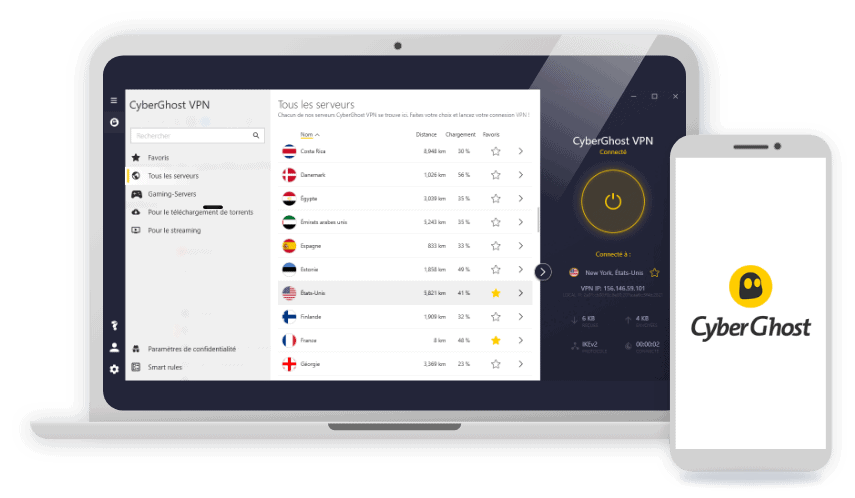
CyberGhost is a privacy-focused VPN with affordable pricing that matches Surfshark and Private Internet Access, coming in at $2.03 per month with a two-year subscription. In our testing, it handled everyday tasks like browsing and streaming without any issues, and checked nearly every box we look for in a solid VPN. The one feature it’s missing is multi-hop — the ability to route your traffic through two VPN servers for extra privacy — though that’s not something most users need day to day. Our main concern is the simultaneous connection limit. At seven devices, it falls short of NordVPN’s ten and Surfshark’s unlimited connections.
>> Read More: CyberGhost 2026 Review
Mullvad – Reputable VPN for Privacy-Conscious Users

Mullvad is a well-regarded VPN among the most privacy-conscious users, and for good reason. In our testing, its security and privacy features rivaled NordVPN and Proton VPN — two of the strongest performers on our list. While its apps look dated compared to the competition, they’re reliable and packed with the features that matter most for privacy. The sticking point is pricing. Unlike most VPNs, Mullvad charges a flat fee of around $5.80 per month regardless of how long you subscribe, which makes it harder to recommend for long-term use when NordVPN offers comparable privacy for as low as $3.49 per month on a two-year plan.
>> Compare: Mullvad vs. NordVPN
Our Methodology: How We Ranked The Best VPNs
How We Test VPNs
Our VPN methodology testing is grounded in our Editorial Guidelines, which emphasize direct, hands-on testing. That means our testers download, install, and run each VPN we evaluate. They benchmark download and upload speeds across nearby and distant servers, check for IP address and DNS leaks, confirm kill switch functionality, review no-log policies and available third-party audits, and check streaming unblocking performance. We also weigh subscription costs, money-back guarantees, and simultaneous connections. We believe the best VPNs are not just those that score well on specs, but those that deliver consistent performance when you need it most.
Our Main Testing Criteria
Our team assessed each VPN across multiple platforms and ran dozens of speed tests and IP address leak tests. To determine the best of the best, we ranked them against these criteria:
- Security: We verified that each VPN uses industry-standard encryption and secure protocols. We also tested each VPN’s kill switch by deliberately dropping the VPN connection mid-session to confirm it didn’t expose our real IP address.
- Privacy: We read every privacy policy line by line, checking for any data that could be tied back to a user’s identity, like IP addresses and browsing history. We then cross-referenced those claims against each VPN’s most recent third-party audit results. We also used our DNS leak test tool to verify that no identifying data slipped through during active sessions.
- Speeds: We ran 10 speed tests per VPN using the Ookla Speedtest tool, measuring download speed, upload speed, and latency on both nearby and distant servers. We averaged the results and compared them against our baseline speeds without a VPN running.
- Value: We compared each VPN’s pricing across all available plan lengths, factoring in the features included at each tier. We also tested free plans and money-back guarantees firsthand to make sure refund processes worked as advertised.
Our team installed every VPN app on their personal devices and used them the way a typical user would. We switched servers, adjusted settings, and connected to different networks. We even recorded any times we were geo-blocked on popular streaming services. All of these factors played a part in narrowing down our top picks.
Why Trust Us
We are an independent team of security experts dedicated to helping you make smarter cybersecurity decisions. We consist of more than 20 security researchers and hands-on testers with a combined 107+ years of experience in the industry. Collectively, we’ve published over 740 guides, including ones that have been cited by major outlets such as The New York Times, CBS News, and TechRadar.
Our VPN testing is headed by Brett Cruz. With a detail-oriented, consumer-first mindset, he leads our testing team in evaluating hundreds of VPN and cybersecurity products. Behind him is our team of experts that include:
- Ozzie Enriquez: Former DHS Senior Watch Officer and DHS Duty Director for Current Operations with 30+ years of national security experience, contributing expertise in national security, threat analysis, and digital privacy as a senior advisor
- Gene Petrino: Retired S.W.A.T. commander and former law enforcement sergeant, contributing 30+ years of real-world security expertise as a subject matter advisor
- Cort Honey: Product tester with an engineering background, 1,000+ hours of product testing, and a talent for making complicated security tech digestible for everyday consumers
- Corey Birnstengel: Editor and videographer responsible for 200+ hands-on video reviews spanning multiple product categories
Our editorial recommendations are never influenced by brand partnerships, ads, or affiliate deals.
What Does a VPN Do?
VPNs create a secure tunnel to encrypt all your internet traffic. They’re far more secure than Incognito mode or private browsers. VPNs make your traffic completely unreadable so nobody can spy on it. That includes ISPs, hackers, and governments. VPNs also hide users’ IP addresses. When you’re accessing websites through a VPN, only the VPN’s IP address is visible.
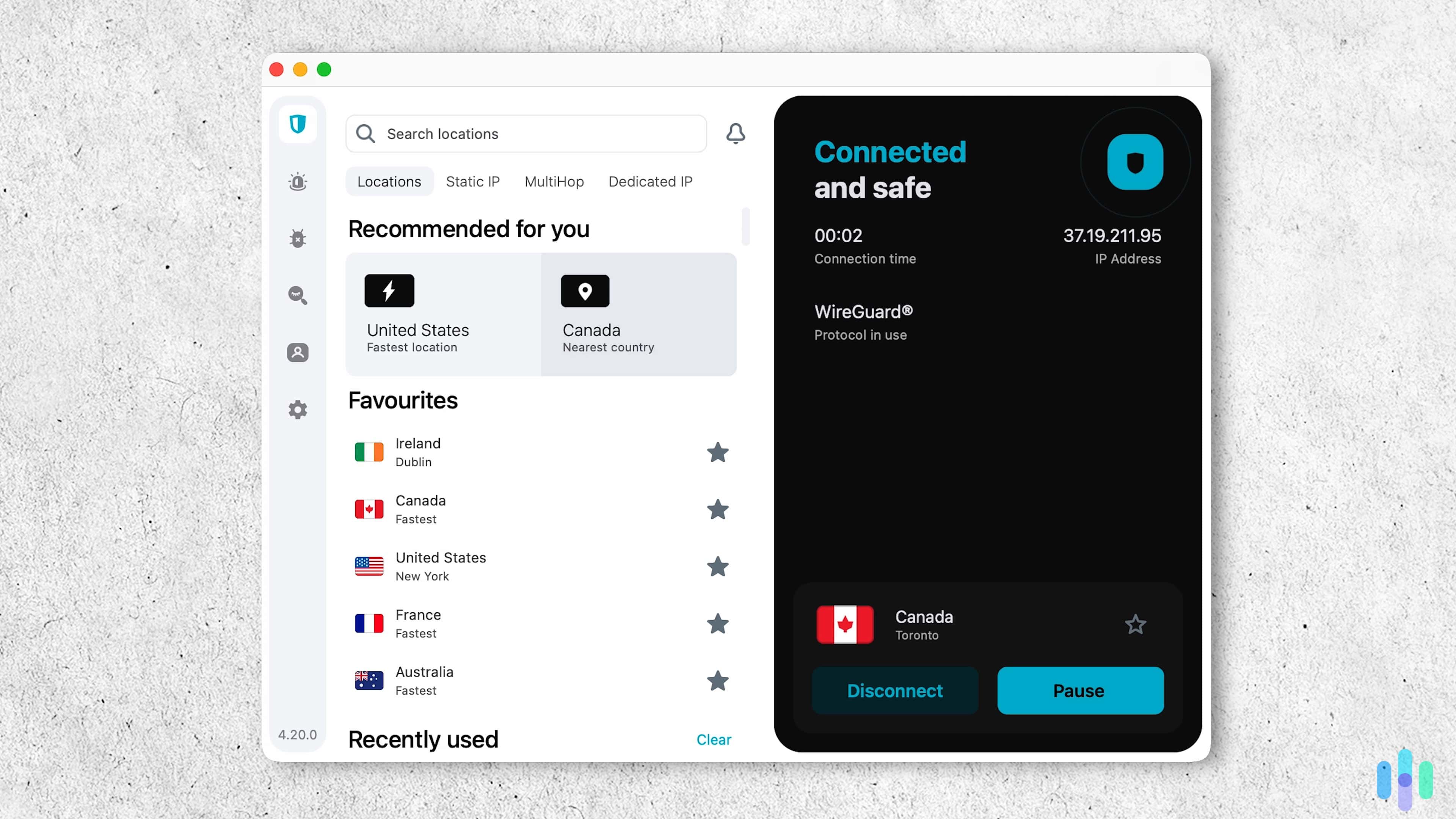
The top VPNs — the ones we tested and ranked above — offer tried and tested encryption standards. They also don’t log your IP address or what sites you browse.
» Check Out: Learn How To Fix Common VPN Issues
How to Choose a Good VPN
As of August 2026, NordVPN, Surfshark, Proton VPN, Private Internet Access, and Hotspot Shield are the best VPNs we’ve tested. We run new tests year-round, so this list can change tomorrow. That’s why it’s a good idea for you to know what to look for when choosing a VPN.
Here is what we looked for when testing and ranking VPNs:
- Speed: You don’t have to sacrifice speed just to enjoy online privacy. All VPNs will slow down your internet traffic, but a great VPN will have minimal impact on your internet speed.
- Security: VPNs deliver online security through a number of features, including the kill switch, encryption, obfuscation, and browsing protection. Look for such features when picking a VPN to use.
- Servers: Having the most servers doesn’t necessarily make you the best. A good VPN should have a minimum of 3,000 servers in at least 100 countries.
- Privacy: A no-logs privacy policy is non-negotiable. Before you give any information to a VPN company, take a read through its policies and look for features like double VPN (multihop) to see if they take privacy seriously.
- Price: VPN prices vary widely, but look for VPNs that give you value for your money. Sometimes, a pricier VPN with stronger features is better than a cheap VPN that offers less.
- Features: Speaking of features, VPNs today offer plenty of bonus features. Look for ones that offer the features you need. For example, Surfshark and NordVPN can help enhance your browsing security by blocking malicious websites.
- Ease of Use: You shouldn’t need a degree to operate and navigate VPN apps. They should fit seamlessly into your everyday routines while being simple to customize to your needs.
The Fastest VPNs We Tested
When we test VPN speeds, we use the Ookla Speedtest tool3 to measure three important metrics: the download speed, upload speed, and latency (or ping). We test each VPN 10 times, average the result, and compare it to our speeds when we’re not connected to a VPN. The lower the impact on our baseline speed, the better.
| Average download speed (Mbps) | Download speed loss | Average upload speed (Mbps) | Upload speed loss | Average ping (Mbps) | Latency loss | |
|---|---|---|---|---|---|---|
| NordVPN | 89.11 | 5.78% | 90.72 | 4.11% | 78.3 | 2510% |
| Surfshark | 87.25 | 7.78% | 47.32 | 49.98% | 135.8 | 4427% |
| Proton VPN | 86.07 | 8.18% | 90.66 | 4.08% | 78 | 2.50% |
| Private Internet Access | 90.48 | 4.84% | 14.86 | 84.26% | 86.7 | 2790% |
| Hotspot Shield | 91.47 | 3.17% | 18.88 | 80.03% | 79 | 3850% |
In our latest VPN speed test conducted in January 2026, we found NordVPN’s download and upload speeds never slowed by more than six percent – even when testing distant servers. Proton VPN also performed well, decreasing our download speeds by eight percent, and our upload speeds by only four percent.
With a baseline speed of 94.46 Mbps, Hotspot Shield’s download speed only dropped to 91.47 Mbps (that’s just a three percent slowdown). As you can see, though, the upload speeds slowed by up to 80 percent. Based on these results, we don’t recommend using Hotspot Shield for securely uploading large files.

Can You Trust The Top VPN Services?
A VPN encrypts your traffic and changes your IP, but it could still log that data. The VPN could then share it with third parties, such as advertisers.
Here’s how we determine if we can trust a VPN service:
- Privacy policy: We read the VPN’s privacy policy to make sure it actually doesn’t log any data that could be tied to our identity, such as IP addresses and browsing traffic.
- Third-party audits: We can easily access and read a VPN’s privacy policy, but we have no way to actually confirm that the VPN adheres to it. That’s where third-party audits come in. Trustworthy VPNs undergo independent security audits that verify their no-log claims.
- Company headquarters: Where a VPN company is located matters, because some countries have laws that could compromise user privacy. In India, for example, VPN companies are required to log usage data (IP addresses, visited websites, etc.).
FYI: Some VPNs are located in 5/9/14 Eyes countries. These countries are part of an alliance and share surveillance data with one another. Such VPNs are safe, provided they undergo regular audits to prove that their no-log claims are true.
Bottom Line
There are several reasons to use a VPN. We use them to keep our data secure and protect our privacy. You can also use them for streaming, online gaming, and downloading torrents.
The only thing is that every VPN offers a different experience. NordVPN is the best option for security and privacy, but Surfshark is cheaper and has some better features. ProtonVPN is one of the fastest we tested, and PIA and Hotspot Shield are excellent alternatives. Before you sign up, make sure you’re choosing the right VPN for your needs.
VPN FAQs
-
Where are VPNs illegal?
Some examples of countries that block VPNs include China, Russia, and Turkey. They achieve this via IP blocks and VPN traffic blocks (called DPI blocks). Most top VPNs get around them by refreshing their IPs really fast and using obfuscation, but there’s no guarantee it always works.
-
Are there disadvantages to a VPN?
There are some downsides to using a VPN, like reduced internet speeds and limited access to websites and services. You’ll also usually face an ongoing cost to use the best VPNs.
-
How much should I pay for a VPN?
VPN prices range from $2 to $15 per month, with longer-term plans offering significant savings. You’ll also find some free VPNs, but they often offer limited features and basic protection.
-
Is using a VPN illegal in the U.S.?
No, using a VPN is not illegal in the United States. The FBI even recommends using them as a tool to protect your privacy.
-
Which VPNs are safest to use?
NordVPN, Surfshark, ProtonVPN, Private Internet Access, and Hotspot Shield are all safe to use. For the utmost protection, we recommend NordVPN, which offers additional security tools for your privacy.
-
The HIPAA Journal. (2025). More Than 1.7 Billion Individuals Had Personal Data Compromised in 2024.
https://www.hipaajournal.com/1-7-billion-individuals-data-compromised-2024/ -
Netflix. (Retrieved 2025). Netflix-recommended internet speeds. https://help.netflix.com/en/node/306
-
Ookla Speedtest. (Retrieved 2025). Speedtest by Ookla – The Global Broadband Speed Test. https://www.speedtest.net/