TunnelBear Review
TunnelBear assigns you a different IP address every session, making it harder for hackers, advertisers, and your ISP to monitor you.
 &
&
 Last Updated on Apr 06, 2026

What We Like
- Doesn't log files: Many VPNs claim this, but TunnelBear can back up their claims because they've been audited by an independent third party.
- Free version: You can use TunnelBear for free if you stay below 2GB per month.
- Excellent app ratings: TunnelBear's iOS and Android apps have an average rating of 4.5 out of five stars.
What We Don't Like
- Five Eyes Country: TunnelBear is located in Canada, which means they could be legally forced to share your data, although they do have a no-logging policy.
- Netflix: Unfortunately, I sometimes had trouble using TunnelBear to bypass Netflix’s georestrictions.
- Not the best customer support: Customer support was sometimes slow and unhelpful, according to TunnelBear customers.
Bottom Line
I’m going to try and get through this without making an unbearable amount of bear puns, so bear with me…
Alright, I swear I have that out of my system.
Jokes aside, let’s talk virtual private networks. You might want one to increase your anonymity online, you might want to prevent your ISP from snooping on your browsing behaviors, or you might just want to watch “It’s Always Sunny in Philadelphia” on your trip to the U.K. Whatever your reasoning, you’re going to want a high-quality VPN.
You may have heard of TunnelBear before — one of their main selling points is their free version — but are they the right service for you? In this TunnelBear VPN review, I’ll review their pros and cons, the company itself, its features, and how it performed for me. Then, I’ll talk about what subscription options are available with TunnelBear, what the customer support is like, what the apps are like, and then how it compares to the rest of the competition. Let’s jump right in!
Customer Support
| Email tickets | Yes |
|---|---|
| Live phone support | No |
| Live online support | No |
| Online help center | Yes |
| Contact form | Yes |
Other VPNs to Consider — This Time with Streaming
TunnelBear is a great choice if you're looking for an affordable VPN that'll keep your data safe while you're coming and going online — if you're looking to stream Netflix from other countries, though, you might run into some snags with Tunnelbear. So if you're media-minded, check out these three options below.


About TunnelBear
TunnelBear was founded in 2011 in Toronto, Canada. Is Canada a good place to start a VPN company? Well, Canada is one of the founding members of Five Eyes, an international surveillance alliance that could force VPNs to hand over people’s data. Okay, so it’s not an ideal location for a VPN, but don’t give up hope. As I’ll discuss below, TunnelBear has a no-logging policy which means they shouldn’t have any data to hand over.
With servers in 48 countries worldwide, TunnelBear offers solid coverage for most everyday users. Keep in mind that internet speed is closely tied to how far you are from the nearest server. However, they still don’t publicly disclose how many total servers they operate. That matters because too many users per server can slow down your speeds. To find out if this will be an issue for you, I ran speed tests while connected to TunnelBear so you can judge for yourself. First, let’s dig into the features.
TunnelBear Features
| Data Logging | No |
|---|---|
| Kill Switch | Yes |
| Tunneling | Android only |
| Netflix | No |
| Torrenting | Yes |
| IP Addresses | Shared IP address w/other users |
Basically, TunnelBear works by creating a virtual private network when you’re connected to the Internet on your home connection or when you’re using Wi-Fi in public. This means your Internet Security Provider will only see you accessing the VPN servers, and not what websites you’re going to. Plus, your IP address will be hidden, as well.
Will TunnelBear Log My Data?
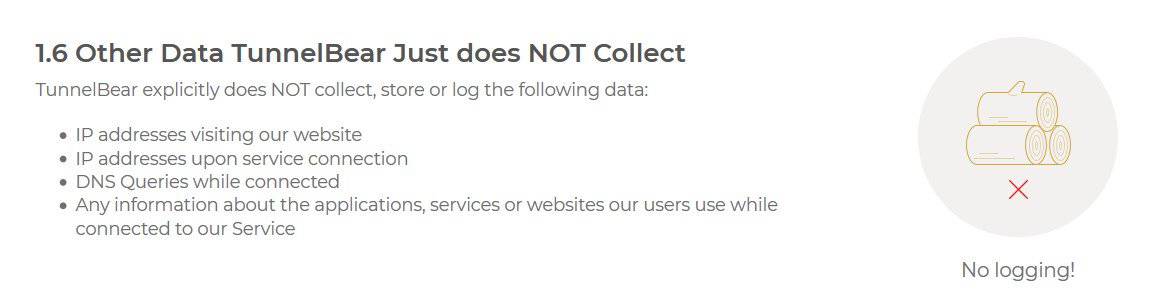
The answer to this question is always complicated. VPNs have to log some data in order to verify payment, send you emails, and help you with customer support. Besides basic information like email address and payment details, TunnelBear also collects:
- Which operating system you use
- Which months you used TunnelBear
- Total amount of data used in the current month
- Operational events, such as when you created your account, made a payment, etc.
This puts TunnelBear squarely in the middle of the pack — some VPNs collect less, others collect more. Whether that’s acceptable is ultimately your call. It’s good enough for us since it won’t log your web traffic, keeping your internet habits private.
Does TunnelBear Have A Kill Switch?
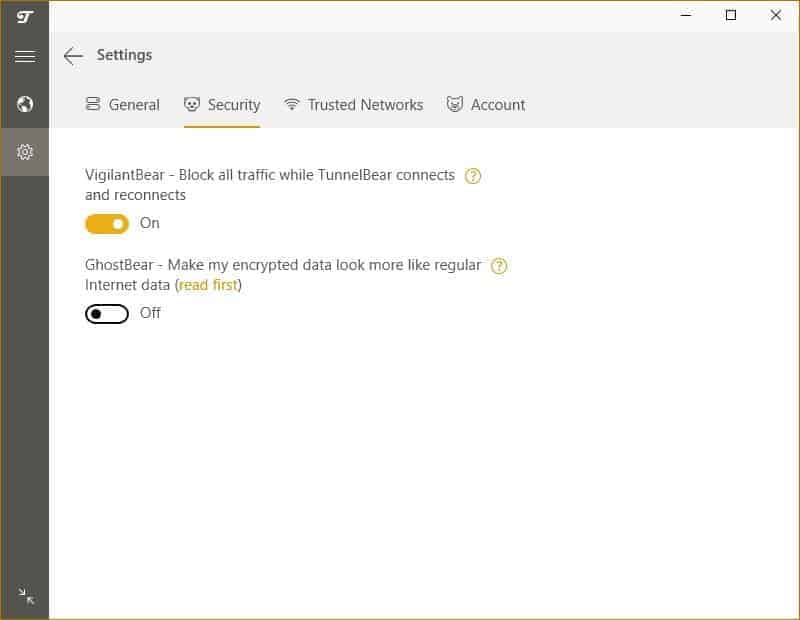
A kill switch, also known as a network lock feature, is an application feature that “kills” your internet if your VPN connection is lost. This feature could save your skin if you’re a journalist or downloading a torrent that might be copyrighted content. Without a kill switch, a momentary outage could expose your private IP address. Luckily, TunnelBear does have a kill switch, called VigilantBear, on Windows, Mac, and Android.
Does TunnelBear Offer Split Tunneling?
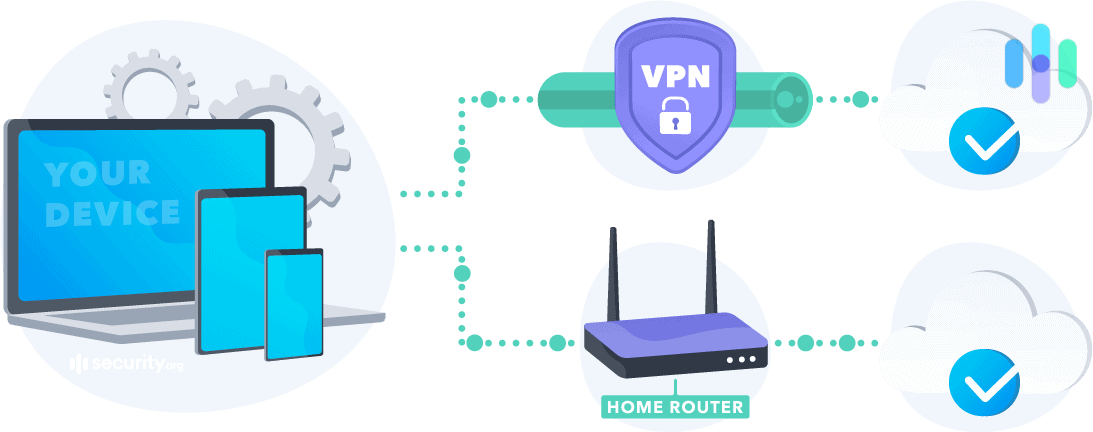
Split tunneling is a feature that allows you to route some web traffic to your Internet Service Provider (ISP) and some through an encrypted VPN tunnel. For example, this feature would let you watch Netflix through your ISP unencumbered, while you are surfing the web with your VPN at the same time. TunnelBear does have split tunneling, but only on Android. They call this feature SplitBear.
Can I Use Netflix with TunnelBear?
Using a VPN to access different countries’ media libraries is an interesting quirk of these systems, and some folks actively seek out VPNs that do a good job of unlocking global content. Is TunnelBear one of them? We found it to be hit-and-miss. Netflix has become more aggressive about detecting and blocking VPN traffic, and TunnelBear is no exception. In our testing, it occasionally punched through, but not reliably enough to make it your go-to for streaming.
Can I Torrent with TunnelBear?
Torrenting with TunnelBear is technically possible — the service no longer blocks P2P traffic the way it once did. That said, TunnelBear doesn’t optimize any of its servers specifically for torrenting, so speeds and reliability can be inconsistent. If you torrent regularly, you’ll be better served by a VPN that’s built for it, with dedicated P2P servers and a proven no-logs policy like NordVPN.
TunnelBear Encryption
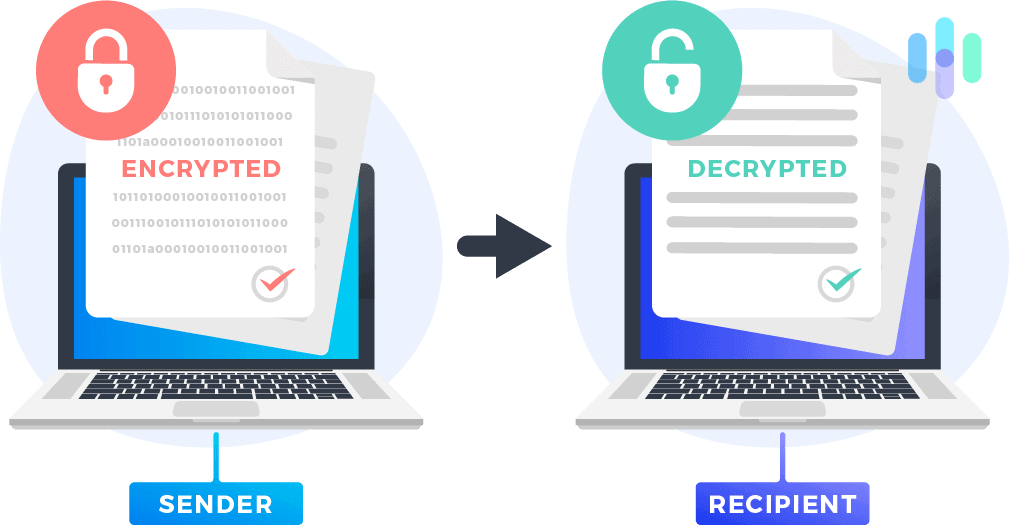
With all your data being transported through that shiny, new VPN tunnel, you might be wondering how secure that tunnel is. At least I would hope so! If you can’t trust the encryption of your VPN, then it’d be better to stick with your regular ISP. TunnelBear uses AES-256 for data encryption, SHA256 for data authentication, and 2048-, 3072-, or 4096-bit DH group for handshake encryption. Here’s a brief summary of this technical jargon means.
AES-256
Advanced Encryption Standard (AES) is an encryption algorithm used to encrypt data with a 128-, 192-, or 256-bit key lengths. AES-256, AES with a 256-bit key, is ubiquitous in the encryption field because it’s fast, secure, and doesn’t use much computing power. The United States uses AES-256 to encrypt top-secret information, which is why sometimes you will see this advertised as “military-grade encryption”.
SHA256

SHA, or Secure Hash Algorithm, creates a “hash” of unique characters that can be compared to authenticate passwords or keys. This is done rather than sending sensitive information in plain text across the internet. SHA256 is 256-bit SHA and is considered secure by the information security (infosec) community.
Diffie-Hellman Exchange
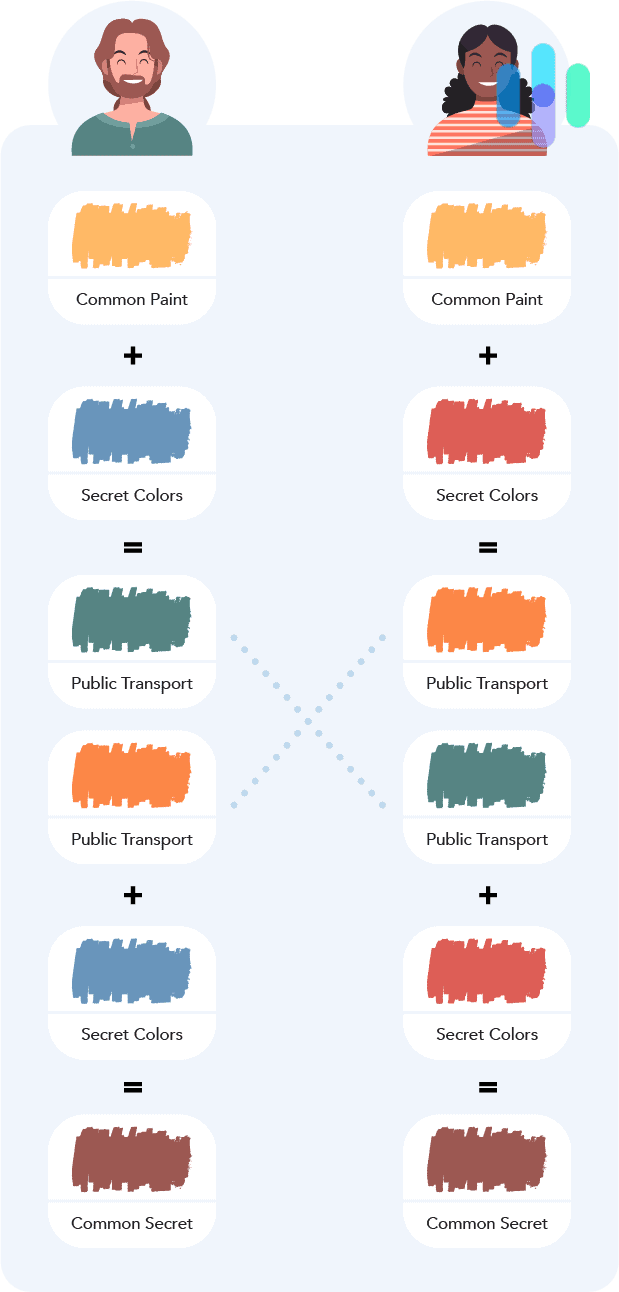
The Diffie–Hellman (DH) key exchange is a way of sending cryptographic keys over a public channel. The higher the number of bits, the more secure the key exchange. TunnelBear uses 2048-bit DH for Windows, 3072-bit DH for MacOS and iOS, and 4096-bit for Android.
TunnelBear Protocols
Internet protocols determine how data packets travel across a network, and the protocol a VPN uses has a direct impact on its security and speed. TunnelBear supports WireGuard and OpenVPN on Windows, macOS, Android and iOS. They also support IKEv2 on Windows, macOS and iOS. We prefer WireGuard as it offers strong security and excellent speeds. That said, all of these protocols are considered highly secure by the infosec community. You can find more details on each below.
OpenVPN
OpenVPN is an open-source VPN protocol used to make secure tunnels for your web traffic. OpenVPN is sometimes referred to as the gold standard when it comes to VPN protocols, and rightly so because it offers a good balance of speed and security. It offers up to 256-bit encryption using the Open SSL library and many other security features that can be configured as desired with protocols such as PPTP, L2TP, IKEv2/IPSec, SSTP, and more.
IKEv2
Internet Key Exchange version 2 is a widely used VPN protocol that automatically re-establishes your connection with your VPN after you’re disconnected from the Internet. This comes in handy when you would like to switch between Wi-Fi and mobile hotspots, which happens all the time when you’re on a mobile phone.
WireGuard
WireGuard is known for its simplicity and performance. It uses state-of-the-art cryptography and is designed to be faster than traditional protocols like OpenVPN and IPSec.
IPSec
IPSec, or Internet Protocol Security, is a collection of internet protocols to securely send data over an internet connection. These protocols can authenticate and encrypt the packets of data sent. As I mentioned, IPSec can use a variety of ciphers and algorithms, so its strength depends on the algorithms used.
| Function and device type | Internet protocol |
|---|---|
| Tunneling (PC, Mac, iOS) | OpenVPN, WireGuard, IKEv2 |
| Tunneling (Android) | WireGuard, OpenVPN |
| Reestablishing connections (PC, Mac, iOS) | IKEv2 |
Testing TunnelBear
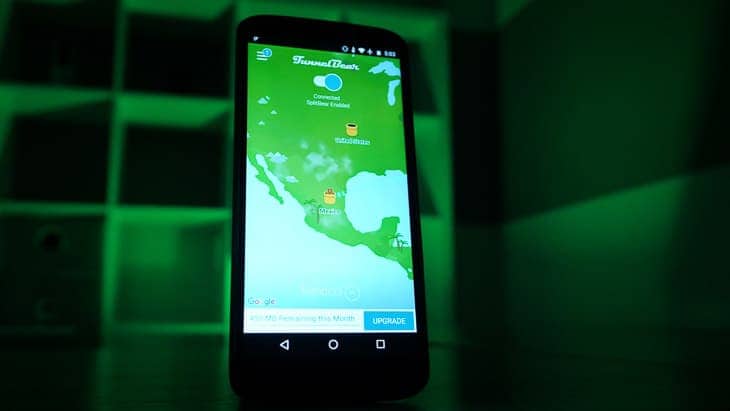
Now that we’ve covered TunnelBear’s features, it’s time to put the service to the test. A good VPN needs to do two things well: stay fast and never leak your IP address. Here’s how TunnelBear holds up across different platforms.
Speed Test
Whichever VPN you choose, you’ll have to accept the fact that it will slow down your Internet at least marginally. The extra protection from VPN security protocols comes at a price. Please note that your Internet speed is determined by many factors— time of day, location, Internet Service Provider, VPN server distance, and of course the VPN service provider. So TunnelBear may be faster or slower for you. I’m testing TunnelBear in Warsaw, Poland on a Macbook Pro and Lenovo ThinkPad.
Download Speed Tests
| Mac | |
|---|---|
| Without VPN | 455.76 mbps |
| With VPN | 251.79 mbps |
| Windows | |
|---|---|
| Without VPN | 116.71 mbps |
| With VPN | 54.85 mbps |
When it came to download speeds, TunnelBear performed better on my Mac than on my Windows computer, with a 45% decrease on my Macbook Pro and a 53% decrease on my Windows computer. For percentages, these are pretty average. But I will say that I’m surprised that my Mac download speed stayed above 250 Mbps.
Upload Speed Tests
| Mac | |
|---|---|
| Without VPN | 28.48 mbps |
| With VPN | 24.28 mbps |
| Windows | |
|---|---|
| Without VPN | 29.98 mbps |
| With VPN | 5.29 mbps |
For upload speeds, TunnelBear slowed down my upload speed significantly more on the ThinkPad than on the Macbook Pro, with a difference of about 82% compared to 15% on the Macbook Pro. This time the difference was massive, with my Mac performing remarkably better.
Ping Speed Tests
| Mac | |
|---|---|
| Without VPN | 9 ms |
| With VPN | 51 ms |
| Windows | |
|---|---|
| Without VPN | 11 ms |
| With VPN | 31 ms |
And finally, I want to take a look at ping, or latency. This time, my Windows computer came out ahead. While TunnelBear increased latency by 182% on my Windows, my ping increased 467% on my Mac. That’s pretty bad for my Mac, considering the server I was connecting to was close to me. Overall, TunnelBear performed well on my Mac, and was mediocre on my Windows laptop.
DNS Leak Test
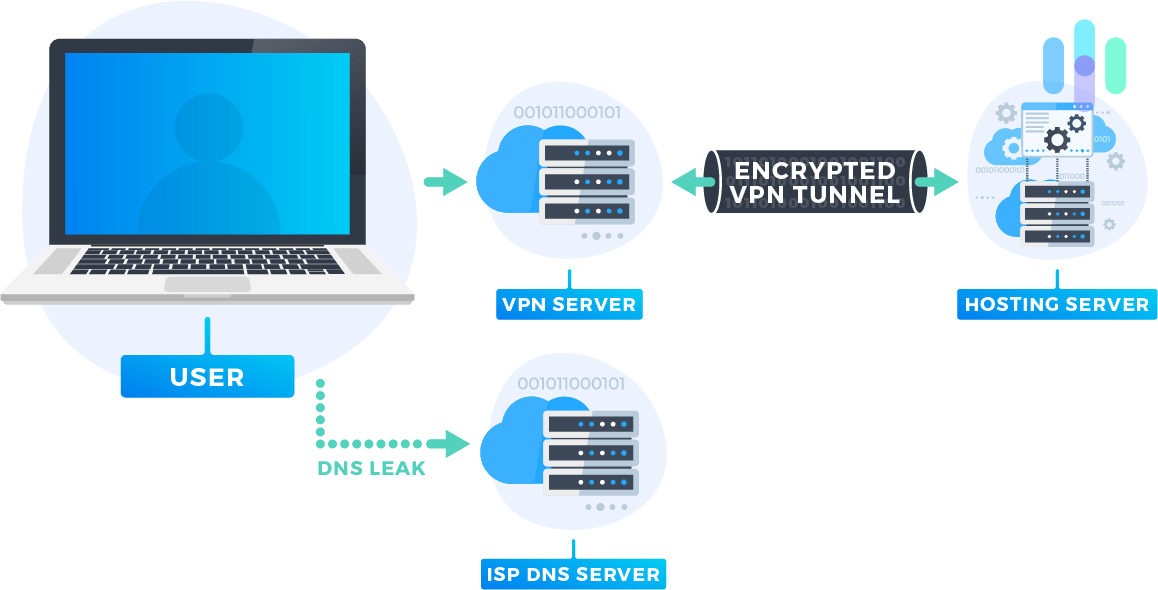
DNS stands for Domain Name Server, which is the address of the sites you visit on the internet converted to numbers, “198.105. 232.4” for example. Sometimes, even after connecting to a VPN, your computer will continue to use your ISP’s DNS addresses instead of the VPN’s. This DNS leak will give away your private IP address and make your VPN useless. I performed DNS leak tests on both my Mac and Windows computers and found that TunnelBear passes DNS leak tests.
WebRTC Leak Test
Are you going to use your VPN with web browsers like Chrome, Firefox, Microsoft Edge, or Opera? If so, you need to know about WebRTC leaks. WebRTC, otherwise known as Web Real-Time Communication Test, allows web browsers to communicate directly with each other rather than going through an intermediate server. WebRTC makes for faster speeds for video chat, live streaming, and file transfers. You’re probably waiting for the bad news.
Well, any two devices that are communicating with WebRTC need to know each others’ private IP addresses. So theoretically, a website or third party could use WebRTC to detect your real, private IP address. That’s no good. What’s the point of an encrypted VPN tunnel if your browser will give away your private IP address anyways? I tested TunnelBear and luckily, TunnelBear doesn’t allow WebRTC leaks.
TunnelBear Subscription Information
Now that you know how TunnelBear performs, let’s talk about cost. One thing I genuinely appreciate about TunnelBear is that you can try it for free. The free plan gives you 2 GB of data per month — enough to get a feel for the interface and performance, but not enough for streaming or heavy browsing. If you want to use it daily, you’ll need to step up to a paid TunnelBear subscription.
Personal Subscription Options
| Subscription | Free | One Month | One Year | Three Years |
|---|---|---|---|---|
| Monthly Cost | $0 | $9.99 | $4 | $3.33 |
| Total Cost | $0 | $9.99 | $47.99 | $120.00 |
| Data Limit | 2 GB | Unlimited | Unlimited | Unlimited |
Team Subscription Options
| Number of Team Members | Price |
|---|---|
| 2 | $138 per year |
| 20 | $1,380 per year |
| 100 | $6,900 per year |
| 150 | $10,350 |
TunnelBear’s pricing is pretty competitive, running from about $3 to $10 a month depending on your plan. Team plans come in at $5.75 per user per month. For comparison, even one of our top picks, ExpressVPN plans range between $3.49 and $12.99 a month. You can pay for TunnelBear using a credit card or Bitcoin — and once upon a time, you could apparently pay with a jar of honey. No, seriously.

Options
You’ll be able to connect unlimited devices simultaneously on one subscription. You can also use the same protocol across multiple devices without issues. With any subscription, you’ll be able to switch between an unlimited number of servers.
Manual Configurations
Apps are nice and all, but what if you want to connect TunnelBear on a device that doesn’t use iOS, Android, Mac, or Windows. In that case, you’ll need to manually configure TunnelBear. You can only manually configure TunnelBear on Linux. You’re out of luck if you were hoping to connect TunnelBear with eReaders, Windows mobile devices, AppleTV or AndroidTV, game systems, or on routers.
Supported Browsers
TunnelBear has browser extensions for Chrome, Firefox, and Opera, in case you’re someone who doesn’t like to bother with apps.
TunnelBear Customer Support
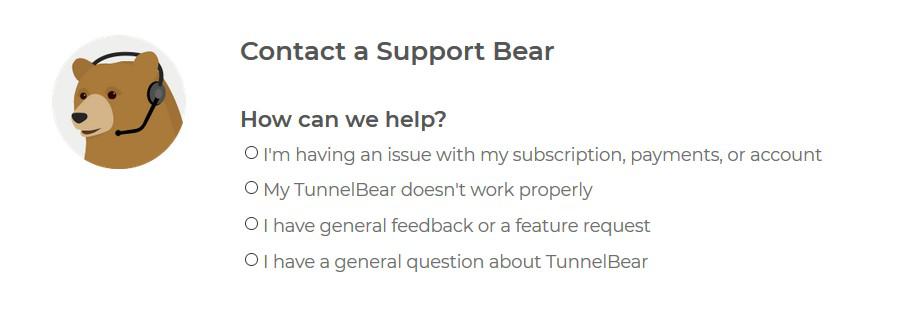
If you’re having trouble connecting to TunnelBear or with your account, that’s where customer support comes in. Let’s see if TunnelBear’s customer support is there when you need it.
Features
TunnelBear offers help through email support tickets 24/7/365. I’m glad they are always available, but I wish they had a customer service phone number or even live chat support. Waiting on an email can be frustrating when your VPN cuts out during the season finale of Stranger Things. I will say they have an extensive FAQ that should be able to answer most of your questions without getting customer support involved at all.
Customer Support Ratings
TunnelBear’s app has hundreds of thousands of reviews across the Google Play Store and the Apple App Store. When we looked for reviews mentioning customer support, the picture was mixed. Some users praised the team’s friendliness and sense of humor, while others flagged slow response times and unresolved technical issues.
The TunnelBear App
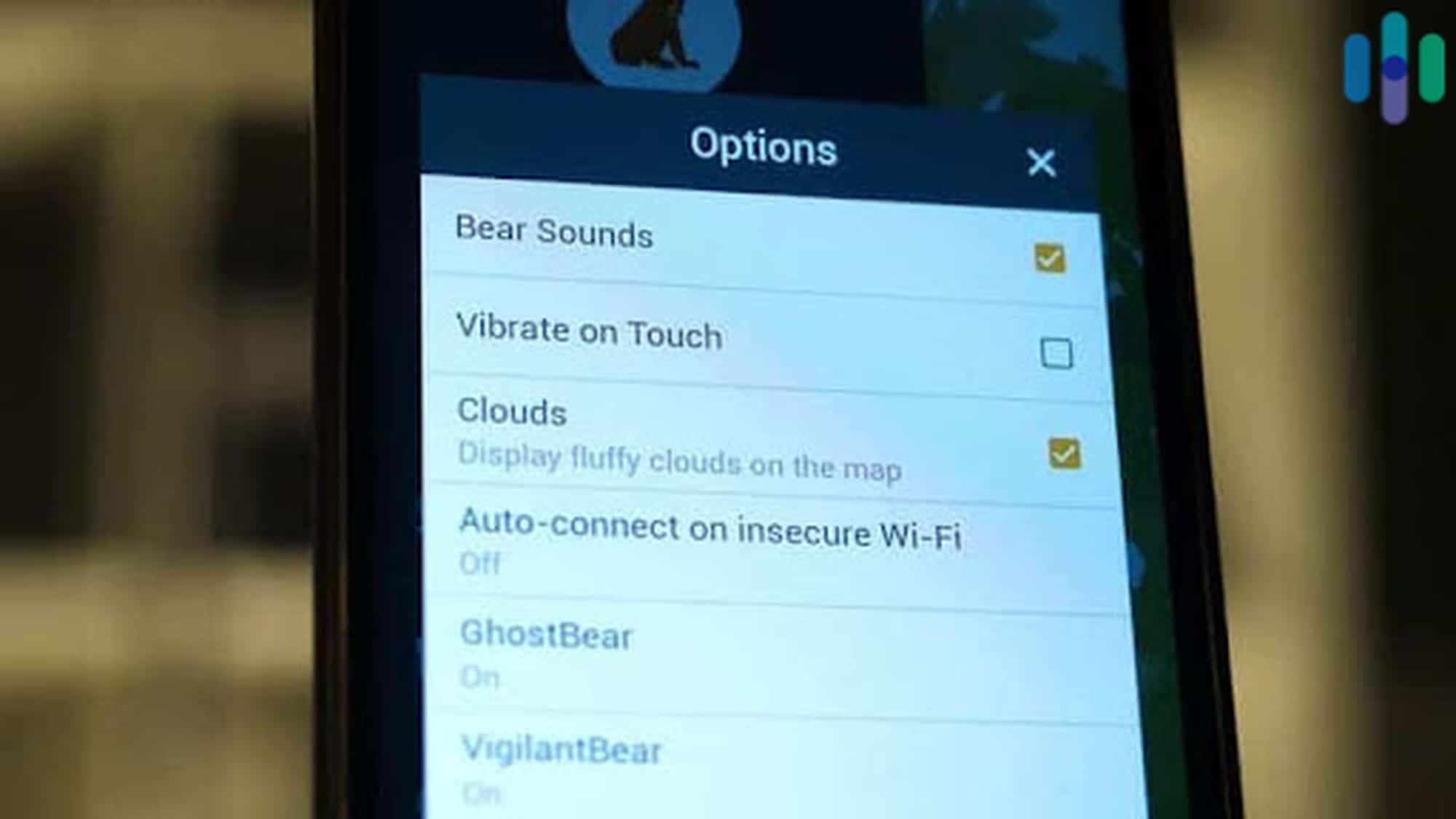
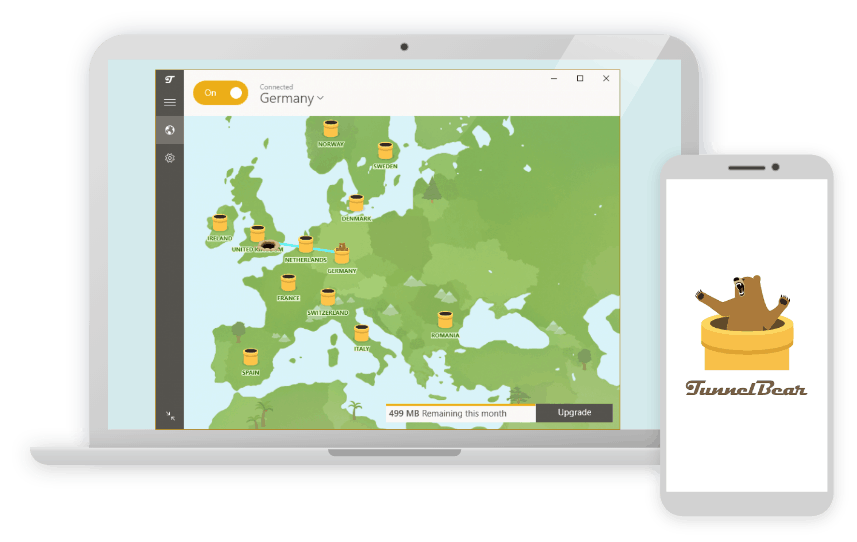
TunnelBear has mobile apps for both iOS and Android, so you can stay protected on the go. Both are well-reviewed — the Android app holds 3.7 stars on the Google Play Store, and the iOS version sits at 4.7 stars on the App Store. Vera Stieler wrote in a recent five-star review,
“Been using Tunnelbear for years on several devices now and have no complaints whatsoever. A huge shoutout to the customer service who recently helped me with a question I had. You guys rock! ??”.
TunnelBear Vs. NordVPN
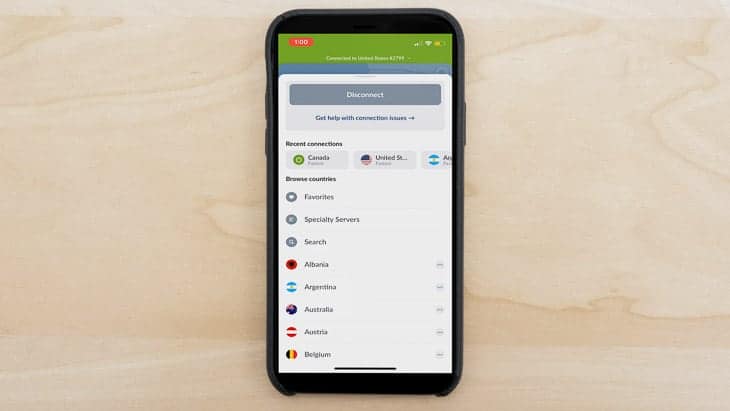
NordVPN is one of our top VPN choices, so let’s see how it compares to TunnelBear. Put simply, TunnelBear does not have quite as many servers as NordVPN. TunnelBear operates servers in 47 countries, Nord has over 9,000 servers in 135 countries.
| TunnelBear | NordVPN | |
|---|---|---|
| Data Logging | No | No |
| Kill Switch | Yes | Yes |
| Split Tunneling | Only on Android | Yes (Windows, Android) |
| Netflix | Sometimes | Yes |
| Torrenting | Yes | Yes |
| IP Addresses | Shared IP addresses w/other users | Shared IP addresses w/other users, regularly rotated |
NordVPN is based out of Panama, a country not part of any international surveillance alliance. This differs for TunnelBear, which is headquartered in Canada, a member of the Five Eyes international surveillance alliance. They both have kill switches and they both allow torrenting. TunnelBear offers split tunneling on Android, while NordVPN offers split tunneling on Windows and Android devices.
While NordVPN lets you stream Netflix easily, TunnelBear can sometimes take a bit of trial and error before it works. And by trial and error, we mean a pretty tedious process of connecting to different servers until one works. With that said, they both give you anonymous IP addresses that are shared with other users which helps you stay anonymous.
When it comes to price, it depends on how long you want to commit. If you just want to pay monthly or yearly, TunnelBear is cheaper. If you can commit to two or three years, then NordVPN becomes cheaper. Overall, NordVPN and TunnelBear are similar and the winner depends on what you’re looking for in a VPN. For most users though, I would recommend NordVPN because it works with Netflix, and not being located in a Five Eye country is a big privacy plus.
Can TunnelBear stand toe-to-toe with other brands? Find out below.
For a closer look at how TunnelBear performs, we compared it with other popular VPNs.
Our TunnelBear Research and Data
The following is the data and research conducted for this review by our industry-experts. Learn More.
Encryption
| In Transit | Yes |
|---|---|
| At rest? | Yes |
| All network communications and capabilities? | Yes |
Security Updates
| Automatic, regular software/ firmware updates? | Yes |
|---|---|
| Product available to use during updates? | No |
Passwords
| Mandatory password? | Yes |
|---|---|
| Two-Factor authentication? | Yes |
| Multi-Factor authentication? | Yes |
Vulnerability Management
| Point of contact for reporting vulnerabilities? | Fill out a support ticket |
|---|---|
| Bug bounty program? | No |
Privacy Policy
| Link | https://www.tunnelbear.com/privacy-policy |
|---|---|
| Specific to device? | No |
| Readable? | Yes |
| What data they log | Payment information, email, browser version, total data used in a month |
| What data they don’t log | IP addresses, DNS queries, browsing history |
| Can you delete your data? | Yes |
| Third-party sharing policies | Shares information with third parties for payment processing. |
Surveillance
| Log camera device/ app footage | n/a |
|---|---|
| Log microphone device/ app | n/a |
| Location tracking device/ app | No |
Parental Controls
| Are there parental controls? | No |
|---|
Company History
| Any security breaches/ surveillance issues in past? | Yes |
|---|---|
| Did they do anything to fix it? | Yes |
Additional Security Features
| Anything like privacy shutters, privacy zones, etc.? | n/a |
|---|
Recap of TunnelBear
In summary, I think TunnelBear is a good VPN with a few disadvantages, namely its spotty Netflix capabilities, being located in a Five Eyes country, and slower speeds on Windows. However, you know what they say: “different strokes for different folks”. So let’s break down TunnelBear to see if it will be a good fit for you.
TunnelBear is the VPN for you if you like…
- No data logging: TunnelBear is one of only a handful of VPNs that have been audited by a third party.
- Free version: You can get 2GB per month to try out TunnelBear to see if you like it.
- Excellent app ratings: With an average rating of 4.5 out of five stars, TunnelBear must be great on mobile devices.
But steer clear if any of the following are deal-breakers…
- Five Eye country: Canada, or another Five Eye partner country, could force TunnelBear to hand over your data (although this shouldn’t matter because of TunnelBear’s no-logging policy).
- Netflix: TunnelBear can have issues bypassing Netflix’s geographical restrictions.
- Customer support lacking: No phone or live chat support.
TunnelBear FAQs
-
Is TunnelBear safe?
TunnelBear is a safe VPN to use. It has strong encryption and a strict no logging policy. TunnelBear uses AES-256 for data encryption, SHA256 for data authentication, and the Diffie-Hellman exchange (2048-, 3072-, or 4096-bit) for handshake encryption.
-
Is TunnelBear VPN good?
I think TunnelBear is a good VPN with few disadvantages, namely not working with Netflix and being based out of Canada, a country part of the Five Eyes international surveillance alliance. You can try TunnelBear yourself and receive 2GB monthly for free.
-
Is TunnelBear VPN free?
The TunnelBear VPN has both free and paid options. You can get up to 2GB of data per month absolutely free, but if you need more you will have to pay between $3.33 and $9.99 per month, depending on the plan you choose.
-
What is the use of TunnelBear VPN?
TunnelBear helps you protect your privacy, encrypt your web traffic and torrent files. Unfortunately, TunnelBear doesn’t work with Netflix.